
Mac error

Messages
3,699
Name
Pete
Edit My Images
Yes
I have been getting this error lately
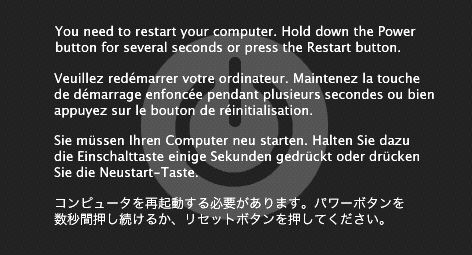
106227_3.jpg


It happened first when I was exporting a load of photos from Lightroom to i-photo using a third party plugin. It happened a couple of times so I left it.

It has just happened again in the middle of a backup, so wondering if it is happening during long copy and paste operations maybe signifying a hard drive problem?

Any other ideas?
 
I had this same screen on my nearly new MacBook Pro.
In a panic I took it back to a Mac Store where it was simply diagnosed as a corrupted file download. (Google Earth)
I took out the programme and have never had the issue since.
So, perhaps it's a similar issue, have you downloaded anything recently, photo based or not?
Might be worth messing around with your programmes.
Though it caused me major distress it was easily resolved.
Good luck.

Paul.
 
Had similar problems with a Delkin Xpress card reader. Restarted Mac without reader no problems. Card now in bin.

Try removing the third party app. It may not be compatible with the OS version you have.

Check the status of the backup as I suspect it may have some corruptions.
 
hope it is something like suggested above as when this happened to my friend his macbook just wouldn't start up at all and constantly gave this screen, he had to do a resinstall
 
As has been said, delete the third party plugin or the most recently installed applications. Use Appzapper for this.

If not, you may need to do a reinstall unfortunately.
 
If you have a fresh backup (time machine hopefully) reinstall from Media then do a time machine restore and it will put it all back as it should be. It could be some dodgy OS files.

Plus reinstalled systems are smooth...!!! All apps and your docks will be put back as well.
 
Back
Top