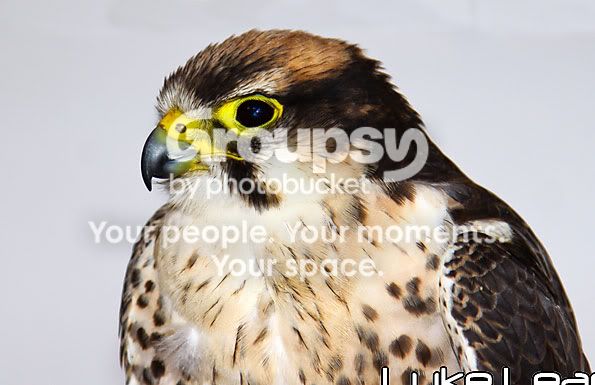
Where do you 'cut' a subject?

Messages
1,730
Edit My Images
Yes
When doing a close-up shot of a person or a pet (or any other subject), I never know where to cut them off in the frame. If you got the whole subject in you'd be quite a long way away from their face and that's not always what I want.
b382267d.jpg


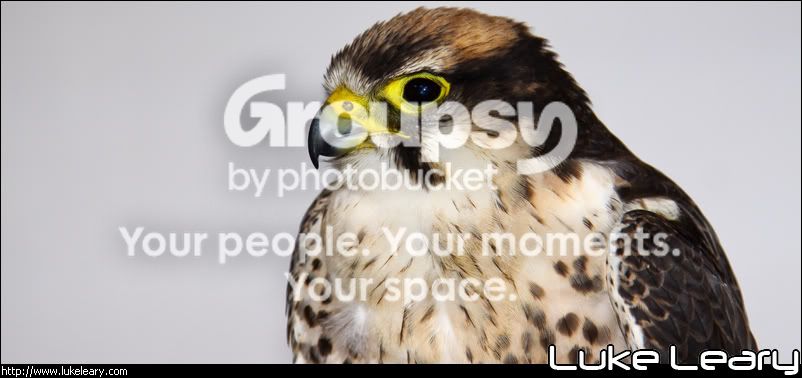
Like this for examples, does that look 'right' to you? I can't help but think I've ended it at the wrong point, but I don't know where I SHOULD end it.
 
I read something that you should cut it off just above the joint. i.e. above the elbow, above the hip, above the knee.

As far as framing, using the rule of thirds is, excuse the repetition, a pretty good rule.
 
The 'cut' as you put it is ok on this image. The problem is lack of space above the subject making the image a touch too tight (IMHO of course ;)
 
The 'cut' as you put it is ok on this image. The problem is lack of space above the subject making the image a touch too tight (IMHO of course ;)

I agree. I can also echo the post 2 above this one about "just above the joint" - I dont think youd want any joints just in the bottom of the frame. You could always buy a 1Ds-III, shoot wide and crop afterwards, lol!
 
The 'cut' as you put it is ok on this image. The problem is lack of space above the subject making the image a touch too tight (IMHO of course ;)
I'd be inclined to agree for the image posted. Perfectly ok at the bottom, but a bit cramped at the top.

Looks a little soft too to me.
 
"Letterbox" style never works for BOP's IMO
I have added a bit of height ( maybe it could do with a tad more ?) and a more ( again IMO) suitable crop)
if you don't like it say so and its nuked


Luke_copy.jpg
 
Back
Top