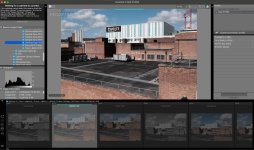
OK, so obviously a complete Fuji X Raw Studio novice, I'm trying to import/edit my photos from a folder stored on my computer, if I navigate to them they show at the bottom but are greyed out. In the top left corner it says trying to connect to camera, which obviously I don't want to do as the files are on my computer, the panel on the right has very limited edit options, and don't do anything if I click them anyway, and it's only showing the raws, it doesn't show jpegs.
So, the big question is what am I doing wrong, and how do I get it to stop trying to connect to a camera please? I normally use Lightroom, but I'm curious how close lightroom's Fuji sims are compared to the Fuji software.
View attachment 480028



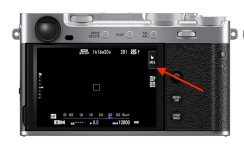
 I guess if it was constantly calculating it would drain the battery.





 Of course, leica lenses are out of my price bracket too