

You are using an out of date browser. It may not display this or other websites correctly.
You should upgrade or use an alternative browser.
You should upgrade or use an alternative browser.
4K screen, would I notice the difference?
- Thread starter sparker
- Start date


ancient_mariner
Moderator
- Messages
- 28,309
- Name
- Toni
- Edit My Images
- No
Good morning,
I am in the market for a new computer screen, should I be looking for a 4K screen or FHD? Would I notice the difference?
Thank you
For developing images or more general computer use? What size of screen?
I have 2 27" screens side by side, one is QHD and the other 4k. I prefer the QHD screen for photo editing because the 4k screen can hide image flaws, make it look sharper than it really is. I use the 4k screen for work, particularly large spreadsheets where the higher res makes fonts easier to read.
I wouldn't use FHD on any screen bigger than 24" .

f/1.2
Suspended / Banned
- Messages
- 7,603
- Edit My Images
- No
Good morning,
I am in the market for a new computer screen, should I be looking for a 4K screen or FHD? Would I notice the difference?
Thank you
I have a 6k resolution monitor, it has made a huge difference to editing images being able to see a ton more detail.
Editing on a higher res screen does not hide flaws as Toni said above, quite the opposite it makes it much easier to find them. Have no idea where he has gotten that from but it is very bad advice as it is just simply wrong. A lower res screen will hide flaws.
Definitely get the highest resolution screen you can afford. Also bear in mind all screens are not created equally and getting a monitor that covers key spectrums like DP-3 is important if photos are going to be viewed on phones and tablets etc. Adobe RGB is useful as well if you are planning on printing and matching profiles.
A cheap 4k screen with poor colour coverage is worse for photo editing than a QHD screen with colour management.
ancient_mariner
Moderator
- Messages
- 28,309
- Name
- Toni
- Edit My Images
- No
Have no idea where he has gotten that from but it is very bad advice as it is just simply wrong. A lower res screen will hide flaws.
Practical experience, and a chance to have 2 screens side by side.
You do it your way, but allow others to be different.
f/1.2
Suspended / Banned
- Messages
- 7,603
- Edit My Images
- No
Practical experience, and a chance to have 2 screens side by side.
You do it your way, but allow others to be different.
Be different all you want that doesn't make you any less wrong.

I have 3 screens side by side btw. As I need RGB, SRGB and DP-3. SRGB screen is only QHD, so am able to compare 6k, 4k and QHD at the same time.
Google disagree's with you as well.
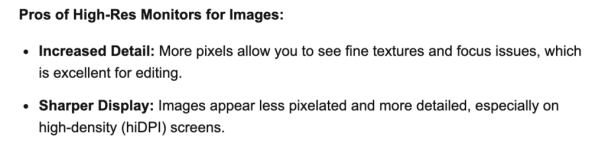
Pretty much every website that mentions this thinks you are wrong.
Last edited:

- Messages
- 8,915
- Name
- Bazza
- Edit My Images
- No
Also it can also depend on the camera and lens. If your shooting in 4K the a 4k monitor ( I use a benq 27") should be enough, Same shooting in 6K.. I think one can get over obsessed over technical issues, when most who view would not know the difference.
Last edited:
ancient_mariner
Moderator
- Messages
- 28,309
- Name
- Toni
- Edit My Images
- No
Be different all you want that doesn't make you any less wrong.
I have 3 screens side by side btw. As I need RGB, SRGB and DP-3. SRGB screen is only QHD, so am able to compare 6k, 4k and QHD at the same time.
Google disagree's with you as well.
View attachment 484492
Pretty much every website that mentions this thinks you are wrong.
I would disagree with the information you present to support your case. At normal viewing distance, at 100% I find that a 4k screen hides sharpness issues that are visible at 100% on a QHD screen. The dot pitch is too fine to see detail clearly. Sure I could enlarge further, but then it becomes difficult to tell what is unsharp and what is over-enlarged.
This was not what I expected when buying a 4k screen, but it IS my practical experience of it.
f/1.2
Suspended / Banned
- Messages
- 7,603
- Edit My Images
- No
Also it can also depend on the camera and lens. If your shooting in 4K the a 4k monitor ( I use a benq 27") should be enough, Same shooting in 6K.. I think one can get over obsessed over technical issues, when most who view would not know the difference.
Nobody mentioned video here, that is a whole different argument. One I couldn't care less about.
For photo 6k equates roughly to around 21mpx. Most modern camera are 24 mpx or above. Even 4k which is more popular because it is usually cheaper is not enough to view your images at full res.
Last edited:

sk66
Advertiser
- Messages
- 9,750
- Name
- Steven
- Edit My Images
- Yes
It's rather a difference in perspective/use. A monitor of the same size running at a higher resolution will display an image smaller for any given display size (pixel dimensions) or zoom ratio. And smaller hides details.Be different all you want that doesn't make you any less wrong.
I.e. Adobe products use my monitor's native resolution and not the resolution I have it set for (pixel doubling) which most other programs do use. So I have to zoom to 200% in LR/PS in order to see the same level of detail as 100% view in a browser.
It doesn't matter how much finer the display can resolve if you are already at the limits of what you can readily see...
Last edited:
f/1.2
Suspended / Banned
- Messages
- 7,603
- Edit My Images
- No
Lightroom does allow for pixel doubling FYI.It's rather a difference in perspective/use. A monitor of the same size running at a higher resolution will display an image smaller for any given display size (pixel dimensions) or zoom ratio. And smaller hides details.
I.e. Adobe products use my monitor's native resolution and not the resolution I have it set for (pixel doubling) which most other programs do use. So I have to zoom to 200% in LR/PS in order to see the same level of detail as 100% view in a browser.
It doesn't matter how much finer the display can resolve if you are already at the limits of what you can readily see...
sk66
Advertiser
- Messages
- 9,750
- Name
- Steven
- Edit My Images
- Yes
Lightroom scales with the resolution setting, but not in the same way other programs do (e.g. chrome/preview/etc). No matter what the scale, the image size is half the physical size (1/4 area) in LR as compared to other programs (Mac M1 Pro with Retina display).Lightroom does allow for pixel doubling FYI.
AFAIK, there is no way of getting around this issue (other than just adapting).