Achieving clear skys

Messages
97
Edit My Images
Yes
Hi guys.

I went outside for a walk for the first time with my DSLR with the intention of taking lots of lovely landscapes.... it was a nightmare to say the least :lol:

I see plenty of photos on this board of landscapes with lush green grass and crystal clear blue skys but I could not get one photo that even slightly resembled that.

ALL of them came out with white skys, from what I gather they were 'blown'? Anyway I changed from manual, to apature priority and then to shutter priority and I still couldn't get one I was happy with.

Here is an example
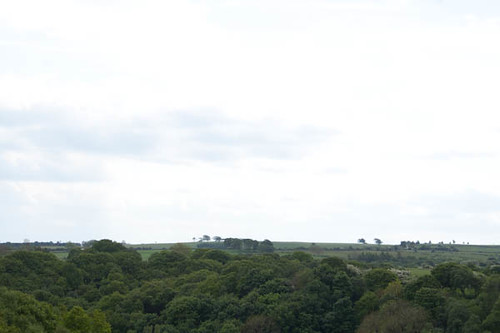

white sky by Parker0485, on Flickr

The Exif data is

f-stop - f/11
Exposure time - 1/125
Focal Length - 55mm

Taken in shutter priority mode.
 
Basically you camera cant capture the wide dynamic range presented by the bright sky and the darker trees (also not helped by the +1/3rd EV set). Couple of ways to get around it , use a ND grad filter to balance the exposure between sky & greens or take 2 shots ,one exposed for the sky and one exposed for the trees and combine in software afterwords.

have a look here for ND Grads
 
Keep at it you will learn and get there try taking your meater reading of the sky take shot and then of landscape take shot and compare them and you will see why hopefully
 
I use it but my processing knowledge extends to crop and auto white balance :lol:

I'll poke my nose around now and try and find the grad tool, thanks! :)
 
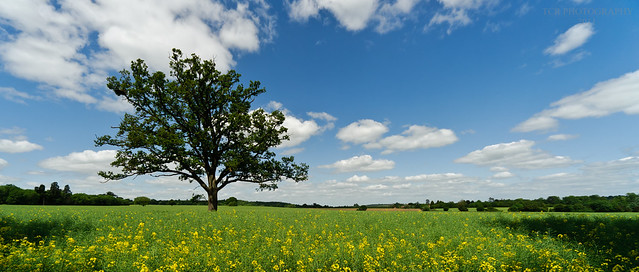
The best way is not to shoot when the sky is gray and horrible. Try and wait for a nice blue sky. This shot was talen with no filters at all. Ive been waiting for the right day to photograph this tree, as I new the sky would look horrible if I tried it when the sky wasnt nice and blue


DSC_5533 by TCR4x4, on Flickr​

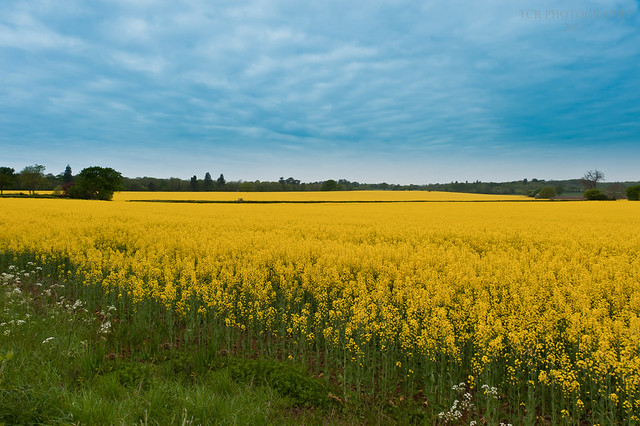
Opposed to this shot, where the sky was much like yours, however I shot in RAW, and managed to get it to somewhere near decent with Lightrooms graduated filter tool and recovery slider. Not perfect, but a lot better than it was.


Oilseed Rape by TCR4x4, on Flickr​
 
Check out a circular polariser,since i bought one its never left the front of my lens

Well it should leave the front of your lens, as you are loosing a stop of light when not shooting landscapes or something with reflections.
Its only any use when there is a blue sky anyway and you are shooting 90 degrees from the sun. It wont do anything for washed out white skies.
 
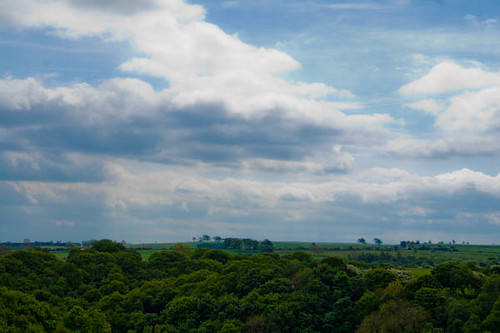
I had a fiddle in lightroom, couldn't get the filter to work but changed a few sliders and managed to make the sky blue..


blue sky! by Parker0485, on Flickr

Still doesn't look right but it's an improvement. I'll check out the video you posted Phil and see what I can do with that filter setting. Thanks.
 
Another option may be to try your hand at HDR's(a composite of at least 3 exposures taken by bracketing the exposure -3, 0 & +3) . That way you wont have to get new kit for the perfect sky.
 
Would also recommend trying some mild HDR, funnily enough tried this for the first time yesterday too as I was having the same problem with the sky blowing out and was trying different ways around it.

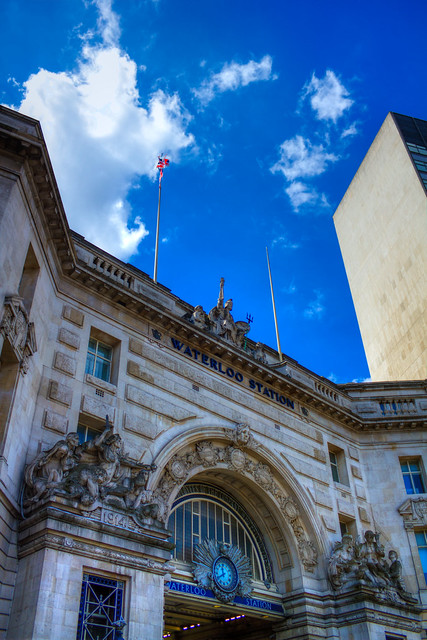
Not a landscape but gives you an idea, as when I shot this the sky blew out. I used the auto bracketing exposure + and - 1 stop and then combined all 3 frames in Photomatix Pro.


Waterloo HDR by MrPeriPeri, on Flickr
 
Thanks Phil, lovely photo, if I get anywhere near taking photos of that kind of quality I'll be extremely happy. :)
 
Well it should leave the front of your lens, as you are loosing a stop of light when not shooting landscapes or something with reflections.
Its only any use when there is a blue sky anyway and you are shooting 90 degrees from the sun. It wont do anything for washed out white skies.

i only shoot landscapes so happy days, but yes you're correct i was merely pointing out for his washed out skies he could use this.
 
Back
Top