Another sensor/dust question

Messages
136
Name
John
Edit My Images
Yes
I have recently noticed a mark in some of my photos:

4203199452_39099b498a_o.jpg


4202440719_e1829895bf_o.jpg


I noticed a spot of dust on the mirror which, before I thought to read through the various threads, I gently gently picked up with a cotton bud. I now realise that I should have got a blower and blown the dust off and fear I've marked the mirror (spare the lectures lads I know what I've done wrong!!). I've noticed there is still a mark, presumably because no matter how gently I picked up the dust, I've marked the mirror in doing so. Is it new sensor time or is there anything I should try? What's the mirror lock up all about?
 
A mark on the mirror will not show on your pics. If you haven't purchase a blower yet get one, if it's still there try the swabs from FITP. Or just clone the mark out.
 
Definitely still there and seems to have been joined by another (I assume as a result of my mucking about!). I'll look into the swabs option.
 
Dust on the mirror should only be visbile in the view finder, not on images as the mirror only serves to direct light from the lens to the viewfinder (so attempting to lift dirt off of the mirror won't have any effect on the image).

Most likely what you have is dust on your sensor. This is easily fixed. You can get any number of dust removal products around (I use a dust aid kit) for welded dust there are wet cleaning products. Of course sensor cleaing is a bit of confidence thing and you can get it done proffesionally for £25-£50.

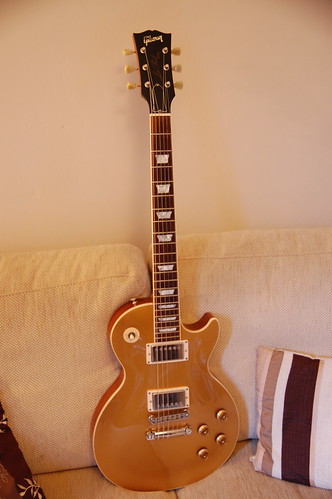
Nice gold top BTW.
 
The mirror is only there so you have a viewfinder :)

How it works is that the mirror takes the image from the lens and pings it upwards into the top bit of your camera (called the pentaprism) Up there it is pinged again towards the viewfinder. This is what allows you to see out of the lens before you take a shot.

When you press the shutter, the entire mirror assembly swings up out of the way giving the sensor access to the image coming through the lens.

What you have there is a spot of dirt on your sensor which is easily cleaned so long as you use the right stuff. Marks on the mirror can be an irritation because you see them in the viewfinder but they don't have any bearing on what ends up on the pic.

Mirror lock up is recommended when doing long exposures because the mechanism moving up and down at the beginning and end of the exposure can be enough to cause a little bit of blur on the pics. There is the facility to lock the mirror in the up position before the shutter opens and therefore it helps to eliminate blur. You do need to get the framing and composition right first though because as soon as you lock up the mirror assembly, you lose the viewfinder.

Hope that helps.
 
Take an out of focus shot of something white at small aperture, making sure that it fills the whole frame. I usually take a shot of a piece of A4 paper at minimum aperture. What you want to end up with is a white / grey frame with any contaminants on your sensor visible.

If you want you can take a series of shots at different apertures, f32 down to f1.4 if you like, and if contaminants are visible at f32 but not at f16 and you never go past f16 then you're fine but if contaminants appear at apertures which you use, as they have in your shot, you may want to get rid of them.

I think that the first thing you should do is get a Rocket blower (or similar) and see if that cleans things up, if not you can do a contact clean.

Good luck.

PS - When using a blower or carrying out a contact clean make sure that your battery is ok and use the "Clean Sensor" option in your menu. This will hold the shutter open until you tur the camera off.
 
Thanks guys for clearing all of that up for me!! That makes a lot more sense (along with the mirror lock up explanation too!) as I can't see the marks through the viewfinder, only on the image after I transfer them to my mac and view the photos. So I've not touched the sensor at all, just knocked a bit of dust off the mirror!

Woof Woof - I tried the photo of a white sheet and the mark shows up at about f5 and smaller so it should be cleaned or by someone else. I don't have a clean sensor option, but if I lock the mirror up and remove the lens, that should be the same right?

It's probably worth me getting a blower anyway, is it worth trying that first to see if there is loose dust that will just blow away or should I just take it to the pros?

Oh - and GN, cheers!! Just for you then:

4202498241_96df674899.jpg
 
I think that you should get a blower and try that at least even if you don't want to do a contact clean.

I sent my camera away once and it came back with just as much debris on it as it went away with, just in another place, so I do it myself now.

If your camera doesn't have a "Sensor Cleaning" option I suppose anything which holds the shutter open will do as long as it wont suddenly close again with a blower or a swab in the way.
 
Ah yeah - under the light I can see 4 or 5 tiny specs of dust on the sensor. I'm off out to get a blower and see if a bit of air will shift them.
 
Ah yeah - under the light I can see 4 or 5 tiny specs of dust on the sensor. I'm off out to get a blower and see if a bit of air will shift them.

Pop into Jessops, they are selling the Lenspen Pro Kit at half price - £17 which gives you a blower and the SensorKlean pen and 3 additional tips :thumbs:
 
That's a great tip and I've just done that! I was going to Jacobs to buy a Rocket Blower for a tenner so to get this kit for 17 quid is a winner. I'll try it out in a bit and report back
 
Pop into Jessops, they are selling the Lenspen Pro Kit at half price - £17 which gives you a blower and the SensorKlean pen and 3 additional tips :thumbs:

Picked one of those up myself this afternoon and have cleaned my sensor with it. My lenses are arriving tomorrow so I'll see if it done the job, certainly looks a lot better now though. :thumbs:
 
Well it seems to have done the job (despite a clumsy slip with the blower and a tap on the sensor which left a mark :eek:) however, the Lenspen sensor cleaner removed the mark, I cleaned the sensor with the pen end, blew off any remaining dust and tried some pics - there's no dust on my pics now and it seems to be all ok!!
Cheers!!
 
Glad to hear it worked Johnny!

Did you 'dab' the pen over the sensor or wipe it over? The instructions never really said which way to go about it - I ended up wiping the pen over it carefully.
 
Yeah I wiped it as well although to be honest, I didn't really think too much about it and in retrospect it may have been better to have just dabbed it on, but I kinda thought if I'd knackered the sensor by accidentally tapping it with the blower end, there was nothing else to lose!!
 
Bear in mind that you are not actually cleaning the sensor itself, rather the filter that sits in front of it, so it's not quite as delicate as you might fear [that's not to say you should get the Brillo pads out...].
 
Phew, thanks for the response guys! :)

In all honesty I thought it was safer to wipe it over as apposed to dabbing it - just in case I hit it a little too hard.
 
That's a great tip and I've just done that! I was going to Jacobs to buy a Rocket Blower for a tenner so to get this kit for 17 quid is a winner. I'll try it out in a bit and report back

Picked one of those up myself this afternoon and have cleaned my sensor with it. My lenses are arriving tomorrow so I'll see if it done the job, certainly looks a lot better now though. :thumbs:

Excellent news, couldn't believe it when I popped in for something else and saw it for that price, even got one of the lads at work to buy one and he's not even bought a DSLR yet (he's hoping Father Christmas will bring him one) ! :thumbs:
 
Bear in mind that you are not actually cleaning the sensor itself, rather the filter that sits in front of it, so it's not quite as delicate as you might fear [that's not to say you should get the Brillo pads out...].

Good stuff - I didn't know that either, so all useful!
 
First use of the Sensorklean pen worked well, noticed some dust yesterday and have spent ages pushing the dust around the sensor. Is there a pro-service available that would do a better job than me and not cost the earth?
 
Pop into Jessops, they are selling the Lenspen Pro Kit at half price - £17 which gives you a blower and the SensorKlean pen and 3 additional tips :thumbs:

Picked one of these up in Jessops today. Blower didn't get rid of all the dust but the pen did the trick.

Was only really noticing one speck of dust until a took a shot of some white paper at F22, there was a fair few. Oh well their gone now plus i never noticed them on my photos. :)
 
Back
Top