

You are using an out of date browser. It may not display this or other websites correctly.
You should upgrade or use an alternative browser.
You should upgrade or use an alternative browser.
black and white photography
- Thread starter Andy77
- Start date

S
stupar
Guest
Never tried a green filter.
I have used a red filter, they can give good results!
I have used a red filter, they can give good results!
Depends on the effect you're after...

Coloured filters block some or all of the wavelengths opposite them in the 'colour-wheel' representation of the electromagnetic spectrum, and allow more of the same colour.
A red filter will make blue skies and green leaves very dark but will brighten reds and oranges to almost white, which makes skin tones look pale and sickly.
A green filter is often used in black and white portraiture under daylight, but you'll have to experiment to find the right look for the images you take.
Since they're not expensive, buy a few: red, orange, yellow, green and blue.
A yellow used to be the 'standard' filter on B&W to compensate for panchromatic film's over-sensitivity to the blue end of the spectrum.

- Messages
- 5,926
- Name
- Mike
- Edit My Images
- Yes
Coloured filters in B/W photography lighten their own colour and darken their opposite colour.
EXAMPLE
A red rose amongst green foliage.
Shot with a red filter the red rose would appear lighter than the darker foliage.
Shot with a green filter the red rose would appear darker than the lighter foliage.
Well explained by Rob.
I wouldn't think that the WB would help.
BTW, are you talking about B/W film photography or digital?

- Messages
- 314
- Name
- Gavin
- Edit My Images
- Yes
Very interesting and not something I have thought about. Is there a grading system of filters, i.e. do some lighten and darken more. Anyone know of an internet guide or comparison pictures?
Whilst on this, most DSLRs have a B&W setting, is it best to use this or best to convert in photoshop? Or no discernable difference?
Whilst on this, most DSLRs have a B&W setting, is it best to use this or best to convert in photoshop? Or no discernable difference?

- Messages
- 111
- Name
- John
- Edit My Images
- Yes
I agree with Nano, converting afterwards is much easier and gives you loads of control.
The method I use is this one:
http://www.adobe.com/designcenter/photoshop/articles/phs8colorbw.html
The method I use is this one:
http://www.adobe.com/designcenter/photoshop/articles/phs8colorbw.html

TheBigYin
Moderator
- Messages
- 17,060
- Name
- Mark
- Edit My Images
- No
For proper black and white, I pretty much always shoot with some form of filter on the camera - Red for high contrasty stuff - black sky with the white fluffy clouds, Orange a bit less contrasty and only lose a stop or so of light - also found it was really good for loosing freckles on my ginger ex... Yellow filter is pretty much a standard approach, good for pretty much anything else I shoot. I've got the green and blue, but never really found much of a use for 'em.
For black and white from digital - shoot in raw+jpeg without filters (other than possibly ND grads / polarisers) - use the jpeg as a on-screen indication of the worst your shot will look, and do the conversion in ACR/CS4 back in the office.
For black and white from digital - shoot in raw+jpeg without filters (other than possibly ND grads / polarisers) - use the jpeg as a on-screen indication of the worst your shot will look, and do the conversion in ACR/CS4 back in the office.

- Messages
- 4,729
- Name
- Jamie
- Edit My Images
- Yes
Coloured filters were especially common in the days of film where the scope for PP was a little narrower. Red filters are commonly used to darken blue sky and make white clouds more prominent. I'm sure others will tell you of other colours used for other effects. Remember that all the effects of coloured filters can be reproduced in PP so shoot RAW and have a tinker in Photoshop/Lightroom - other software is available.

- Messages
- 18,182
- Name
- Geof
- Edit My Images
- Yes
Depends on the effect you're after...
Coloured filters block some or all of the wavelengths opposite them in the 'colour-wheel' representation of the electromagnetic spectrum, and allow more of the same colour.
A red filter will make blue skies and green leaves very dark but will brighten reds and oranges to almost white, which makes skin tones look pale and sickly.
A green filter is often used in black and white portraiture under daylight, but you'll have to experiment to find the right look for the images you take.
Since they're not expensive, buy a few: red, orange, yellow, green and blue.
A yellow used to be the 'standard' filter on B&W to compensate for panchromatic film's over-sensitivity to the blue end of the spectrum.

picassa 3 freebie software do black to white conversion with a myriad of filter colours to choose...then you can see that most shots need different filtration to get the 'effect' you are looking for
picassa
Best to shoot colour and convert in photoshop.
You have a ton of options for conversion in PS, but only 1 in camera (plus filters, which PS can replicate)
PS can replicate - badly.
You can't exactly reproduce the difference as the recorded wavelengths at the taking-stage have a significant bearing on the tonal range you start out with.
If you know you're going to end up with a B&W image, take it as if it were a B&W image...and put the filters up-front.

- Messages
- 390
- Name
- Paul
- Edit My Images
- Yes
A yellow used to be the 'standard' filter on B&W to compensate for panchromatic film's over-sensitivity to the blue end of the spectrum.
Wow, talk about jog the old memory. I remember being told this many, many years ago at college (@1978). I always used to have my A1 with colour stock and only use filters as required, and my AE1 with B&W stock, but had a yellow filter on. Now I remember why, thanks Rob.
(TBH - until I read this I'd even forgotten that I did this, I had always used red to make a blue sky more dramatic and used green sometimes, but totally forgot yellow, maybe because it was always on.)
TheBigYin
Moderator
- Messages
- 17,060
- Name
- Mark
- Edit My Images
- No
PS can replicate - badly.
You can't exactly reproduce the difference as the recorded wavelengths at the taking-stage have a significant bearing on the tonal range you start out with.
If you know you're going to end up with a B&W image, take it as if it were a B&W image...and put the filters up-front.
After reading your comment Rob, I will have to admit that my advice ^^^up there to shoot digital in colour raw+jpeg was advice from "percieved wisdom" rather than what I actually do - If I feel in a B&W mood, and my other cameras are full of colour slide (got one tied up with my last roll of Kodachrome at the moment, and I'm not rushing it
 ) I'll go out with the digital set for B&W, but with a few filters, as I would with film. I don't know if it's because i'm just crepe at Photoshop, or (as I'd prefer to believe ) because I'm working in a familiar manner, which helps me THINK in B&W, but I always prefer the shots i've taken when filtered up.
I can also see the logic of doing things in PS, after all you could create for yourself the effect of the perfect shade between yellow and orange filter, and there's less chance of shooting half a roll of film with a wee beastie roaming around between the filter and the lens as I did once :bonk:. So - logically, I'd recommend people to try it that way, but - whoever said I had to be logical as well. I still take a small, scratched beyond redemption orange filter out with me and glance through it as if a monocle if i'm not sure if a shot would work in B&W or not - hey - it works for me!
If you've got the filters anyway, then there's no reason not to try each method, see which works best for you :shrug:
- Messages
- 4,888
- Edit My Images
- No
Interesting thread.
I know that in Canon's DPP program when you apply the monochrome picture style to a RAW image, you then get a choice of various 'virtual filter' effects. The red filter is very good for smoothing out skin, for instance, a flashed photograph of myself normally looks awful because my pock marked skin shows up really bad. The 'red filter' helps substantially mellow that effect.
Would the same apply on film with a red filter?
I suppose the dark sky thing is equivalent to using a polarizer on digital.

- Messages
- 23,200
- Name
- Richard
- Edit My Images
- No
PS can replicate - badly.
You can't exactly reproduce the difference as the recorded wavelengths at the taking-stage have a significant bearing on the tonal range you start out with.
If you know you're going to end up with a B&W image, take it as if it were a B&W image...and put the filters up-front.
You can replicate the filter effect exactly in post processing, and with a lot more control than with optical filters. You can also make a very effective job of it in-camera by selecting the filters option under the monochrome Picture Styles option (Canon) and the result comes straight up on the LCD. You can also select a toning effect, like sepia, as well as the normal sharpness and contrast options.
The difference between doing it digitally as opposed to optically is that what you are effectively doing in digital is increasing the ISO in one or more channels, sometimes quite a lot. Obviously, this increases noise (same as white balance can, but to a much lesser extent) but if you shoot as base ISO it's usually okay.
With an optical filter, it will be marked with a filter factor of x2 or x4 whatever, which means you should increase the exposure by one or two stops, to compensate for the light that has been 'filtered out' and lost.
Do it in camera - very good results and loads easier.
- Messages
- 4,888
- Edit My Images
- No
i would have thought that too - digital has made filters of a few kinds completely obsolete, including UV... oops better not say that to Rob 

- Messages
- 10,870
- Name
- David
- Edit My Images
- No
i would have thought that too - digital has made filters of a few kinds completely obsolete, including UV... oops better not say that to Rob
UV is obsolete, protection isn't
UV is obsolete, protection isn't
as our new arrival in December will be able to testify...lol
- Messages
- 10,870
- Name
- David
- Edit My Images
- No
as our new arrival in December will be able to testify...lol
...... I really want to put that conversation on a card and send it to little un as a present - to see how accurate Julia is with a monopod


- Messages
- 10,095
- Name
- Rob Telford
- Edit My Images
- No
I've mentioned this in passing in a thread in Film & Conventional, but as the topic's come up here...
I've been doing a little experimentation using coloured filters for black and white with my 5D as I was somewhat unconvinced by the conventional wisdom that you can exactly reproduce the results in PP. I use Lightroom for most of my processing, so I've done a comparison between that and using a coloured filter.
I did some PP in Lightroom to adjust the version with the coloured filter to suit my tastes, then attempted to reproduce the same with a conventional B/W conversion in Lightroom.
The setup:
Canon EOS 5D ISO 100. Canon 17-40 f/L. Sunny day in London.
RAW source files in both cases. No noise reduction. Sharpening 25% 0.5px radius, 64 detail.
Cokin P002 Filter - 1/90 sec at f/8.0.

No filter - 1/350 sec at f/8.0

On the face of it, at 800px, there's not much to choose between them.
However, when you look at the detail, there are clearly discernible differences.
All 200% crops
Noise
Cokin

Lightroom

To my eye, there's about a stops worth of advantage with the filter.
Artefacts
This may be specific to Lightroom's B/W conversion (I've noticed it less when doing conversions in Photoshop) but there are often artefacts and halos at colour/tone boundaries when making a B/W image in PP.
Detail 1
Cokin

Lightroom

There's a definite light halo round objects at the boundary with the sky here. The fine detail of an aerial is almost obliterated.
to be continued...
I've been doing a little experimentation using coloured filters for black and white with my 5D as I was somewhat unconvinced by the conventional wisdom that you can exactly reproduce the results in PP. I use Lightroom for most of my processing, so I've done a comparison between that and using a coloured filter.
I did some PP in Lightroom to adjust the version with the coloured filter to suit my tastes, then attempted to reproduce the same with a conventional B/W conversion in Lightroom.
The setup:
Canon EOS 5D ISO 100. Canon 17-40 f/L. Sunny day in London.
RAW source files in both cases. No noise reduction. Sharpening 25% 0.5px radius, 64 detail.
Cokin P002 Filter - 1/90 sec at f/8.0.
No filter - 1/350 sec at f/8.0
On the face of it, at 800px, there's not much to choose between them.
However, when you look at the detail, there are clearly discernible differences.
All 200% crops
Noise
Cokin
Lightroom
To my eye, there's about a stops worth of advantage with the filter.
Artefacts
This may be specific to Lightroom's B/W conversion (I've noticed it less when doing conversions in Photoshop) but there are often artefacts and halos at colour/tone boundaries when making a B/W image in PP.
Detail 1
Cokin
Lightroom
There's a definite light halo round objects at the boundary with the sky here. The fine detail of an aerial is almost obliterated.
to be continued...
- Messages
- 10,095
- Name
- Rob Telford
- Edit My Images
- No
Detail 2
Cokin

Lightroom

Detail 3
Cokin

Lightroom

Detail 4
Cokin

Lightroom

You can see that the software clearly has trouble deciding how to render pixels at colour boundaries, where the exact colour value is ambiguous. Using a filter produces a much more natural result.
Cokin
Lightroom
Detail 3
Cokin
Lightroom
Detail 4
Cokin
Lightroom
You can see that the software clearly has trouble deciding how to render pixels at colour boundaries, where the exact colour value is ambiguous. Using a filter produces a much more natural result.
- Messages
- 23,200
- Name
- Richard
- Edit My Images
- No
Interesting posts Rob. Thanks.
The noise thing stacks up, but the edge artifacts don't. It must be a software thing, as you allude to. I don't get that at all.
Have you tried a mono JPEG straight from camera, or done it with Canon's own DPP?
Edit: you could get reduce the noise with a bit of expose to the right, if you're shooting Raw.
- Messages
- 10,095
- Name
- Rob Telford
- Edit My Images
- No
No, I've not tried a mono JPEG or DPP yet.
A mono JPEG would kind of defeat the object of the exercise, as the thing that had been bugging me was the halos and artefacts when making a big cut in the blue to darken skies in a mono conversion. It's particularly noticeable round the edges of leaves if there's a tree in the scene.
DPP might be an interesting one though.
For a further comparison, though, I did try taking the original RAW file directly into Photoshop CS5 and compared two methods of monochrome conversion.
First up, Photoshop's own built in B/W adjustment layer, which makes a better fist of the aerial, though still with some haloing.


Some artefacts still evident elsewhere. The fascias were bright red, BTW.
A mono JPEG would kind of defeat the object of the exercise, as the thing that had been bugging me was the halos and artefacts when making a big cut in the blue to darken skies in a mono conversion. It's particularly noticeable round the edges of leaves if there's a tree in the scene.
DPP might be an interesting one though.
For a further comparison, though, I did try taking the original RAW file directly into Photoshop CS5 and compared two methods of monochrome conversion.
First up, Photoshop's own built in B/W adjustment layer, which makes a better fist of the aerial, though still with some haloing.
Some artefacts still evident elsewhere. The fascias were bright red, BTW.
- Messages
- 10,095
- Name
- Rob Telford
- Edit My Images
- No
Second - a rather old-skool b/w conversion method with a channel mixer and using a Hue/Saturation adjustment layer below that to control the colour mix.
This does a perhaps slightly better job with the aerial, though still not as good as the Cokin filter

and improves a bit on the built in b/w layer, though still not without fault


Tone/colour boundaries still seem to pose a problem
This does a perhaps slightly better job with the aerial, though still not as good as the Cokin filter
and improves a bit on the built in b/w layer, though still not without fault
Tone/colour boundaries still seem to pose a problem
- Messages
- 4,888
- Edit My Images
- No
Yes, please try DPP. As I mentioned above, it has fake 'filters' which you can use on a RAW file in monochrome picture style. I have never seen it introduce artifacts but it does introduce noise. This is what I like about DPP. It's simple but it does what it says and it does it good. That and I can't afford Adobe * lol. (well I can, but I choose to spend my £££ on other things...)
There are methods you 'can' use in P&P, but with a £15 orange filter you can save time and effort.
If you need a full-colour version, quickly take the filter off - probably takes as much time as opening the file in ACR anyway...
If you need a full-colour version, quickly take the filter off - probably takes as much time as opening the file in ACR anyway...

- Messages
- 7,772
- Name
- John
- Edit My Images
- Yes
For proper black and white, I pretty much always shoot with some form of filter on the camera - Red for high contrasty stuff - black sky with the white fluffy clouds, Orange a bit less contrasty and only lose a stop or so of light - ..... Yellow filter is pretty much a standard approach, good for pretty much anything else I shoot. I've got the green and blue, but never really found much of a use for 'em..
just getting into B&W film landscapes...and have..
Hoya Warm 81A
Hoya Yellow (K2)
Cokin Orange O2
a "very" old filter book mentions Polarising [linear?] for B&W
but will my Orange darken the skies just the same ..?...thanks


- Messages
- 3,156
- Name
- Simon Everett
- Edit My Images
- Yes
To see the difference you need to shoot the subject without, then with. Compare the results.
I prefer to use digital filters for black and white. Often the contrast slider is all you need. That is the beauty of Capture NX2 (the Nikon software), it is so easy and quick and does not affect your original image, it simply adds a list of edit instructions to the image, so the original is untouched!
I prefer to use digital filters for black and white. Often the contrast slider is all you need. That is the beauty of Capture NX2 (the Nikon software), it is so easy and quick and does not affect your original image, it simply adds a list of edit instructions to the image, so the original is untouched!
- Messages
- 10,095
- Name
- Rob Telford
- Edit My Images
- No
DPP Red filter


both with NR off and sharpness at the default of level 3.
It's definitely an improvement over either Lightroom or Photoshop, but still not on a par with the Cokin Filter, which is fairly film-like in its response. With DPP there tone/colour edges are still lacking a fully resolved boundary that looks rather like it's been over-sharpened.
I should highlight the fact that we're stress-testing the software conversions here. These are fairly radical departures from a panchromatic image. With more everyday b/w conversions it's less of an issue.
However, that was the situation that I was trying to cope with as I was getting unsatisfactory results from red/orange filter emulation in software when I wanted that particular 'dark sky' look.
Even with the filter, by using pretty much only the red channel with a Bayer sensor, we're losing a large amount of detail that's picked up by the green (and to a lesser extent, blue) photosites. I think this is at the root of the problem that's encountered by software as colour information has to be interpolated. If all else were equal, I suspect there would be less obvious problems with a Foveon sensor.
- Messages
- 10,095
- Name
- Rob Telford
- Edit My Images
- No
To see the difference you need to shoot the subject without, then with. Compare the results.
That's exactly what I did - see my first post on the thread on page 1 for a comparison shot with an orange filter on the camera.
Everything since has been comparing different software conversions of a full colour image.
Conventional wisdom on the Net suggests that Photoshop ought to do the job easily and without any negative effects. I suggest otherwise.
TheBigYin
Moderator
- Messages
- 17,060
- Name
- Mark
- Edit My Images
- No
just getting into B&W film landscapes...and have..
Hoya Warm 81A
Hoya Yellow (K2)
Cokin Orange O2
a "very" old filter book mentions Polarising [linear?] for B&W
but will my Orange darken the skies just the same ..?...thanks
The K2 and O2 are the yellow and Orange I was rattling on about, so yep, they're fine. The 81A is a colour correction filter mainly designed for colour film as a warm-up filter. A bit like taking shots with the digital in full sun, but using the shade white balance setting. Polarising filters are always worth trying, I'm not sure if there's any image difference with linear or circular polarisers - my only ever polariser from BITD (a linear one back then I suppose) fell off the bivi ledge in the alps, fastened to the MTL3. I was more upset with losing the polariser than the camera (they cost about the same !) I now use the same circular polariser that I use on the digital, and it does the trick pretty well...
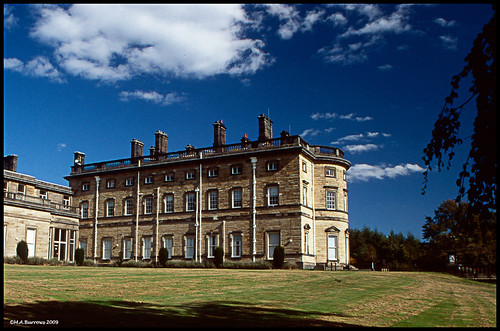
I haven't had skies like that on Sensia without a pola-filter :shrug: It works pretty well on B&W as well - but that blue is a sure-fire giveaway that the pola-filter is on the case
- Messages
- 10,870
- Name
- David
- Edit My Images
- No
She doesn't need a monopod, she just waits til I start dozing on the sofa then tickles my feet...
Pure bloody auto-da-fe stuff I tell ya...
I sqweam and sqweam and sqweam...
I find your post........... disturbing
@musicman thats really informative and well thought out

- Messages
- 4,888
- Edit My Images
- No
DPP Red filter
both with NR off and sharpness at the default of level 3.
It's definitely an improvement over either Lightroom or Photoshop, but still not on a par with the Cokin Filter, which is fairly film-like in its response. With DPP there tone/colour edges are still lacking a fully resolved boundary that looks rather like it's been over-sharpened.
I should highlight the fact that we're stress-testing the software conversions here. These are fairly radical departures from a panchromatic image. With more everyday b/w conversions it's less of an issue.
However, that was the situation that I was trying to cope with as I was getting unsatisfactory results from red/orange filter emulation in software when I wanted that particular 'dark sky' look.
Even with the filter, by using pretty much only the red channel with a Bayer sensor, we're losing a large amount of detail that's picked up by the green (and to a lesser extent, blue) photosites. I think this is at the root of the problem that's encountered by software as colour information has to be interpolated. If all else were equal, I suspect there would be less obvious problems with a Foveon sensor.
Interesting thanks

So let me get this straight: If I put a red filter in front of my lens on digital, take a picture, and then convert it to B+W in post, it will look the same as if I put a red filter in front of a black and white film, and not all weird?
I want to know because if so I will be buying a red filter pretty pronto as I love this effect that it has on skin and skies, but the PP work will just bring out the noise of my camera really bad.
- Messages
- 10,095
- Name
- Rob Telford
- Edit My Images
- No
ISo let me get this straight: If I put a red filter in front of my lens on digital, take a picture, and then convert it to B+W in post, it will look the same as if I put a red filter in front of a black and white film, and not all weird?
That's the theory and it works fairly well for me in practice, at least in the tests I've done. IME an orange/red filter does seem to cut down the contrast in the scene and I've had to put a hefty contrast curve in in PP.
Remember to turn off Auto-White-Balance before shooting with a coloured filter or the camera will attempt to correct the effects of the filter. Set it to daylight or something similar.
I put my 5D to Monochrome picture style (shooting RAW) to get a preview of the b/w image rather than an orange one.

- Messages
- 8,400
- Name
- Andy
- Edit My Images
- No
Have a look at Nik Software Silver Efex Pro. Very very good B&W Plug in for Photoshop/Elements and Lightroom. You have an option of adding a filter effect which is fun. The options are Red, Orange, Yellow, Blue and green. There may be a few more.