D1x on auto...

Ambermile

A Whole Lot of Sparkle..
Messages
4,126
Name
Arthur
Edit My Images
No
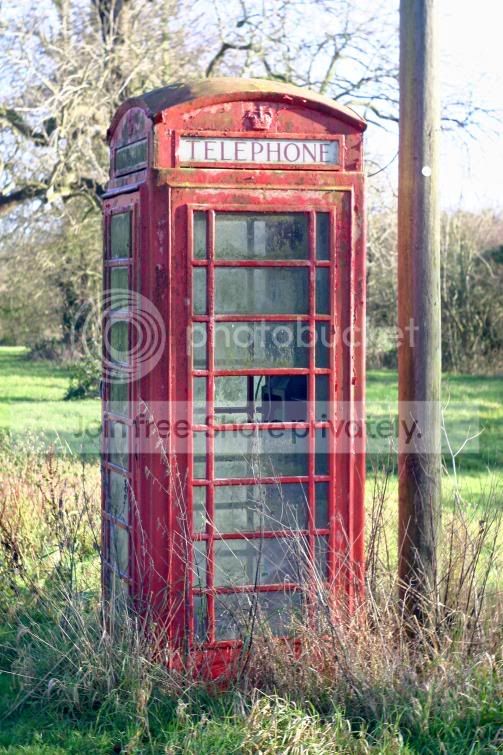
Let's get this said up front first... I know I shouldn't, but my excuse is I only just got it so I had to. There, that said can anyone that knows about these things confirm that if you set up the camera as per the manual for first use (i.e. a complete reset to standard settings) then the camera takes absolutely poo pictures exposure-wise? Mostly under-exposed but large blocks of colour - like a telephone box) saturated to the point of unusability. Pushing the brightness on the computer afterwards should not really be an option, running the camera alongside the Canon (300D, D1x has 18-50 while Canon has 18-55 but zoom on both similar) I get differing decisions and better pics from the Canon.

This is worrying...


Arthur
 
Arthur, if you could post some pics you've taken with those issues, or email, I can see if thats how it was for me when I had it, as I still have the pics I took. Remember though, keep it in Adobe RGB, turn doen the sat and make sure its not on centreweighted/spot metering or something.
 
Arthur the D1x doesnt have auto, are yo thinking A is auto....its Aperture priority we have a D1x if you need some settings sorting out:thumbs:
 
No, it has "P" which, according to the manual you select, then reset everything by holding the two buttons on the small pad down, and you are in basic, easy-pic mode. So far, it's been not so good really - the Canon had to come oput and save the day yesterday.

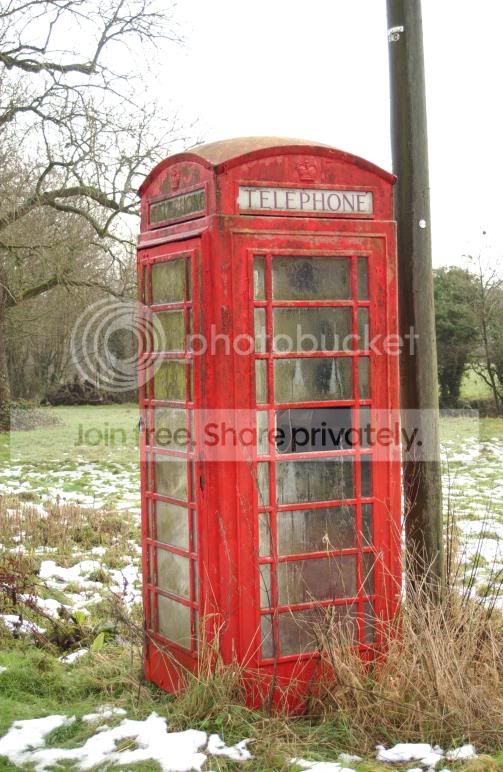
OK, here's a couple, the first with the Canon taken maybe a week ago, just before the snow and the second taken with the D1x. None have any processing bar the compression, Canon on green box, nikon on factory reset. Canon with Canon 18-55, nikon with Sigma 18-55. Note on the Nikon pic, just about *everything* is washed out!

bax-canon.jpg


bax-nikon.jpg


With a shot of, say, a landscape, the camera is usually *way* under.
 
Please dont think I am trying to make you look .....anyway put the Nikon on M and shutter at 1/320 f12 and take the same shot you will see a difference as for program mode I have never used it I stick to manual all the time and get some great results with the D1X.that said though you do have to work the settings a bit for the results as the tft isnt the best and does look dark so you may be looking at this and adjusting which is not the way to go ......... forget the preview and follow your instincts, my missus owns the D1X we have and could explain a bit better
 
to me that just looks like the metering is wrong. You have metered for the box, hence the brighter background is washed out as there are too many tones for the camera to cope with. There is lots of fringing in the canon shot, but thats mainly because of the cheap lens. Personally, nothing there would worry me - its an awkward shot to start of with.
 
No, I don;t think that and yes, I can set it manually but sometimes I don;t want to! If I cannot trust the meter on the camera then I may as well go and get something a lot simpler and cheaper - which was the main point I guess - is this camera pointless if you rely on it's meter?

Lawrence, if I had metered for the box surely I would be able to see it... most of the detail - that makes it a suitable subject - is washed out!
 
Just looking at the shots again, from what I can see, the only reason the Nikon looks more washed out is because there are no branches in the top right area? If you look at the canon shot, its just as washed out but the trees disguise the highlights.
 
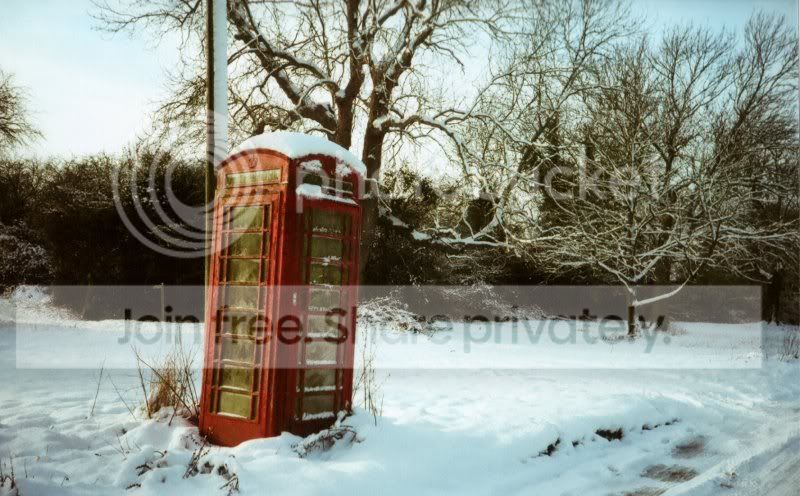
Here's one with lots of snow, so would expect it to be a bit difficult, taken with the Leica...


pb-2-800.jpg


See the difference now?


Lawrence, look at the BOX!!! There is no detail, it is all red! Washed away all the detail! Forget the trees, I expect that - look at the subject!
 
that doesn't have as many blown highlights, but it is a different scene and would no doubt have had a different aperture/shutter combination..?
 
It's tha same box and you can see all the nasty green stuff on the box - but with the nikon it's all washed out by the red.

Anyway, we shall see when the batteries are charged up I suppose! Onwards and upwards :)

Arthur
 
The Leica shot looks drab and underexposed to me yet the whites are ok. it does look like user error .......... sorry
 
yes once the batteries are charged up, post photos and we'll see what they look like etc. I'm sure it will work out. :)
 
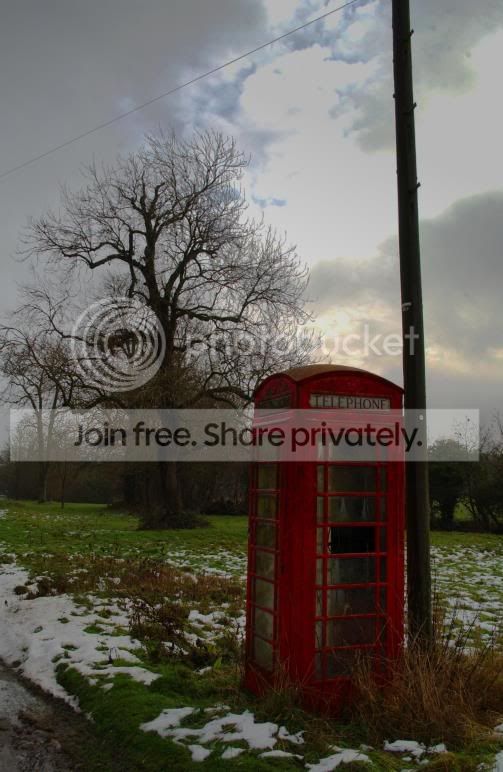
OK, for comparison (and fairness) this is a manually-set shot with the Nikon and messed with a little - but my initial point remains - I sometimes don't want to have to stop and think, I want to set to auto and follow some action!

DSC_0031-800.jpg
 
The Leica shot looks drab and underexposed to me yet the whites are ok. it does look like user error .......... sorry

Well, it is a film shot scanned... but does not take away from the point that the nikon shot, given that it was set as per the manual for point and click, is badly exposed.


As I said though, whatever. Once the camera is in tip-top charge we shall see.
 
I understand about wanting to just shoot auto - why I suggest RAW and say -0.3 exposure, then you won't have blown highlight when you process them. As you know, RAW records greater tonal range/detail because the raw shot is 'straight out of the camera' rather than processed to look better by the camera, which, after all, is not photoshop. This was typical of the Canon - over zealous Jpegs.
 
Arthur could you post a pic with the exif data still intact, that way we may be able to help you out mate as the camera is doing its bit but it looks like the settings are out:thumbs:
 
The only way I can compress right now is with pix3 and that strips exif. The settings are as the camera sets them as "default", but as I said, all batteries are or were flat so no point using those images.

[Image]
Image Description =
Make = NIKON CORPORATION
Model = NIKON D1X
X Resolution = 300
Y Resolution = 300
Resolution Unit = inch
Software = Ver.5.01
Date Time = 2010-01-25 13:16:13
YCbCr Positioning = co-sited
Exif IFD Pointer = Offset: 252
GPS Info IFD Pointer = Offset: 27766

[Camera]
Exposure Time = 1/80"
F Number = F5.6
Exposure Program = Normal program
Exif Version = Version 2.2
Date Time Original = 2010-01-25 13:16:13
Date Time Digitized = 2010-01-25 13:16:13
Components Configuration = YCbcr
Compressed Bits Per Pixel = 4
Exposure Bias Value = ±0EV
Max Aperture Value = F5.66
Metering Mode = Spot
Light Source = Cloudy weather
Flash = Off
Focal Length = 50mm
Maker Note = 26858 Byte
User Comment =
Subsec Time = 0.27"
Subsec Time Original = 0.27"
Subsec Time Digitized = 0.27"
Flashpix Version = Version 1.0
Color Space = sRGB
Exif Image Width = 3008
Exif Image Height = 1960
Interoperability IFD Pointer = Offset: 27736
Sensing Method = One-chip color area sensor
File Source = DSC
Scene Type = A directly photographed image
CFA Pattern = [B,G],
[G,R]
Custom Rendered = Normal process
Exposure Mode = Auto exposure
White Balance = Manual white balance
Digital Zoom Ratio = 1x
Focal Length In 35mm Film = 75mm
Scene Capture Type = Normal
Gain Control = None
Contrast = Normal
Saturation = Normal
Sharpness = Normal
Subject Distance Range = unknown

[Interoperability]
Interoperability Index = ExifR98
Interoperability Version = Version 1.0

[Thumbnail Info]
Compression = JPEG Compressed (Thumbnail)
X Resolution = 300
Y Resolution = 300
Resolution Unit = inch
JPEG Interchange Format = Offset: 27890
JPEG Interchange Format Length = Length: 4938
YCbCr Positioning = co-sited

[Thumbnail]
Thumbnail = 160 x 120

[MakerNote (Nikon)]
Makernote Version = 0200
ISO Speed Used = 200
Colour Mode = COLOR
Quality = FINE
White Balance = CLOUDY
Sharpening = NORMAL
Focus Mode = MANUAL
Flash Setting =
Auto Flash Mode =
White Balance Bias Value = 0
White Balance Red, Blue Coefficients = 589/256, 289/256, 256/256, 256/256
000D = 00, 01, 03, 00
Exposure Diff = 00, 01, 0C, 00
ThumbOffset = 640
Tone Compensation (Contrast) = NORMAL
Lens Type = Nikon D series Lens
Lens Min/Max Focal Length, Max Aperture = 180/10, 500/10, 35/10, 56/10
Flash Used = Flash Not Used
Auto Focus Area = 00, 00, 00, 00
Bracketing & Shooting Mode = 0
008A = 0
008B = 40, 01, 0C, 00
Colour Mode = MODE1
008E = 393/512, -41/512, -109/512, 383/512
Lighting Type = NATURAL
0091 = 30, 31, 30, 30, 00, 00, 00, 00, 25, 3C, 00, 00, 00, 00, 00, 00, 00, 00, 00, 00, 00, 00, 00, 00, 00, 00, 00, 00, 00, 00, 00, 00, 00, 00, 00, 00, 00, 00, 00, 00, 00, 00, 00, 00, 74, 05, 00, 00, 00, 00, 00, 00, 00
Hue Adjustmen = 3
0098 = 30, 31, 30, 30, 05, 74, 26, 40, 2D, 50, 2C, 3C, 1C, 18, 3C, 15, 6D, 1D, 66, 00
009A = 59/10, 59/10


Lawrence, if I set compensation then I have to do that for every shot, there seems to be no way to set it in the custom settings for global permanence?

 
Arthur I bought my D1X and done a reset by the book and everything I took was underexposed by about 3 stops.I had the Nikon D70 before this and the settings are completely different.Also the TFT screen is quite dark,which was another thing I had to get used to.I got DM to set camera up and it is now the best camera I have had and takes a cracking shot,and my shots are action shots e.g. aircraft
Also I never go by AP OR SP ,I shoot manual,its just a case of trying different settings and finding which ones you prefer.
Just play,experiment and enjoy and get to know this camera and settings
 
That codec only alters the output, not the settings?

With the Canon I mostly used aperture priority, there is no option for this I can find as the camera gives an error if I move the lens from f/22 no matter what setting I choose! I really do want to get on with this but so far it is looking like there's so much hassle involved. I realise I am moving from a camera built for mr average to something that definitely was not, but even so it should take a picture when set to defaults surely? Is that so much to ask?

Arthur
 
That codec only alters the output, not the settings?

With the Canon I mostly used aperture priority, there is no option for this I can find as the camera gives an error if I move the lens from f/22 no matter what setting I choose! I really do want to get on with this but so far it is looking like there's so much hassle involved. I realise I am moving from a camera built for mr average to something that definitely was not, but even so it should take a picture when set to defaults surely? Is that so much to ask?

Arthur


This is simple ..... you are altering the aperture ring on the lens, DONT simply adjust with the rear dial wheel for aperture and leave the lens set at f22
 
You should set the body to A and leave the lens on F/22 and set the aperture from the body - if it works the same as a D300.


Beat me to it DM !
 
Yup - it does, but then I am back to that crap metering issue! I know I can do that, and I can set shutter the same, but the camera sets the other one and it is absolutely no good at estimating exposures - my entire point in this thread! So far people have said the Leica is a bit flat and the Canon also over exposed, but no one has said "Oh look, that picture of the phone box has had all the detail burnt out of it" have they? I know the LCD is a bit dark, even though it is on +5 in the settings, I know how to read the manual to set the camera up, but underpinning anything I do is the assumption that the camera knows best. Without resorting to a light meter and full manual I am struggling to get a decent image here.

Arthur
 
The only way I can compress right now is with pix3 and that strips exif. The settings are as the camera sets them as "default", but as I said, all batteries are or were flat so no point using those images.

[Image]
Image Description =
Make = NIKON CORPORATION
Model = NIKON D1X
X Resolution = 300
Y Resolution = 300
Resolution Unit = inch
Software = Ver.5.01
Date Time = 2010-01-25 13:16:13
YCbCr Positioning = co-sited
Exif IFD Pointer = Offset: 252
GPS Info IFD Pointer = Offset: 27766

[Camera]
Exposure Time = 1/80"
F Number = F5.6
Exposure Program = Normal program
Exif Version = Version 2.2
Date Time Original = 2010-01-25 13:16:13
Date Time Digitized = 2010-01-25 13:16:13
Components Configuration = YCbcr
Compressed Bits Per Pixel = 4
Exposure Bias Value = ±0EV
Max Aperture Value = F5.66
Metering Mode = Spot
Light Source = Cloudy weather
Flash = Off
Focal Length = 50mm
Maker Note = 26858 Byte
User Comment =
Subsec Time = 0.27"
Subsec Time Original = 0.27"
Subsec Time Digitized = 0.27"
Flashpix Version = Version 1.0
Color Space = sRGB
Exif Image Width = 3008
Exif Image Height = 1960
Interoperability IFD Pointer = Offset: 27736
Sensing Method = One-chip color area sensor
File Source = DSC
Scene Type = A directly photographed image
CFA Pattern = [B,G],
[G,R]
Custom Rendered = Normal process
Exposure Mode = Auto exposure
White Balance = Manual white balance
Digital Zoom Ratio = 1x
Focal Length In 35mm Film = 75mm
Scene Capture Type = Normal
Gain Control = None
Contrast = Normal
Saturation = Normal
Sharpness = Normal
Subject Distance Range = unknown

[Interoperability]
Interoperability Index = ExifR98
Interoperability Version = Version 1.0

[Thumbnail Info]
Compression = JPEG Compressed (Thumbnail)
X Resolution = 300
Y Resolution = 300
Resolution Unit = inch
JPEG Interchange Format = Offset: 27890
JPEG Interchange Format Length = Length: 4938
YCbCr Positioning = co-sited

[Thumbnail]
Thumbnail = 160 x 120

[MakerNote (Nikon)]
Makernote Version = 0200
ISO Speed Used = 200
Colour Mode = COLOR
Quality = FINE
White Balance = CLOUDY
Sharpening = NORMAL
Focus Mode = MANUAL
Flash Setting =
Auto Flash Mode =
White Balance Bias Value = 0
White Balance Red, Blue Coefficients = 589/256, 289/256, 256/256, 256/256
000D = 00, 01, 03, 00
Exposure Diff = 00, 01, 0C, 00
ThumbOffset = 640
Tone Compensation (Contrast) = NORMAL
Lens Type = Nikon D series Lens
Lens Min/Max Focal Length, Max Aperture = 180/10, 500/10, 35/10, 56/10
Flash Used = Flash Not Used
Auto Focus Area = 00, 00, 00, 00
Bracketing & Shooting Mode = 0
008A = 0
008B = 40, 01, 0C, 00
Colour Mode = MODE1
008E = 393/512, -41/512, -109/512, 383/512
Lighting Type = NATURAL
0091 = 30, 31, 30, 30, 00, 00, 00, 00, 25, 3C, 00, 00, 00, 00, 00, 00, 00, 00, 00, 00, 00, 00, 00, 00, 00, 00, 00, 00, 00, 00, 00, 00, 00, 00, 00, 00, 00, 00, 00, 00, 00, 00, 00, 00, 74, 05, 00, 00, 00, 00, 00, 00, 00
Hue Adjustmen = 3
0098 = 30, 31, 30, 30, 05, 74, 26, 40, 2D, 50, 2C, 3C, 1C, 18, 3C, 15, 6D, 1D, 66, 00
009A = 59/10, 59/10


Lawrence, if I set compensation then I have to do that for every shot, there seems to be no way to set it in the custom settings for global permanence?


Yes, set the exposure comp and it will stay that way for every hot unsless you alter it. Not like my grans fuji resets everytime it is switched off. That should do the trick.
 
Forgive me if I am wrong but it looks like someone is after a refund on a perfectly functioning camera here, the reason I say this is because it has happened to me on ebay and I lost a camera and £500. and that person just kept coming up with excuse after another yet it was a perfect camera, sorry Arthur if there is a problem but I dont see one really.
 
The centre I assume, as I said, all csm settings were at default so that would be 6mm centre, yes?

Mr Dangermouse, if you had seen the goddamn hassle I went through just to get this camera here - you'd take that back. I have already stated above I really want to get on with this camera, I have no intention of taking up the offer *already made* to return it - I want to get on with the damned thing. Hence the questions.

Tell you what, forget this thread ever happened eh? Pretend I never had a problem at all... clearly those with Nikons cannot conceive of there perhaps being an issue here, so enough already, I'll figure it out myself.


Arthur
 
Tey setting both camera body's to evaluative metering and aperture priority with the same iso and pointing them at the same scenes on the same day and see if they both choose the same shutter speed - this will tell you if its just a in camera processing that different. By the way i shoot Canon.
 
The centre I assume, as I said, all csm settings were at default so that would be 6mm centre, yes?

Mr Dangermouse, if you had seen the goddamn hassle I went through just to get this camera here - you'd take that back. I have already stated above I really want to get on with this camera, I have no intention of taking up the offer *already made* to return it - I want to get on with the damned thing. Hence the questions.

Tell you what, forget this thread ever happened eh? Pretend I never had a problem at all... clearly those with Nikons cannot conceive of there perhaps being an issue here, so enough already, I'll figure it out myself.


Arthur


Arthur I am sorry if theres a genuine problem but to be honest I dont see one, all I can see is what others see and its a setup issue........yes you may not be up to speed with a Nikon but dont throw the towel in after a couple of shots as we all know you have to work for them, they dont just happen and as for Nikon or Canon or any other manufacturer you have to get used to the individual Characteristics
 
As soon as the batteries are charged, we'll be able to see photos shot with both, and then we can work out where the settings might be wrong/or you might be using wrong. I'm sure there is nothing wrong, its just takes some getting used to it. :)
 
Arthur my missus Eileen has just reminded me of her first day out with her D1X and that had similar things happening, she had it set to M but it changed the aperture and shutter after her test shot, is this the same thing
 
Arthur PM me you tel no and I will give you the settings you need as its a bit long winded to post and if you have your camera in hand you can set it as we speak, from Eileens settings which do work

Pete
 
Arthur, if you could post some pics you've taken with those issues, or email, I can see if thats how it was for me when I had it, as I still have the pics I took. Remember though, keep it in Adobe RGB, turn doen the sat and make sure its not on centreweighted/spot metering or something.
why adobe rgd,:thinking:
 
Ambermile, the two initial 'test' shots are done on totally different days with totally different light with totally different viewpoints so can't be compared. The same scene with the same settings on both cameras are what's needed to give a true reflection of whetehr the D1 is mucking up or not...

Anyway, many Nikon DSLRs underexpose naturally*so have to be compensated for. Not all sensors work to the same benchmark so that could be part of the problem. Also, different lenses give different amounts of contrast and colour balance, which can also affect exposure.

I'd just re-take the test shots in an unchanging environment where lighting remains the same. Then you'll see what's actually wrong.....
 
Back
Top