Dimension Re-sizing in Elements 9

Messages
125
Edit My Images
Yes
Hi,

I've got a basic question for those Photoshop experts.

I've taken an image and I am wanting to resize the image dimensions so that it looks a like a Panorama shot. (I don't want to stitch several images).

Basically, I want the same dimensions as this :

http://www.flickr.com/photos/millersmad/7537616348/

How can I go about resizing my photo so that it encompasses those dimensions?

Thanks for your help.
 
Re-crop it? What software are you using, Steve-o?

Hi Jon,

I'm using Photoshop Elements 9 for Mac OSX 10

I thought (and correct me if I'm wrong) that if I were to crop it I would be losing parts of the image.

To me that example I provided suggests that the image is condensed into the frame of the image.
 
Yes, you would be loosing some of the image. Pretty much unavoidable, I'm afraid. If you try to 'condense' it, you'll just have a distorted picture.

You could try Image>Transform>Free Transform and sort of squeeze it down a bit...

Can you post the shot you want to alter? Always best if people can see it.
 
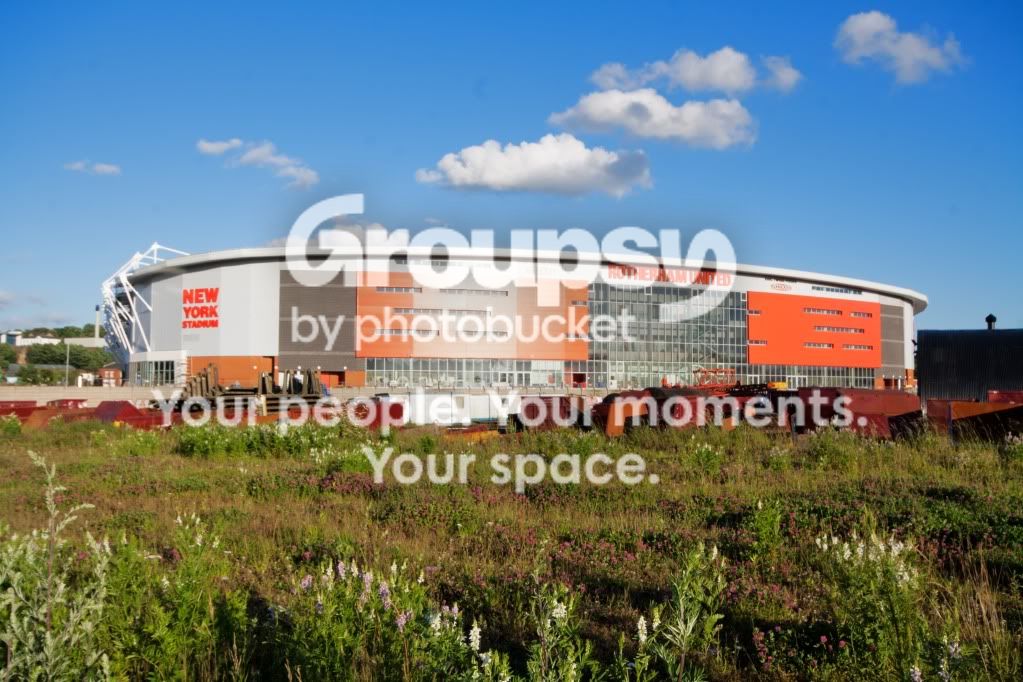
Here's the image Jon.

Same scene to be honest.

NewYorkStadium.jpg
 
Hi Jon,

I'm using Photoshop Elements 9 for Mac OSX 10

I thought (and correct me if I'm wrong) that if I were to crop it I would be losing parts of the image.

To me that example I provided suggests that the image is condensed into the frame of the image.

You can only see what's been left there -if the image gets stretched it distorts everything in it. To create a panoramic image means either cropping your image down or stitching some images together. Unless you started with a panoramic format (which as you're asking how to create one - we'll assume you're not).

original image
3x2.jpg


Cropped to a Panorama
pano.jpg


Stretched to a Panorama
stretch.jpg


See what I mean;)
 
Why not just crop it? That foreground isn't doing very much, not really. And you could loose a bit of sky at the top without doing any damage. :shrug:

PS: Phil, I quite like the flatter car!
 
You can only see what's been left there -if the image gets stretched it distorts everything in it. To create a panoramic image means either cropping your image down or stitching some images together. Unless you started with a panoramic format (which as you're asking how to create one - we'll assume you're not).

original image
3x2.jpg


Cropped to a Panorama
pano.jpg


Stretched to a Panorama
stretch.jpg


See what I mean;)


I see the difference in your examples above.

I suppose all I can do is give it a try....
 
Usual dimension for panorama photo's is 5cm x 1cm but depending on how tall the main subject is in the photo this might not work. i would just crop it to whatever you think looks right.
 
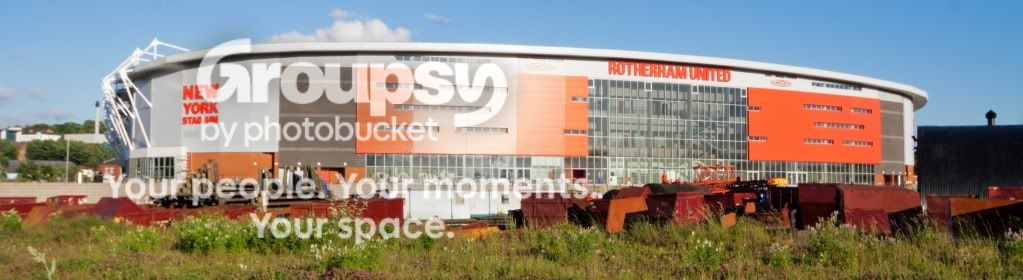
Well here is my attempt.

I've gone with Hotshots advice and gone with what I think looks best.

NewYorkStadiumCropped.jpg
 
Looks fine to me! (May be worth seeing if you can tone down that bright bit in the middle, though)
 
Looks fine to me! (May be worth seeing if you can tone down that bright bit in the middle, though)

I thought that myself but I wasn't sure if it was any good. Unfortunately, it was just the reflection from the sun as it was setting.

I can edit that part but it's difficult blending it in with the rest of the stadium.
 
I thought that myself but I wasn't sure if it was any good. Unfortunately, it was just the reflection from the sun as it was setting.

I can edit that part but it's difficult blending it in with the rest of the stadium.

Try a Brightness/Contrast adjustment layer. Use the Lasso tool with a big feather to select the bright bit.
 
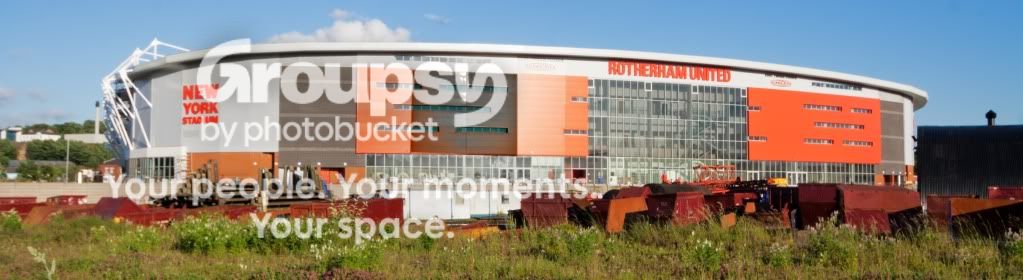
O.K this was the result when I tried to adjust that specific area in the middle :

NewYorkStadiumCropped_edited-1.jpg


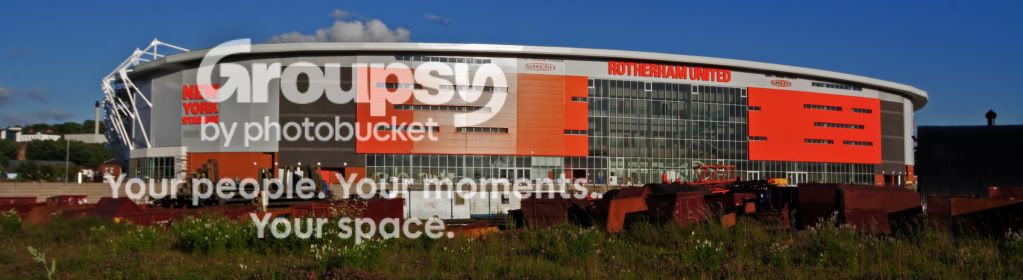
And this was my attempt when I adjusted the whole image

NewYorkStadiumDarkened.jpg
 
Back
Top