- Messages
- 3,821
- Name
- Tim
- Edit My Images
- Yes
With my version of Photo Mechanic reaching end of life on my Mac, and not really liking the other culling options I've tried, including the AI ones, I used Claude Code to build my own.
It's called FaceCull. It's a small Mac app aimed at event, sports and stage photographers, designed to make the first cull very fast and then add the key event/IPTC information to the keepers.
It's still a test version, so I'm looking for a few people who might be willing to try it.
Does anyone fancy testing it?
Other Canon mirrorless bodies should hopefully work too.
For other camera brands, face detection and ratings should work with JPG, HEIF or RAW files that macOS can open. I've also tested it with Ricoh GR IV DNGs. The Canon focus-point display obviously won't be available for other brands.
Ratings and event information are written to standard XMP sidecar files beside the photos, for example:
IMG_1234.CR3
IMG_1234.XMP
If an XMP sidecar already exists, from Photo Mechanic for example, FaceCull edits that file rather than replacing everything in it. Only the rating or event fields you apply are changed, so existing captions, credits etc. should remain untouched.
I've tested the resulting XMP files with Capture One, which reads the ratings and event information correctly on import when Auto Sync Sidecar XMP is set to Load.
Lightroom and Photo Mechanic should understand the same XMP data, but I haven't tested those yet.
As this is beta software, please initially try it on a COPY of a card or folder rather than your only copy of the photos.
After trying to open it for the first time, go to:
System Settings → Privacy & Security → Open Anyway
You should only need to do that once.
It's called FaceCull. It's a small Mac app aimed at event, sports and stage photographers, designed to make the first cull very fast and then add the key event/IPTC information to the keepers.
It's still a test version, so I'm looking for a few people who might be willing to try it.
Does anyone fancy testing it?
WHAT IT DOES
- Open a card or folder and step through the photos one at a time.
- Each photo opens at 100% on the detected faces, so you can check eyes, expression and focus immediately.
- If there are no faces, it opens around the camera's focus point where that information is available.
- Press 1–5 to rate a photo. The rating is saved and FaceCull immediately moves to the next image.
- Press P to show only your picks for a second pass. Press 0 to drop one from the picks.
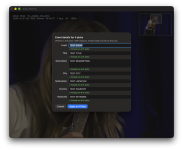
- Cmd+I lets you add event details such as event name, title, description, location and keywords to all the selected images at once.
- With supported Canon bodies, it shows a red box indicating where the camera actually focused.
- Everything runs locally on your Mac. Nothing is uploaded anywhere and there is no automatic "AI culling". You still choose every keeper yourself.
WHAT YOU NEED
- Apple Silicon Mac, M1 or later.
- macOS 14 Sonoma or newer.
- Intel Macs aren't supported.
Other Canon mirrorless bodies should hopefully work too.
For other camera brands, face detection and ratings should work with JPG, HEIF or RAW files that macOS can open. I've also tested it with Ricoh GR IV DNGs. The Canon focus-point display obviously won't be available for other brands.
HOW IT FITS INTO THE WORKFLOW
FaceCull does not alter the original photo files.Ratings and event information are written to standard XMP sidecar files beside the photos, for example:
IMG_1234.CR3
IMG_1234.XMP
If an XMP sidecar already exists, from Photo Mechanic for example, FaceCull edits that file rather than replacing everything in it. Only the rating or event fields you apply are changed, so existing captions, credits etc. should remain untouched.
I've tested the resulting XMP files with Capture One, which reads the ratings and event information correctly on import when Auto Sync Sidecar XMP is set to Load.
Lightroom and Photo Mechanic should understand the same XMP data, but I haven't tested those yet.
As this is beta software, please initially try it on a COPY of a card or folder rather than your only copy of the photos.
INSTALLING
The test build isn't signed/notarised with Apple yet.After trying to open it for the first time, go to:
System Settings → Privacy & Security → Open Anyway
You should only need to do that once.
WHAT I'D PARTICULARLY LIKE TO KNOW
- What camera and Mac you're using.
- Whether images appear quickly as you page through them.
- Examples where it zooms to the wrong face, misses a face, or puts the Canon focus box in the wrong place.
- Whether Capture One, Lightroom, Photo Mechanic or whatever you use picks up the ratings and metadata correctly.
- Anything in the interface that isn't obvious.
- What you miss most compared with your normal culling software.