
FaceCull - anyone want to test a fast culling app for events?

Messages
3,829
Name
Tim
Edit My Images
Yes
With my version of Photo Mechanic reaching end of life on my Mac, and not really liking the other culling options I've tried, including the AI ones, I used Claude Code to build my own.

It's called FaceCull. It's a small Mac app aimed at event, sports and stage photographers, designed to make the first cull very fast and then add the key event/IPTC information to the keepers.

It's still a test version, so I'm looking for a few people who might be willing to try it.

Does anyone fancy testing it?

WHAT IT DOES​

  • Open a card or folder and step through the photos one at a time.
  • Each photo opens at 100% on the detected faces, so you can check eyes, expression and focus immediately.
  • If there are no faces, it opens around the camera's focus point where that information is available.
  • Press 1–5 to rate a photo. The rating is saved and FaceCull immediately moves to the next image.
  • Press P to show only your picks for a second pass. Press 0 to drop one from the picks.
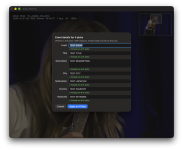
  • Cmd+I lets you add event details such as event name, title, description, location and keywords to all the selected images at once.
  • With supported Canon bodies, it shows a red box indicating where the camera actually focused.
  • Everything runs locally on your Mac. Nothing is uploaded anywhere and there is no automatic "AI culling". You still choose every keeper yourself.

WHAT YOU NEED​

  • Apple Silicon Mac, M1 or later.
  • macOS 14 Sonoma or newer.
  • Intel Macs aren't supported.
I've tested it with the Canon R1 and R5, using JPG, CR3 and RAW+JPG.

Other Canon mirrorless bodies should hopefully work too.

For other camera brands, face detection and ratings should work with JPG, HEIF or RAW files that macOS can open. I've also tested it with Ricoh GR IV DNGs. The Canon focus-point display obviously won't be available for other brands.

HOW IT FITS INTO THE WORKFLOW​

FaceCull does not alter the original photo files.

Ratings and event information are written to standard XMP sidecar files beside the photos, for example:

IMG_1234.CR3
IMG_1234.XMP

If an XMP sidecar already exists, from Photo Mechanic for example, FaceCull edits that file rather than replacing everything in it. Only the rating or event fields you apply are changed, so existing captions, credits etc. should remain untouched.

I've tested the resulting XMP files with Capture One, which reads the ratings and event information correctly on import when Auto Sync Sidecar XMP is set to Load.

Lightroom and Photo Mechanic should understand the same XMP data, but I haven't tested those yet.

As this is beta software, please initially try it on a COPY of a card or folder rather than your only copy of the photos.

INSTALLING​

The test build isn't signed/notarised with Apple yet.

After trying to open it for the first time, go to:

System Settings → Privacy & Security → Open Anyway

You should only need to do that once.

WHAT I'D PARTICULARLY LIKE TO KNOW​

  • What camera and Mac you're using.
  • Whether images appear quickly as you page through them.
  • Examples where it zooms to the wrong face, misses a face, or puts the Canon focus box in the wrong place.
  • Whether Capture One, Lightroom, Photo Mechanic or whatever you use picks up the ratings and metadata correctly.
  • Anything in the interface that isn't obvious.
  • What you miss most compared with your normal culling software.
If anyone would like to give it a go, reply here or send me a PM and I'll send you the download link.
 
Also now available - a version that runs in Chrome or Edge on Windows, Linux or Mac, with nothing to install.
 
id like to try the Windows version when i get a moment, but will it be useful on vehicles?
 
id like to try the Windows version when i get a moment, but will it be useful on vehicles?
Please give it a try, it should be. With no faces if it's a canon or nikon image, it will zoom in to a 100% centered on the AF point, with a thumbnail for the whole image so you can check the critical focus and peak action.

I'll share the link by PM.

Looking forward to feedback.
 
Please give it a try, it should be. With no faces if it's a canon or nikon image, it will zoom in to a 100% centered on the AF point, with a thumbnail for the whole image so you can check the critical focus and peak action.

I'll share the link by PM.

Looking forward to feedback.

Thanks Tim, I'll have a go later tonight or this weekend. I'll leave the PM unread for now to give me a reminder to do it later tonight!
 
I'll happily give this a go :)

I can test with R1 and also with other bodies if needed (OM1 MK 11, Fuji and Hasselblad)
Thanks Paul, I'll send the link.

Fuji may already work, I've updated for how GFX AF areas are recorded. If can share a few sample OM1 and Hasselblad raws I can add those in too.
 
Thanks Paul, I'll send the link.

Fuji may already work, I've updated for how GFX AF areas are recorded. If can share a few sample OM1 and Hasselblad raws I can add those in too.
Yeah no problem, I have plenty of RAWs from my Hasselblad X2D II, can find some, or make some, for the OM1 MKII :)
 
Yeah no problem, I have plenty of RAWs from my Hasselblad X2D II, can find some, or make some, for the OM1 MKII :)
Thank you! The camera-specific aspect is really only how the AF area is recognised and displayed.

So far, it's been tested on:
Canon R1
Canon R5
Nikon Z8
GFX 50R
GFX 100
Ricoh GR4
 
Thank you! The camera-specific aspect is really only how the AF area is recognised and displayed.

So far, it's been tested on:
Canon R1
Canon R5
Nikon Z8
GFX 50R
GFX 100
Ricoh GR4
Cool, so I can add:

Canon R3
OM1 MK11
Lumix GH-7
Fuji GFX100RF
Hasselblad X2D II

I can just shoot some sample raws with each body.
Regarding my Hasselblad, I have lots of files but as I run them through Hasselblad's Phocus software before putting them into Lightroom they are TIFFs, so I will take some sample shots and you'll get the RAW 3FR file
 
For info, your instructions to install the Mac app didn't work for me:

INSTALLING​

The test build isn't signed/notarised with Apple yet.​
​
After trying to open it for the first time, go to:​
​
System Settings → Privacy & Security → Open Anyway​
​
You should only need to do that once.​


I kept opening Privacy & Security but the Open Anyway option (which I have used before) never appeared.

I had to do the following (thanks to Google) and then I could open the app.

  1. Open the Terminal app (Press Cmd + Space, type Terminal, and press Enter).
  2. Copy and paste this exact command into the Terminal window, but do not press Enter yet:
    sudo chmod -R 755​
    ​
    Make sure there is a space right after 755​
    ​
  3. Open your Applications folder in Finder.
  4. Drag and drop the problematic app icon directly into the Terminal window. The window will automatically fill in the file path (it will look something like sudo chmod -R 755 /Applications/YourApp.app).
  5. Press Enter.
  6. Terminal will ask for your Mac login password. Type it out (note: no characters or asterisks will show while you type) and press Enter.
  7. Next, copy and paste this command to clear any background security flags on the app, followed by a space:
    sudo xattr -cr​
    ​
    Drag the app icon into Terminal once more so the path is filled out, and press Enter.​


Ah, ok, I'll make the instructions clearer, thanks.

After you try to open it for the first time, in Privacy & Security you need to scroll down the page, and the "Open anyway" option shows towards the bottom.

Thanks for the feedback!
 
Ah, ok, I'll make the instructions clearer, thanks.

After you try to open it for the first time, in Privacy & Security you need to scroll down the page, and the "Open anyway" option shows towards the bottom.

Thanks for the feedback!
It doesn't appear, I tried that at least 6 times. It's worked for other apps I've installed but didn't appear for yours.
 
It doesn't appear, I tried that at least 6 times. It's worked for other apps I've installed but didn't appear for yours.
Good to know. I'm using macOS27.

does xattr -dr com.apple.quarantine /Applications/FaceCull.app work?
 
I'd be happy to try it out.

I use a macbook (M4 Pro) when at events, but a windows desktop at home. I use an R3 and 1DX3 bodies.

I'm currently doing beta testing an app that works on similar principles to detect how sharp a car (or bike) is in a photo and give them an auto rating. One issue I'm facing is that it's only about 90% accurate at the moment, so about 10% of those marked as blurry are usable (but perhaps not 100% pin sharp but if it's the only photo of that car it's usable). The other issue is that out of a sequence of 3 or 4, there is generally 1 that is the sharpest of them all but it rates them all the same.

This means I've got to do a manual review after the auto culling just to do some fine tuning. However, the manual reviewing process in the app is currently not very efficient, needing several mouse clicks on different parts of the screen. What you are offering sounds like it may be either an ideal partner (i.e. run one then the other), or a more suitable solution than automating things.

One feature I've been looking for is the ability to bulk select all the rejects and physically delete them in as few clicks and confirmation pop-ups as possible. I'll always have the originals still on the memory cards for a week or two so not all is lost if I make a mistake.
 
I'd be happy to try it out.

I use a macbook (M4 Pro) when at events, but a windows desktop at home. I use an R3 and 1DX3 bodies.

I'm currently doing beta testing an app that works on similar principles to detect how sharp a car (or bike) is in a photo and give them an auto rating. One issue I'm facing is that it's only about 90% accurate at the moment, so about 10% of those marked as blurry are usable (but perhaps not 100% pin sharp but if it's the only photo of that car it's usable). The other issue is that out of a sequence of 3 or 4, there is generally 1 that is the sharpest of them all but it rates them all the same.

This means I've got to do a manual review after the auto culling just to do some fine tuning. However, the manual reviewing process in the app is currently not very efficient, needing several mouse clicks on different parts of the screen. What you are offering sounds like it may be either an ideal partner (i.e. run one then the other), or a more suitable solution than automating things.

One feature I've been looking for is the ability to bulk select all the rejects and physically delete them in as few clicks and confirmation pop-ups as possible. I'll always have the originals still on the memory cards for a week or two so not all is lost if I make a mistake.


Hi John,

Thanks, it’d be great if you could try it.

It should work well alongside your other app: FaceCull reads ratings from XMP sidecar files, so if your app saves its ratings to sidecars, you’ll see them in FaceCull and can fine-tune from there. (Rejects marked by another app currently show as unrated.)

My workflow is a bit different: I don't delete rejects. I cull straight from the card, rate the keepers, and then import only the rated photos, so the rejects never leave the card, and nothing needs deleting. FaceCull deliberately never deletes or changes the photos themselves; it only writes the ratings into the sidecars.

For me, nearly every frame is usable; the job is picking the very best, and I haven’t found anything automated that’s better or faster than doing it by eye at 100%. I’m thinking about whether FaceCull could look a few photos ahead and suggest ratings, but that’s just an idea for now.

Since you’re on Windows at home, there’s also a browser version that runs in Chrome or Edge, so you could use it on both machines. I’ve send you both the Mac version and the web link.

One request: the R3 should be fine, but I haven’t tested the 1D X Mark III yet. If you could send a few sample files from each body (RAW, ideally with the AF point on an eye), that would really help.

Thanks!

Tim
 
Hi John,

Thanks, it’d be great if you could try it.

It should work well alongside your other app: FaceCull reads ratings from XMP sidecar files, so if your app saves its ratings to sidecars, you’ll see them in FaceCull and can fine-tune from there. (Rejects marked by another app currently show as unrated.)

My workflow is a bit different: I don't delete rejects. I cull straight from the card, rate the keepers, and then import only the rated photos, so the rejects never leave the card, and nothing needs deleting. FaceCull deliberately never deletes or changes the photos themselves; it only writes the ratings into the sidecars.

For me, nearly every frame is usable; the job is picking the very best, and I haven’t found anything automated that’s better or faster than doing it by eye at 100%. I’m thinking about whether FaceCull could look a few photos ahead and suggest ratings, but that’s just an idea for now.

Since you’re on Windows at home, there’s also a browser version that runs in Chrome or Edge, so you could use it on both machines. I’ve send you both the Mac version and the web link.

One request: the R3 should be fine, but I haven’t tested the 1D X Mark III yet. If you could send a few sample files from each body (RAW, ideally with the AF point on an eye), that would really help.

Thanks!

Tim
Thanks Tim,

I've given you some info in my reply to your PM with the links. I'll happily send you some raw 1DX3 files when I get home, though it will probably be Friday before I can give things a try in anger.
 
Back
Top