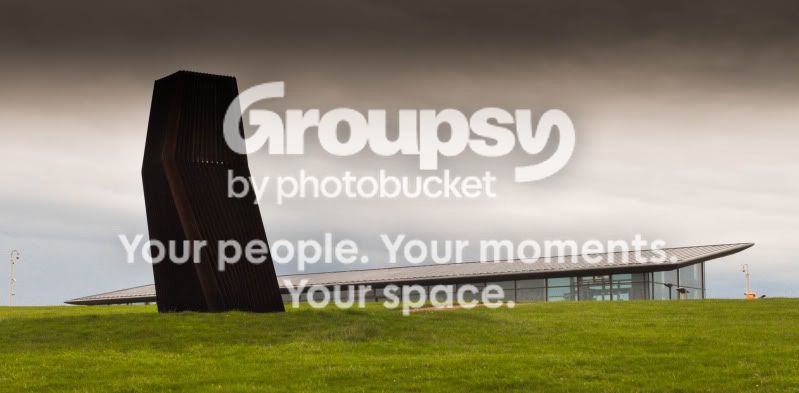
First attempt with LR

Messages
41
Name
James
Edit My Images
Yes
Ok, so this is my first picture I have put through Lightroom, also one of first pictures since getting a DSLR.

From my own point of view, I should have been closer or used a longer lenses as this has been cropped, I had to change the exposure as it was quite dark and I am still learning when it comes to apeture, ISO, shutter speed, etc.
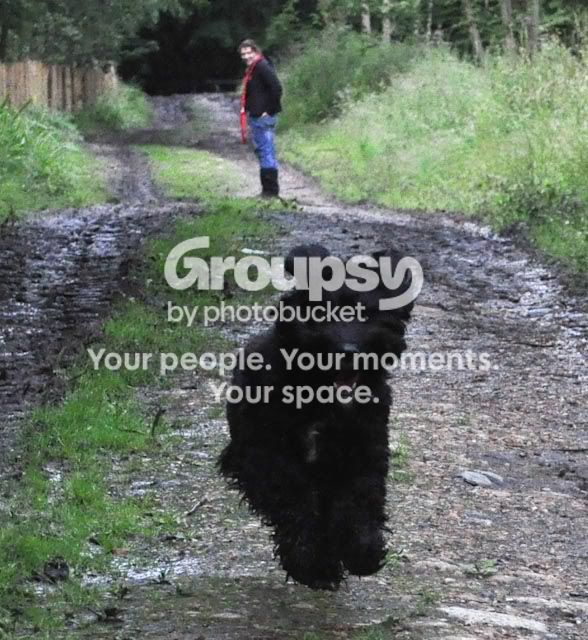
DSC_00342.jpg
 
The composition is very nice, with the dog running towards you and the person at the back. Personally I will have shoot in burst mode, no idea if you did, as you get different exposures of the dog running towards you. Maybe focusing between the dog and lady will get you a sharper picture front to back. Because the dog is all black, running towards you, hairy and it was poor light it gives the effect of sliding/floating, I think for the challenging conditions you did very well, looking closely not sure if dog or a bear cub now...
 
It's a dog, in great need of hair cut! He was fully airbourne at the point I took the picture.

Shortly after taking this is when I discovered burst mode on my camera, so in future I will use it, I am gussing I should combine that with fast shutter speed if I want to capture sharp picture of the dog, but a slower one if I want a sense of movement in the picture?

Thank you for the advise.
 
Now I am getting out of my depth, quite new with photography too, if you use a slower shutter speed then, what gives a sense of movement while keeping the dog in focus is a blurry background, to achieve that you need "panning" (check Motorsport pictures), if you don't use panning, then your dog will be less sharp and with shadowy limbs.
 
It's a dog, in great need of hair cut! He was fully airbourne at the point I took the picture.

Shortly after taking this is when I discovered burst mode on my camera, so in future I will use it, I am gussing I should combine that with fast shutter speed if I want to capture sharp picture of the dog, but a slower one if I want a sense of movement in the picture?

Thank you for the advise.

Thw faster/slower shutter speeds will do want you suggest BUT with the dog coming straight towards you a slower shutter speed will result in the dog boing out of focus as he will get closer whilst the shutter is open.

A slower shutter and panning is very effective for showing movement if the subject is crossing in front of you - you get a sharp subject and blurred background with "streaks" in it suggesting speed and movement.

With a subject coming towards you, try getting down lower and going for a fast shutter to freeze everything. The low viewing point along with things like the dog being airbourne, tongue hanging out, etc., will generally give an impression of movement.

Hope that helps :)
 
Now I am getting out of my depth, quite new with photography too, if you use a slower shutter speed then, what gives a sense of movement while keeping the dog in focus is a blurry background, to achieve that you need "panning" (check Motorsport pictures), if you don't use panning, then your dog will be less sharp and with shadowy limbs.

Panning doesn't help when the subject is aiming at you, it is for movement across you it works.
 
Thanks for the advise, all very helpful. I will have to see if I can get furball in the mood and try again.

Different subject this time:

DunstableDownsVisitorsCentre.jpg


Cropped, contrast and exposure altered and a graduated filter.

A bit to much but I wanted to see what it did.
 
Back
Top