

You are using an out of date browser. It may not display this or other websites correctly.
You should upgrade or use an alternative browser.
You should upgrade or use an alternative browser.
Flickr
- Thread starter FiestaRed
- Start date

- Messages
- 70
- Name
- Dave
- Edit My Images
- Yes
OP

- Messages
- 1,452
- Name
- Mike
- Edit My Images
- Yes
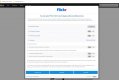
I read all through the link you kindly added Dave, but I'm still unclear as to which boxes I should be ticking. If I click on "Reject All", they'll probably scrap my account and I can't really see what the differences are in "Accept All" and "Save and Exit".

- Messages
- 1,429
- Name
- Mike
- Edit My Images
- Yes
I've seen the same thing today.
It's been distressing common on some other websites, where I seem to have to redo my settings on at least a monthly basis.
With Flickr it showed most were disabled so I just saved as is. In many cases I've found such pop ups show the settings I agreed to previously.
If they don't I usually just end up rejecting all (even where this takes longer than accepting all).
It's been distressing common on some other websites, where I seem to have to redo my settings on at least a monthly basis.
With Flickr it showed most were disabled so I just saved as is. In many cases I've found such pop ups show the settings I agreed to previously.
If they don't I usually just end up rejecting all (even where this takes longer than accepting all).

- Messages
- 376
- Edit My Images
- Yes
The best place to get advice on this will be the Flickr Help Forum. It's a hot topic at the moment.
OP
- Messages
- 1,452
- Name
- Mike
- Edit My Images
- Yes
Thanks for the reply. Is it as simple as Googling Flickr Help Forum? Never been on that one before.The best place to get advice on this will be the Flickr Help Forum. It's a hot topic at the moment.
OP
- Messages
- 1,452
- Name
- Mike
- Edit My Images
- Yes
Update: I found the Flickr Help Forum but couldn't get on there due to the pop-up blocking me. I clicked on Reject All, read most of the posts, which make great points.
Now, when I try to get back on Flickr, all I'm getting is the Bad Panda picture. Hopefully it's just a minor problem at their end and they've not blocked my account.
Now, when I try to get back on Flickr, all I'm getting is the Bad Panda picture. Hopefully it's just a minor problem at their end and they've not blocked my account.