


- Messages
- 1,161
- Name
- James
- Edit My Images
- Yes
K guys, bit of an interesting one. I've been playing about with some close up shots of playing cards and I seem to have hit a problem. If what I think is happening is indeed happening I'll need some help. It seems that focus in the red channel is off. Let me present images to show what I mean.
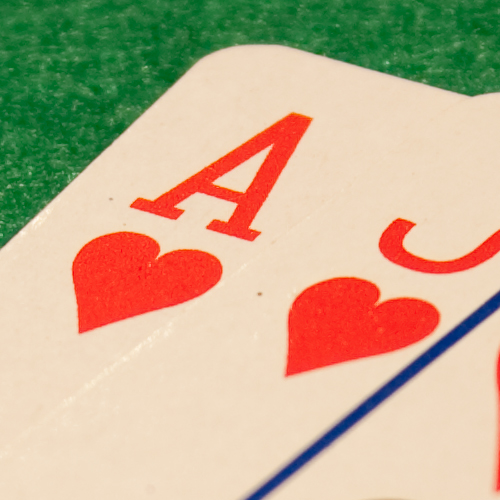
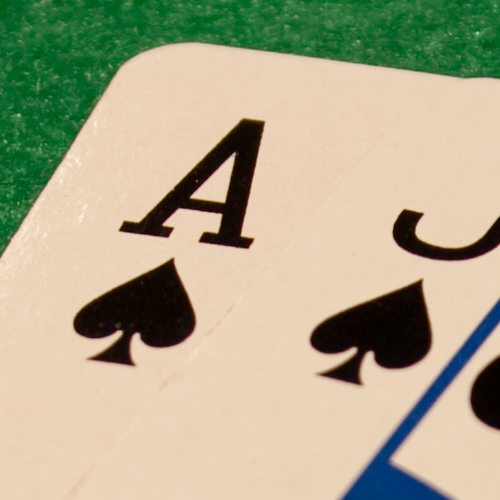
When taking images of the red cards I hit focus on essentially every shot, hence my inference that the red channel is the problem. Intuitively this seems backwards since red is the obvious colour on show. The white (or nearly so) of the playing cards is up around 255 in the red channel, and the red in the heart shapes is up very close to that. The red channel shows pretty much all white when viewed on its own. You see the red colour primarily due to the absense of the blue and green.
In the black the problem is revealed, since all channels are now at very low values. To my eye I can't see any part of the black image that's in focus, and it isn't for want of trying, I've taken tens of images (compared to 3 our of 4 sharp for the red cards).
black and white from the individual channels from the black cards are shown below
Blue channel
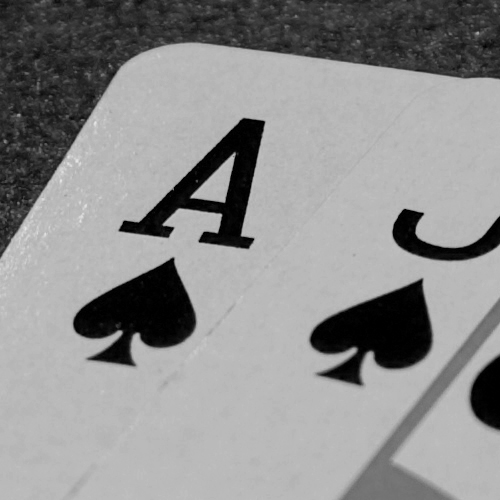
green channel
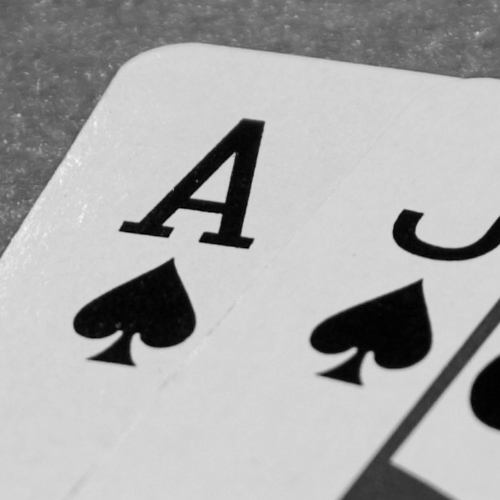
red channel
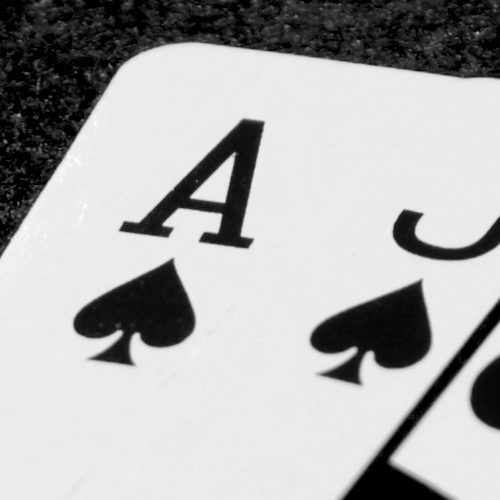
The blue channel looks pretty much sharp, the green channel slightly less so, the red miles out.
Is there anything I can do about this? Are my eyes deceiving me?
I don't know whats going on, this is just a bit of guesswork, so if I'm talking crap let me know or ask more questions if I'm not making sense. Thanks.
edit##
I should add, these are both 100% crops of much larger images.
When taking images of the red cards I hit focus on essentially every shot, hence my inference that the red channel is the problem. Intuitively this seems backwards since red is the obvious colour on show. The white (or nearly so) of the playing cards is up around 255 in the red channel, and the red in the heart shapes is up very close to that. The red channel shows pretty much all white when viewed on its own. You see the red colour primarily due to the absense of the blue and green.
In the black the problem is revealed, since all channels are now at very low values. To my eye I can't see any part of the black image that's in focus, and it isn't for want of trying, I've taken tens of images (compared to 3 our of 4 sharp for the red cards).
black and white from the individual channels from the black cards are shown below
Blue channel
green channel
red channel
The blue channel looks pretty much sharp, the green channel slightly less so, the red miles out.
Is there anything I can do about this? Are my eyes deceiving me?
I don't know whats going on, this is just a bit of guesswork, so if I'm talking crap let me know or ask more questions if I'm not making sense. Thanks.
edit##
I should add, these are both 100% crops of much larger images.


