


magicaxeman
An Idiot
- Messages
- 3,097
- Edit My Images
- No
I seem to be a little stuck at present in achieving the look I am after and am hoping you guys can help.
I really don't want to use CS5 or software to create the effect described as I have made a concious effort to create any effects I use in the camera rather than in software.
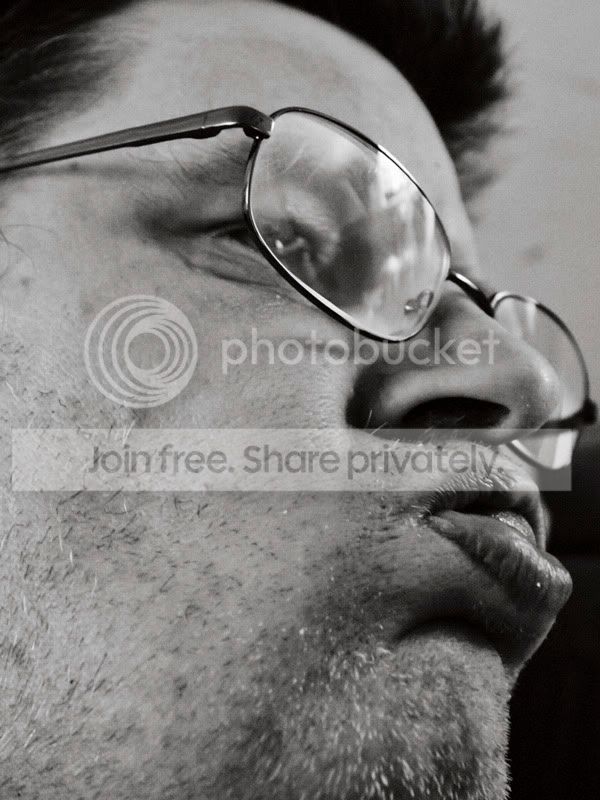
I want to get more distortion in the image than the examples show, currently my widest is the 17-50 tamron but where I'm uncertain is whether I should be looking at a 10-22 or an 8mm fisheye lens, if I make a mistake I might not be able to afford the other option.
I will only be using the lens indoors (I cant get out at all) so wont be using it for landscapes at all.
Any ways here's a couple of examples of where I'm at, I just want it more extreme!
Oh and I'm focusing on expressions, these are not finished photo's really, more snap shots of idea's.

I really don't want to use CS5 or software to create the effect described as I have made a concious effort to create any effects I use in the camera rather than in software.
I want to get more distortion in the image than the examples show, currently my widest is the 17-50 tamron but where I'm uncertain is whether I should be looking at a 10-22 or an 8mm fisheye lens, if I make a mistake I might not be able to afford the other option.
I will only be using the lens indoors (I cant get out at all) so wont be using it for landscapes at all.
Any ways here's a couple of examples of where I'm at, I just want it more extreme!
Oh and I'm focusing on expressions, these are not finished photo's really, more snap shots of idea's.


