Help! - Sensor damage?

Messages
233
Edit My Images
Yes
I may have been too keen to clean my sensor (Sony A500) - there seem to be more specs than ever as well as what appears to be a streak too. Will a camera shop be able to clean it up for me? If not - where do I go next?
Cheers

Here is a pic of a cloudy sky to demonstrate...
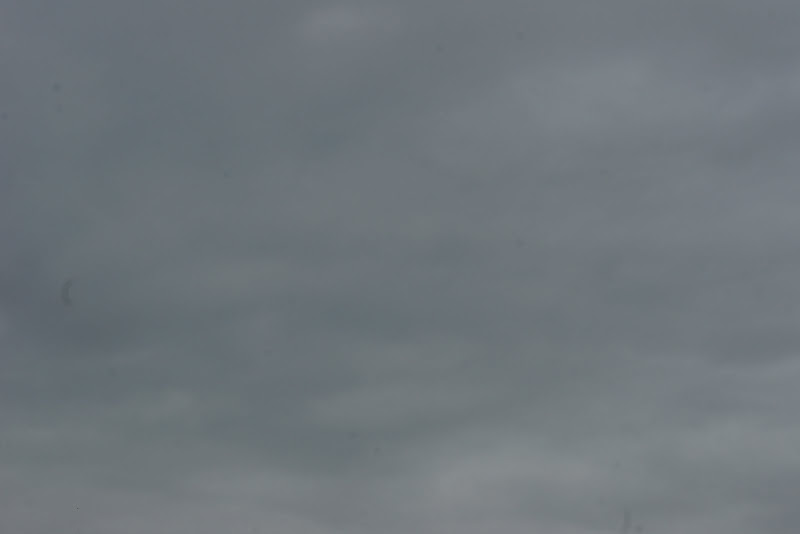
DSC05298.JPG
 
They look like grease spots on the sensor - did you do a wet clean ? They should come off with a wet clean.
 
I just used some compressed air (PC cleaning product) to bow out the compartment and a soft lens brush (Hama)
(Yes - I've been told that I shouldn't have touched the sensor with the brush)
I will not be trying it again though. I assume it's best to go to a local camera shop?
 
Go easy with the compressed air too - PC stuff contains liquid propellant that your sensor definitely wont like.

Have you tried sensor swabs? They are for sale in the Forum Advertisers section and are simply fab.
 
you could try a sensor pen link. I got a bit of oil on my sensor and a wet clean smeared it. Spoke to the local LCE chap and got a sensor pen and it was all sorted in minutes.
 
Yep, don't use the compressed air, I made that mistake on my first DSLR a few years ago, I got propellant all over the sensor (well the glass that covers it). I just carefully cleaned it with swabs and fluid and it came up good as new.
 
You should be able to clean the sensor with a wet clean.

Either buy some swabs
http://www.talkphotography.co.uk/forums/showthread.php?t=228932

or make your own
http://www.talkphotography.co.uk/forums/showthread.php?t=9766&highlight=sensor+cleaning

Canned air contains a propellant and should not be used to clean inside a camera as it can leave deposits, I would not use it anywhere near a camera.

Brushes always seem to leave hairs behind and unless really clean can leave oily marks, they are good for the outside only.
 
Thanks for all the quick replies - I'm not panicking as much as I was earlier!
I'm still very wary about attempting a wet-clean - Anything I should know before I contemplate having a go?

Have a good read through the second link I posted, RobertP explains it well, he also mentions that the first clean(s) usually make it worse :D
 
to get a good image of the muck on the sensor

choose aperture priority
select f16
take a shot of white [paper] to fill the frame
increase contrast in PP
 
Well I had a go at cleaning using swabs and 'Smear Away'. I ended up using 6 swabs (one swipe each side) but still seem to have specks on the sensor. The 'curly' streaks seem to have gone - which is what I was most concerned about. Is it just a case of 'swabbing' away until I get a clean picture?
Current state...
DSC05303.JPG


Thanks for being so patient with me.
 
Back
Top