


- Messages
- 453
- Edit My Images
- Yes
A previous thread response got me intrigued regarding the Dynamic Range settings of my X100T. I've only just started out with the X series so I thought it best to get fully to grips with the system before I take a shot at some point with the wrong settings and kick myself

As with most people, I expected that the Dynamic Range settings (DRAuto, DR100, DR200 and DR400) affect ONLY the JPEGs produced by the camera. However, somebody pointed out an article which had tested the X-T1 in a high contrast situation, and they found that the RAW files were also showing increased Dynamic Range. This would make sense as a JPEG is created from the in-camera RAW, but I didn't know if that would be the case for definite.
Also, I believe the X-T1 and X100S/T use the same sensor but I didn't know if the software is implemented in the same manner, so I wanted to find out with my own test.
So I took a photo in my lounge this evening as it was the only option I had. It's a high contrast scene as I have my television on, but the ambient lighting is low. Therefore this should be as good a test as any really. The scene was set up in the following manner:
- I paused the TV image so it's identical in all the shots
- I focused on the corner of the TV and then set the camera to MF
- I used a small tripod but it does seem to have moved ever so slightly during the process, however not enough to throw off any settings
- I over-exposed the scene from what the camera classed as "properly exposed" by +2/3 of a stop via the EV dial so that the Highlights would appear blown out a little
- The RAW files were imported into Lightroom 5.7 and the following adjustments were all that were made...
1) The shadows were brought up by 100%
2) The highlights were dropped down by 100%
3) The lens profile was applied
4) The crop was applied
That's all that was adjusted, and to do so, I applied these effects to the first photo, and then synchronised the rest.
From the tests, I've noticed several things:
A) The Dynamic range within the RAW files is DEFINITELY affected. There is much greater range within the RAW files in post processing.
B) The file sizes increase in a linear fashion meaning there must be more data within the files...
On my Mac, the basic data shows DR100 = 1.1MB, DR200 = 1.2MB & DR400 = 1.3MB (see below) for an identical file:

C) Noise does increase in the shadow area but not drastically from DR100 to DR400. It looks to be around 20% by eye. DR100 to DR200 appear almost identical in terms of noise, whereas DR400 does appear to show some colour noise once the shadows have been fully opened.
D) At anything other than DR400/ISO800, there is not really any more room in the highlights. For example, at DR400, I can pull down the exposure and reveal an airplane trail in the upper left corner of the screen, however this area is totally blown out at DR100 or DR200.
...here are the examples:
I should mention, you're seeing cropped areas of the scene I took, purely because on the web, you wouldn't see the results in enough detail with the full sized photo. I therefore concentrated on a highlight area of the scene with the TV, and a shadow area of the scene with the couch.
First, the highlights in the television (remember this was the same scene with only the camera settings changing):
DR100 results
DR100 @ ISO200
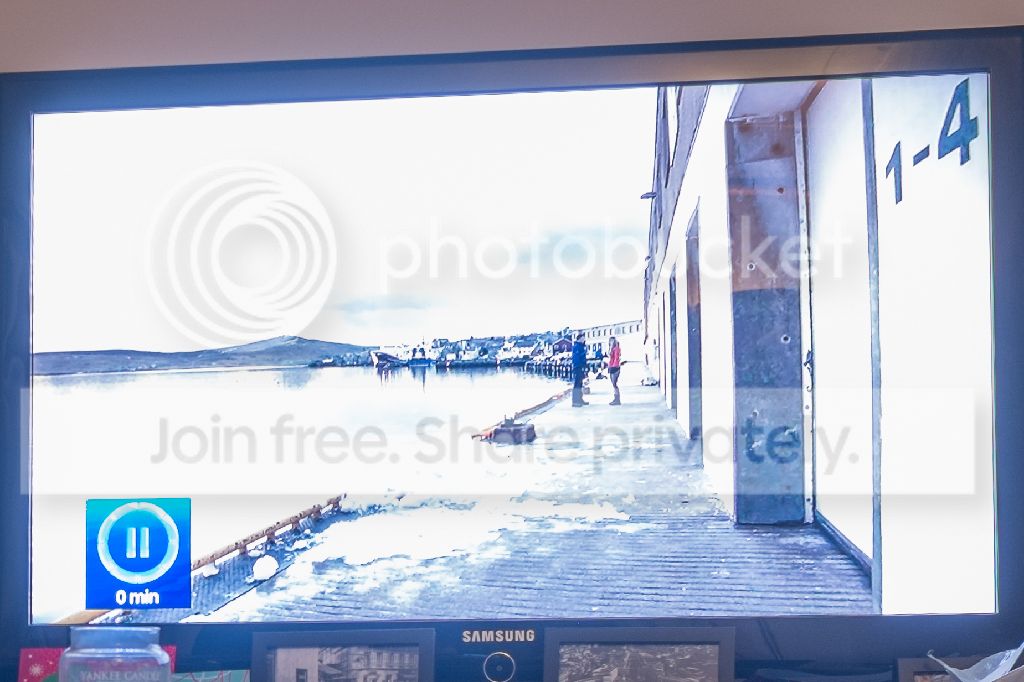
DR100 @ ISO400
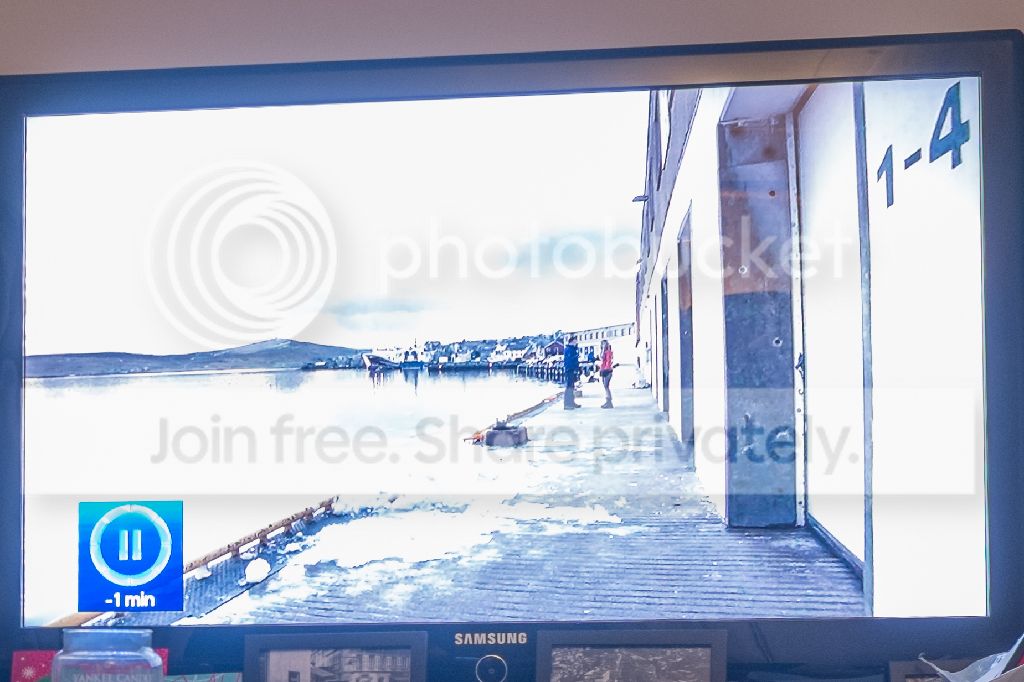
DR100 @ ISO800
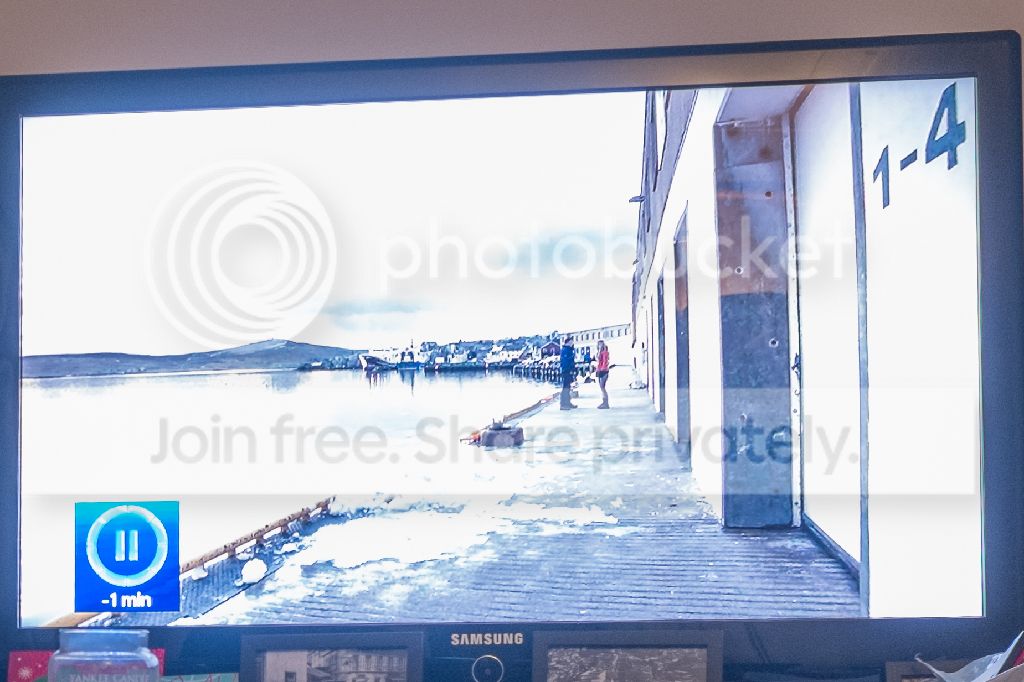
DR200 Results
(Obviously this negates the ISO200 setting)
DR200 @ ISO400
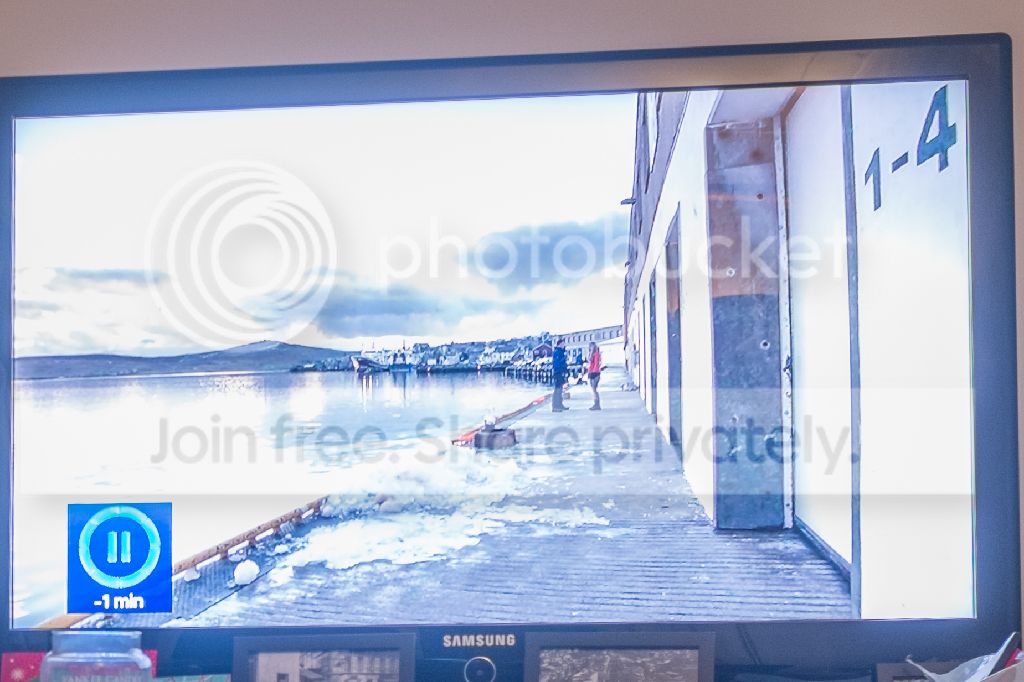
DR200 @ ISO800
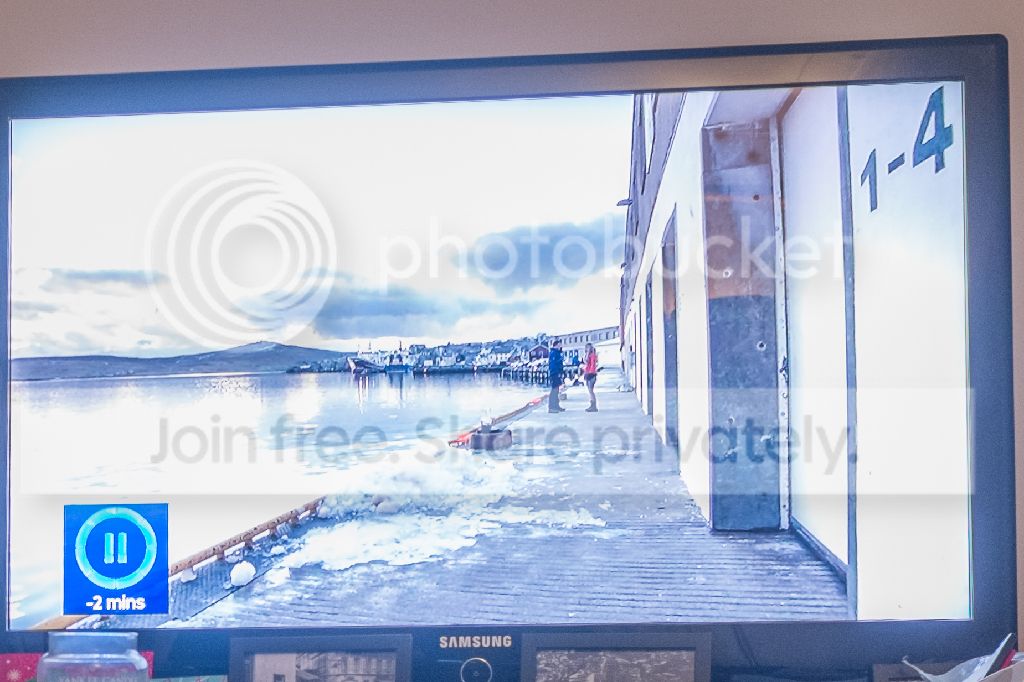
DR400 Results
(This negates the ISO200 and ISO400 settings)
DR400 @ ISO800
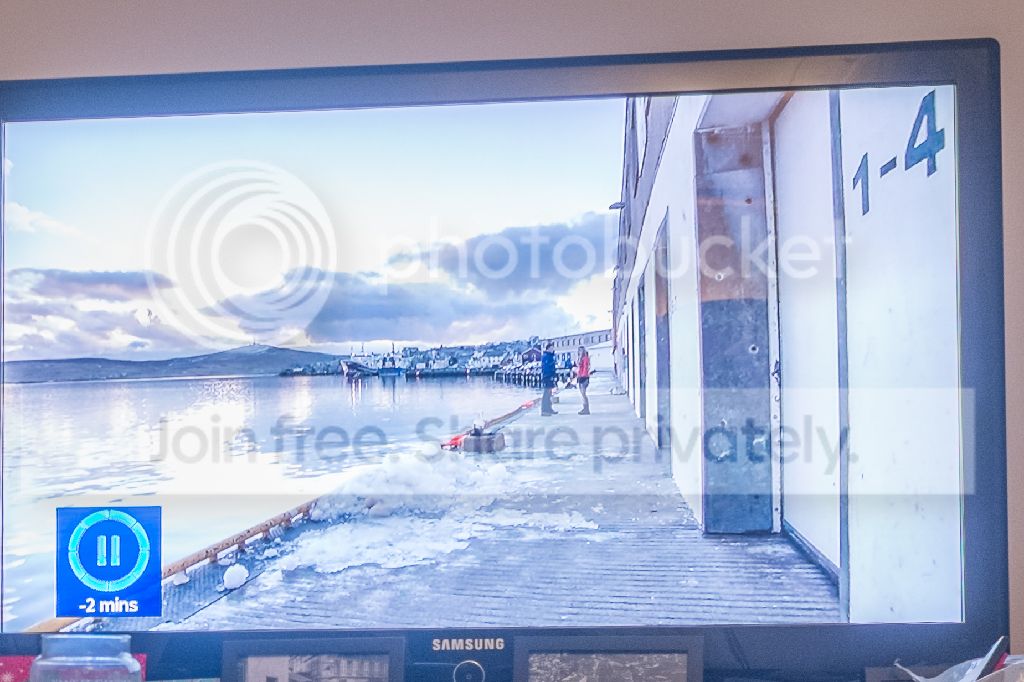
In my opinion, there's quite a large difference in the highlights between DR100 and DR400.
As with most people, I expected that the Dynamic Range settings (DRAuto, DR100, DR200 and DR400) affect ONLY the JPEGs produced by the camera. However, somebody pointed out an article which had tested the X-T1 in a high contrast situation, and they found that the RAW files were also showing increased Dynamic Range. This would make sense as a JPEG is created from the in-camera RAW, but I didn't know if that would be the case for definite.
Also, I believe the X-T1 and X100S/T use the same sensor but I didn't know if the software is implemented in the same manner, so I wanted to find out with my own test.
So I took a photo in my lounge this evening as it was the only option I had. It's a high contrast scene as I have my television on, but the ambient lighting is low. Therefore this should be as good a test as any really. The scene was set up in the following manner:
- I paused the TV image so it's identical in all the shots
- I focused on the corner of the TV and then set the camera to MF
- I used a small tripod but it does seem to have moved ever so slightly during the process, however not enough to throw off any settings
- I over-exposed the scene from what the camera classed as "properly exposed" by +2/3 of a stop via the EV dial so that the Highlights would appear blown out a little
- The RAW files were imported into Lightroom 5.7 and the following adjustments were all that were made...
1) The shadows were brought up by 100%
2) The highlights were dropped down by 100%
3) The lens profile was applied
4) The crop was applied
That's all that was adjusted, and to do so, I applied these effects to the first photo, and then synchronised the rest.
From the tests, I've noticed several things:
A) The Dynamic range within the RAW files is DEFINITELY affected. There is much greater range within the RAW files in post processing.
B) The file sizes increase in a linear fashion meaning there must be more data within the files...
On my Mac, the basic data shows DR100 = 1.1MB, DR200 = 1.2MB & DR400 = 1.3MB (see below) for an identical file:

C) Noise does increase in the shadow area but not drastically from DR100 to DR400. It looks to be around 20% by eye. DR100 to DR200 appear almost identical in terms of noise, whereas DR400 does appear to show some colour noise once the shadows have been fully opened.
D) At anything other than DR400/ISO800, there is not really any more room in the highlights. For example, at DR400, I can pull down the exposure and reveal an airplane trail in the upper left corner of the screen, however this area is totally blown out at DR100 or DR200.
...here are the examples:
I should mention, you're seeing cropped areas of the scene I took, purely because on the web, you wouldn't see the results in enough detail with the full sized photo. I therefore concentrated on a highlight area of the scene with the TV, and a shadow area of the scene with the couch.
First, the highlights in the television (remember this was the same scene with only the camera settings changing):
DR100 results
DR100 @ ISO200

DR100 @ ISO400

DR100 @ ISO800

DR200 Results
(Obviously this negates the ISO200 setting)
DR200 @ ISO400

DR200 @ ISO800

DR400 Results
(This negates the ISO200 and ISO400 settings)
DR400 @ ISO800

In my opinion, there's quite a large difference in the highlights between DR100 and DR400.
Last edited:


