Is this a camera fault?

Messages
769
Name
Donna
Edit My Images
Yes
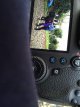
When I take a photo the picture flashes up on the viewfinder but it looks odd the it changes to normal.
Is it a setting I have my camera on or is it faulty?
Never seen this beforeImageUploadedByTalk Photography Forums1451326311.276998.jpgImageUploadedByTalk Photography Forums1451326324.591318.jpg
 
Donna,
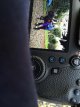
You've got "highlight alert" turned on (often referred to as blinkies).
It flashes black in the areas where you've blown the highlights. Perfectly normal, controlled from playback menu 3 (I don't have a 6D, so had to google for the menu option).
Tim
 
It would be a really good idea to RTFM, you have bought a modern high spec DSLR and the things it can do will be significantly more than your old 40D so getting an idea of the new functions would be sensible, lest you waste half of your investment.
 
This confused me when you said that the image pops up in the viewfinder. Thought to myself that DSLR's (not counting Sony DSLT) don't have electronic viewfinders and so you can't review images in the viewfinder. But then I saw you posted a pic of the rear LCD screen ;) :p
 
So disable highlight then?
Why would you? Its a handy guide, especially when starting out, you can tell immediately if you have blown part of the image, knock the exposure down 1/4 or 1/2 a stop and try again,
Otherwise what you think maybe a perfectly exposed image, may not be, once its on the computer screen.
 
Why would you? Its a handy guide, especially when starting out, you can tell immediately if you have blown part of the image, knock the exposure down 1/4 or 1/2 a stop and try again,
Otherwise what you think maybe a perfectly exposed image, may not be, once its on the computer screen.

This ^^^^^ times a thousand. It really is very handy to have
 
Ok it can stay then, thankyou
Yes it's a useful feature, as is the histogram. The LCD screen can be misleading at times. It's really important to make sure that you have correctly set the brightness and colour temp/hue of your screen (if you have these adjustments), and where possibly look at the screen when in shade rather than bright light.
 
But that's only any good if you understand how to use them :banghead::banghead::banghead:
Don't be such a grump and give Donna some help using them then...

FWIW Donna, if you're getting blinkies (or looking at a histogram biased too much to the right) then unless it's a deliberate choice then you'll probably want to either dial in some exposure compensation, or reduce the iso, aperture or shutter speed to reduce the light hitting the sensor to the point where the blinkies *just* stop - but don't go too far.
If you find that by doing that, the shadows are too dark, then the shot you are taking may well have too much dynamic range and you might want to consider using exposure bracketing or (whisper this as haters will hate).... HDR (but don't go in for the garish effects you see people creating that give HDR a bad name please).
 
I once had banding on my rear screen. I was reviewing a picture as I was walking along. Then suddenly black and white bands started running down the screen. True story, the play/ review mode had timed out and went back to taking mode, as I was walking across a zebra crossing with the camera pointing downwards. After the initial panic I felt such a twerp.
 
Last edited:
Not very nice, or helpful. :rolleyes:

I think advising someone to read the manual IS helpful.
The more understanding of the technical features people have of the (expensive) equipment they have bought, the better it can be used to create the images they want.
I go to the extreme of downloading a pdf of my manuals onto my phone, which is always near me, for reference.
 
I'm totally new to this camera and a beginner so yes I'm referring back to my books constantly ( got a couple for Christmas ) but only so much my poor little brain can absorb in one go [emoji58]
 
Can't agree more about reading the manual. Modern camera are full of features and the manual is, IMO, the place to start and even though I have been through my camera's manual a few times, it is with me everytime I take the camera. I don't know how much you know about the exposure triangle but to get the best out of your camera (I don't know it either but from what I have read it is an excellent piece of kit) you need to understand aperture, shutter speed and ISO, the effect they have on the image and how they relate to each other. However, digital phots are effectively free so just keep taking lots. If they are not what you wanted try to work out what went wrong and if you want some help, post then up here.

Dave
 
RTFY!
Youtube is often a good place to get a walk through of tips, settings or the main points of a camera. The manual is probably better if you want to look up something specific that you know the name of. Even if you do read it cover to cover, you might not be able to take it all in. And then a forum dedicated to the camera, is a great place to pick up what other owners are doing, and how they've solved specific problems, and ask questions.
 
Last edited:
RTFY!
Youtube is often a good place to get a walk through of tips, settings or the main points of a camera. The manual is probably better if you want to look up something specific that you know the name of. Even if you do read it cover to cover, you might not be able to take it all in. And then a forum dedicated to the camera, is a great place to pick up what other owners are doing, and how they've solved specific problems, and ask questions.
Thanks ill do that,
 
Back
Top