Metering Problem

Messages
1,081
Edit My Images
No
Hi All,

I shot a kids rugby match this morning using my D3S, you may recall I have had a few problems in the past with the D3S, this is only the second time I have used it after it being sent back from Nikon after being repaired.

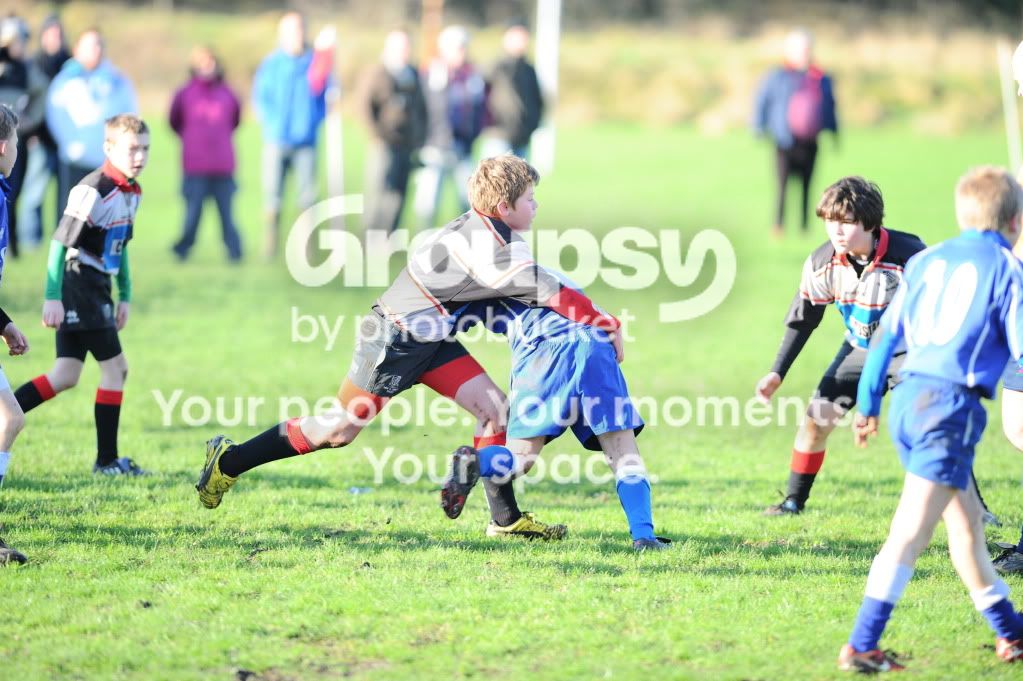
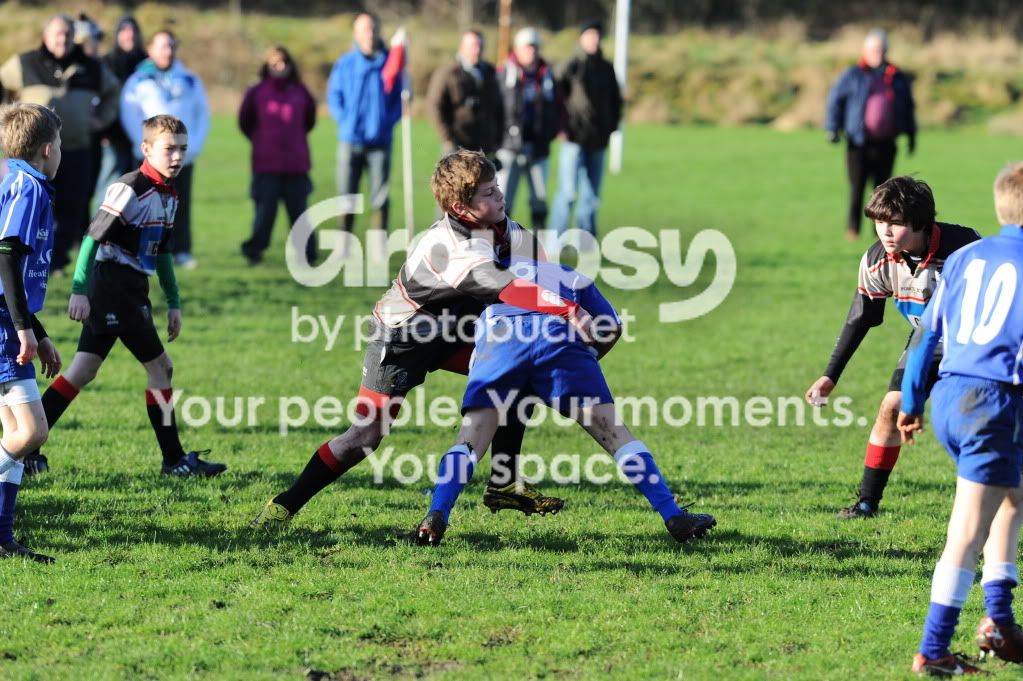
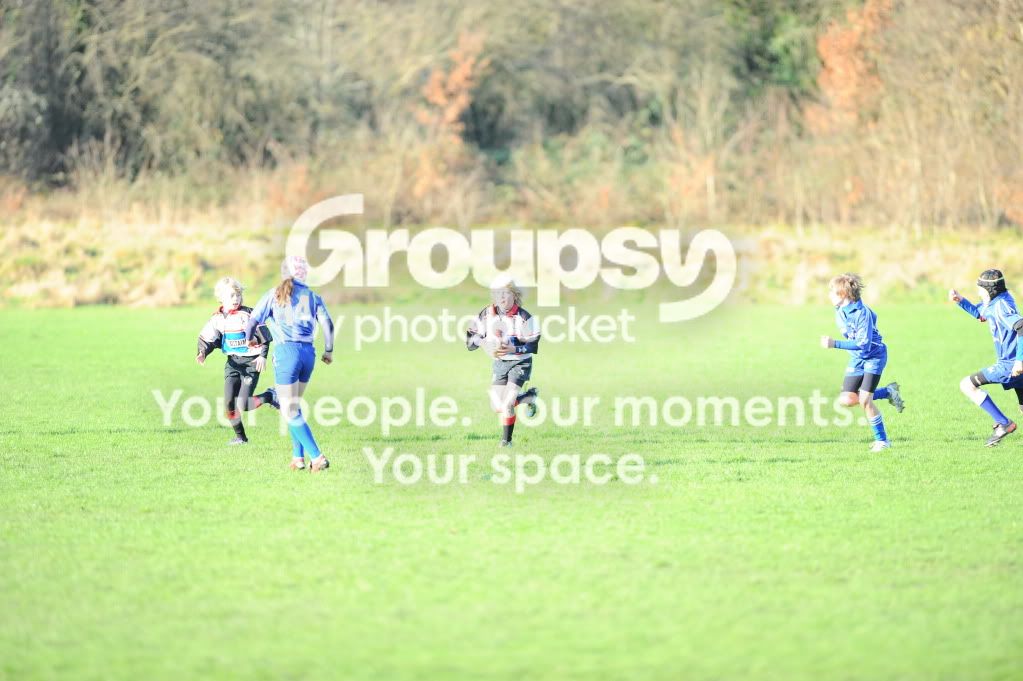
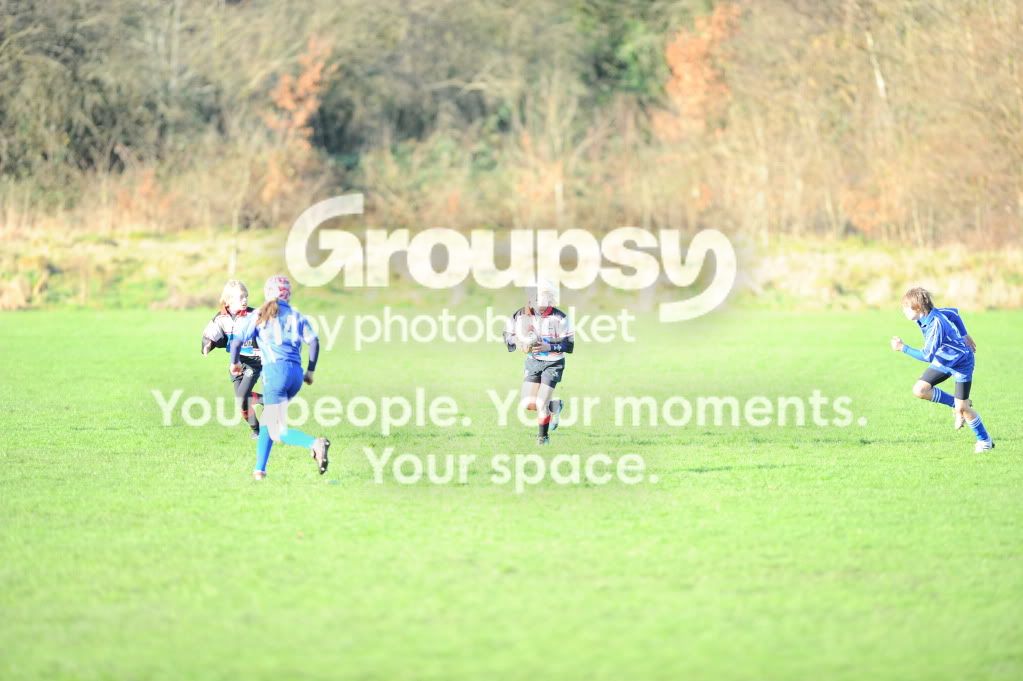
Today was a nice sunny day so I shot the game. Now I know the exposure was correct according to the camera but the resulting images are all over the place under exposed/over exposed. I have attached a few images to show the sequence of shots and the result I'm getting.

All the shots are straight from the camera.
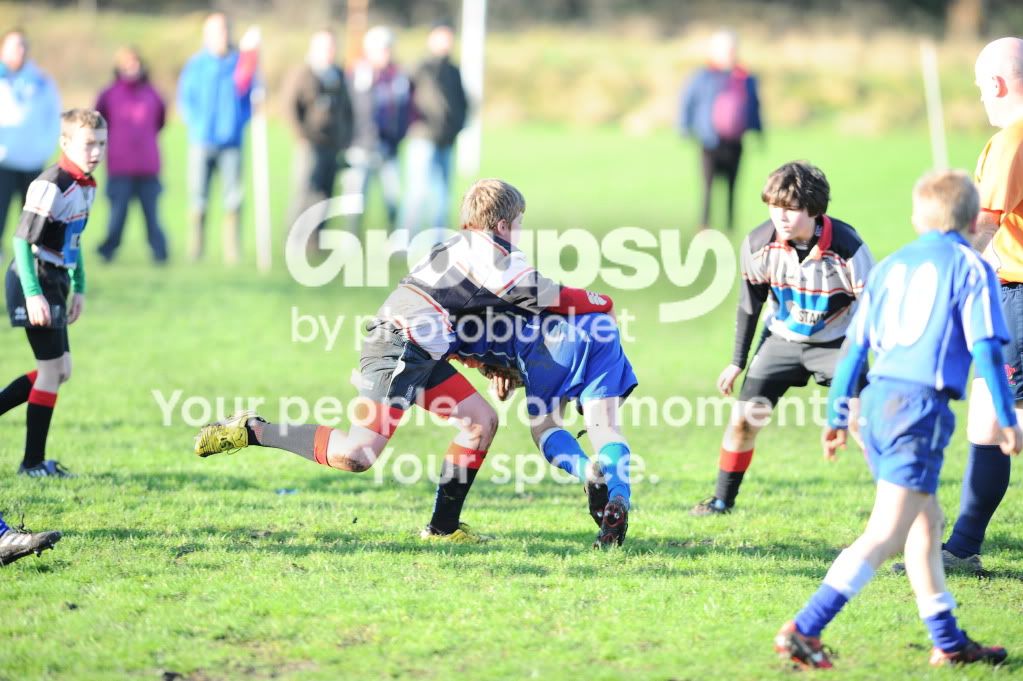
GB1_7156.jpg


GB1_7155.jpg


GB1_7154.jpg
 
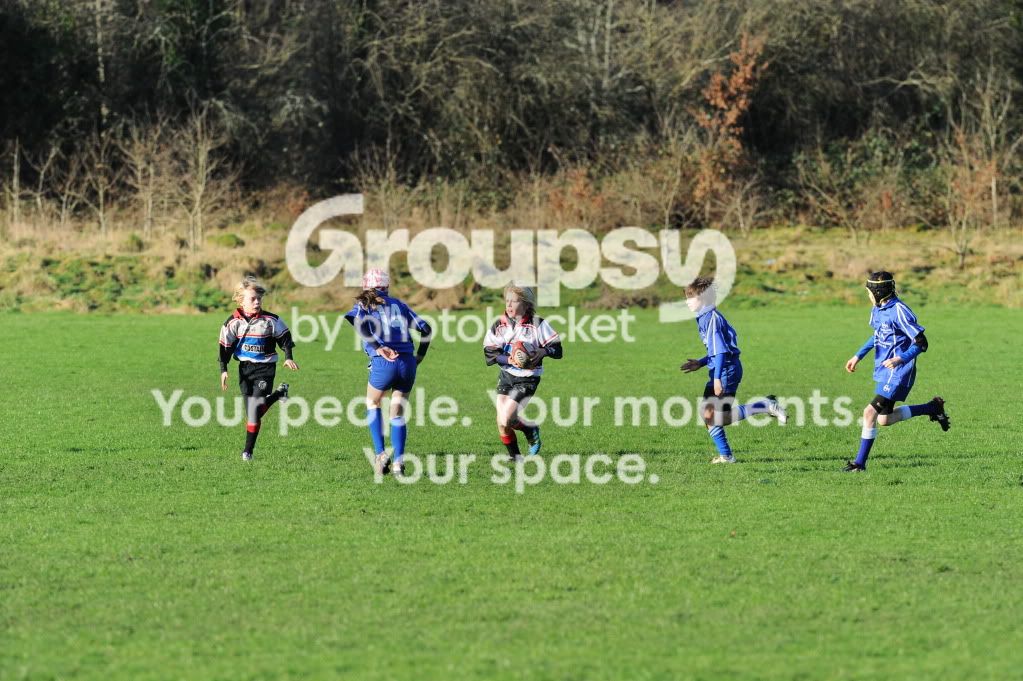
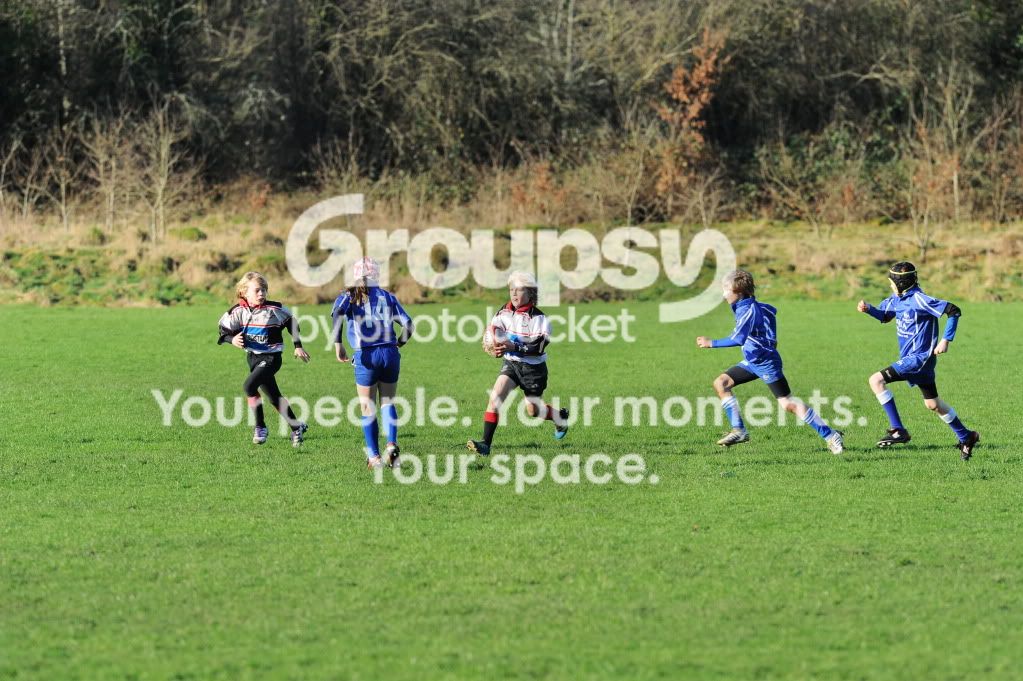
A few more examples. I know the pictures are not very good they are just examples of the exposure.

Example-4.jpg


Example-3.jpg


Example-2.jpg


Example-1.jpg
 
Just checked it's set to matrix. It's the same all the way through the shoot, shot around 350 shots,
 
Did you leave bracketing on..... Should show up in EXIF
 
The only thing I can think of that doesn't involve repair is that the slight framing changes are confusing the scene recognition and throw off the metering. I generally use centreweighted and spot and ride shutter speed to compensate whatever's under the AF point.

Indoors now, does it work ok?
 
Last edited:
See you had white balance on AUTO , whats it like with the camera set to say Direct Sunlight-cloudy and shade? have you tried to reset the camera back to basic via pressing the two red format buttons. What did the histogram show? did you have a lock on to prevent the auto working (ae/af l button on D300?) Were you on continuous focus ?

I would suggest checking the camera controls, I have many times pushed the lock button on by mistake

Realspeed
 
Last edited:
Also see you had it set to MANUAL exposure in the EXIF of the second set!!! Are you sure it was correct?
 
Did you leave bracketing on..... Should show up in EXIF

No, bracketing not set.

The only thing I can think of that doesn't involve repair is that the slight framing changes are confusing the scene recognition and throw off the metering. I generally use centreweighted and spot and ride shutter speed to compensate whatever's under the AF point.

Indoors now, does it work ok?

There's something definitely wrong with the metering, I've used no end of digital SLR's over the years, the only time I had something like this was on my D2H that also had a faulty meter and was changed by Nkion for an up-dated meter. I have not tried it indoors but will have another try tomorrow,

See you had white balance on AUTO , whats it like with the camera set to say Direct Sunlight-cloudy and shade? have you tried to reset the camera back to basic via pressing the two red format buttons. What did the histogram show?

Realspeed

I've not tried it on other white balance settings and have not done a reset either. I'll wait until I have spoken to Nikon and see what they say.
 
No, bracketing not set.


There's something definitely wrong with the metering, I've used no end of digital SLR's over the years, the only time I had something like this was on my D2H that also had a faulty meter and was changed by Nkion for an up-dated meter. I have not tried it indoors but will have another try tomorrow,


I've not tried it on other white balance settings and have not done a reset either. I'll wait until I have spoken to Nikon and see what they say.

Was hoping there was something small that would sort it. Hope it doesn't go away for too long!
 
No, bracketing not set.


There's something definitely wrong with the metering, I've used no end of digital SLR's over the years, the only time I had something like this was on my D2H that also had a faulty meter and was changed by Nkion for an up-dated meter. I have not tried it indoors but will have another try tomorrow,


I've not tried it on other white balance settings and have not done a reset either. I'll wait until I have spoken to Nikon and see what they say.

Check out this link see menu on side of picture

http://www.nikondigitutor.com/eng/d3/index.shtml
 
Also see you had it set to MANUAL exposure in the EXIF of the second set!!! Are you sure it was correct?

According to the camera's meter it was spot on. If you look at the sequence of shots they should all be the same exposure but they're not???

I thought something was wrong looking at the images on the back screen half way through the shoot I put the camera into shutter priority mode with a shutter speed of 1/500th. so it was still giving me the wrong exposure even in shutter priority mode.
 
Well this just doesn't make sense, tried the camera/lens combo again today and it's perfect,:bang: multiple busts of the shutter and each image exposure is spot on unlike yesterdays shoot where the exposure was all over the place. Just can't put my finger on the problem, Any ideas???? :shrug:

Cheers

Grayo
 
Well this just doesn't make sense, tried the camera/lens combo again today and it's perfect,:bang: multiple busts of the shutter and each image exposure is spot on unlike yesterdays shoot where the exposure was all over the place. Just can't put my finger on the problem, Any ideas???? :shrug:

Cheers

Grayo

This is weird. :thinking: According to the Exifs all four shots in post 2 are f6.3 @ 1/500sec and 250 ISO. Since they're all on manual metering they shouldn't have been affected by the focus points, so they should all look the same (unless the sun came out or went in between shots - which of course it didn't).
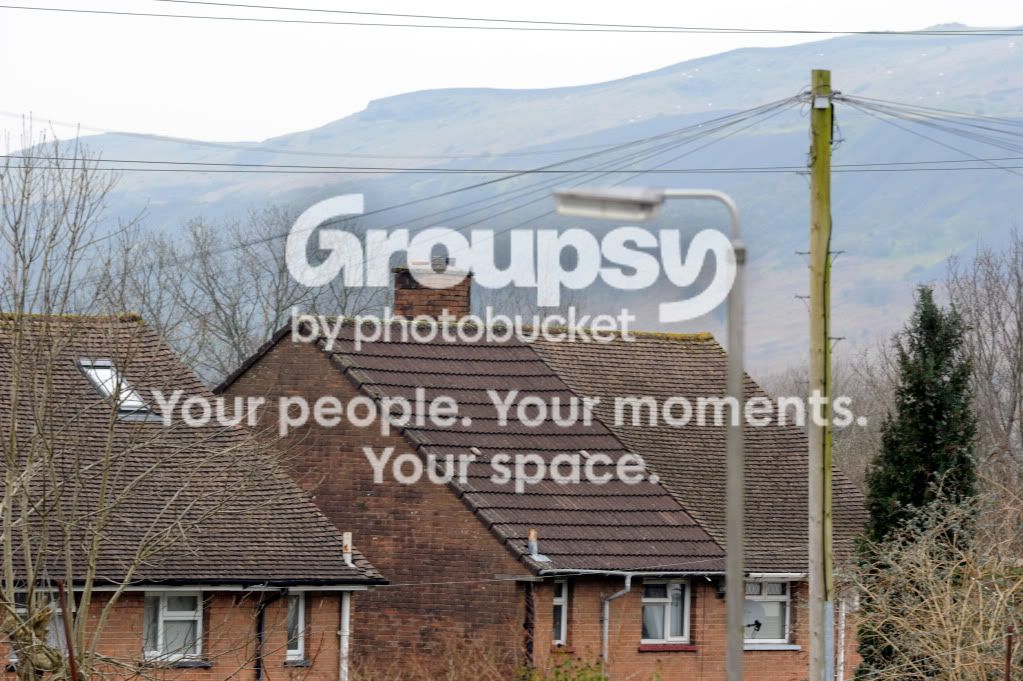
The only thing I can think of is the body stopped communicating with the lens between shots 2 & 3. You didn't brush the lens release button by accident I suppose?
 
This is weird. :thinking: According to the Exifs all four shots in post 2 are f6.3 @ 1/500sec and 250 ISO. Since they're all on manual metering they shouldn't have been affected by the focus points, so they should all look the same (unless the sun came out or went in between shots - which of course it didn't).

The only thing I can think of is the body stopped communicating with the lens between shots 2 & 3. You didn't brush the lens release button by accident I suppose?

Hi Ozie,

Thanks for the reply. It's certainly got me baffled!! The camera and lens were mounted on a monopod holding the lens halfway down the body to steady it it's not possible to touch the lens release button. The whole sequence of shots (over 300) is the same as the above some ok other's over and under exposed yet the camer's exposure meter say's the exposure was spot on. :shrug:
 
....The camera and lens were mounted on a monopod holding the lens halfway down the body to steady it it's not possible to touch the lens release button. ...

Hmm - in that case I'm baffled too. Since you were on Manual metering Matrix/Centre/Spot settings are all irrelevant, so is AE lock (if you touched it by accident). It might be an idea to send the four pics in post 2 to Nikon and see if they can make any more suggestions.
 
If I end up sending the D3s back to Nikon, I'll put the images on a disc and send it with the body so they can see for themselves the problem.:shrug:
 
Yep latest firmware installed. It had the latest firmware installed when I purchased the D3s.
 
Last edited:
I was wondering if there was an issue with the lens not stopping down to the correct aperture, the lens will AF and meter wide open, then stop down just prior to the shutter firing.

It could be the lens, sticking aperture blades or miss communicating with the body?
 
I was wondering if there was an issue with the lens not stopping down to the correct aperture, the lens will AF and meter wide open, then stop down just prior to the shutter firing.

It could be the lens, sticking aperture blades or miss communicating with the body?

Hi Martyn, Thanks for the reply. I've already checked the blades and the little leaver and they are all smooth and free from any oil deposits. It just does not make any sense, in a burst a say 10 shots with the same exposure settings four shots will be ok the rest over or under exposed. As you can see from the first lot of pictures these were taken on a burst of shots, the ones a few posts above were taken this afternoon and they are fine. :shrug:
 
I've had a similar experience. Turned out to be the lens contacts needing a clean.
 
I've had a similar experience. Turned out to be the lens contacts needing a clean.

Hi Trevor,

Thanks for the reply. I have given the contacts on both the D3s and the lens a wipe over with a dry cloth but to be honest they look just as clean as before. What do you use to clean your contacts??

Thanks

Grayo
 
Grayo said:
Hi Trevor,

Thanks for the reply. I have given the contacts on both the D3s and the lens a wipe over with a dry cloth but to be honest they look just as clean as before. What do you use to clean your contacts??

Thanks

Grayo

I just used a lens wipe. Gave it a minute or so before fitting the lens. Job done.
 
Update on my D3s

Spoke to Nikon service today and sent them some sample images showing the problem I am having with the camera. Below is there responce:


Dear Graham,

Thank you for your update.

From your sample images it seems that the aperture control may be faulty either on your lens or the camera. Please note that on overexposed pictures the background is blurred more than on the ones exposed correctly, which means that the aperture did not stop down in time for the shot. As it is impossible to know if it is due to the camera or the lens, please test your lens on another DSLR and if the issue can be replicated, please send it in for repair. Otherwise, please send the camera body only.


So i'll test the lens on my D300s and see what happens from there.:shrug:
 
Testing the lens on the D300 probably won't tell you much since it's now working properly again on the D3s.
 
Update on my D3s

Spoke to Nikon service today and sent them some sample images showing the problem I am having with the camera. Below is there responce:


Dear Graham,

Thank you for your update.

From your sample images it seems that the aperture control may be faulty either on your lens or the camera. Please note that on overexposed pictures the background is blurred more than on the ones exposed correctly, which means that the aperture did not stop down in time for the shot. As it is impossible to know if it is due to the camera or the lens, please test your lens on another DSLR and if the issue can be replicated, please send it in for repair. Otherwise, please send the camera body only.


So i'll test the lens on my D300s and see what happens from there.:shrug:

I would give the pins on the lens some attention, make sure that one is not sticking in, just work them up and down a few times with a blunt object, something that will not scratch them (I have used a pencil with an eraser on the end).
 
I would give the pins on the lens some attention, make sure that one is not sticking in, just work them up and down a few times with a blunt object, something that will not scratch them (I have used a pencil with an eraser on the end).

Hi Martyn,

Thanks for the tip. Just had a look at the contact pins on the lens, all are moving freely up and down and are in the right place. It has got to be the camera I have had another problem with the D3s just before Christmas, it was sent to nikon to repair that fault. This is only the second time I have used the camera after it came back from repair, the first time I used it there was no problem.
 
Update on my D3S.

My D3S has gone back to Nikon for repair yet again. Nikon service asked me to do a comparison test with another body and my 300mm f2.8 lens as they said they could not tell from the images I sent them if the D3S was at fault or the 300mm f2.8 was at fault. I did the test using my D300S and shot three pictures using f2.8, f8, and f16 settings on both cameras with the lens, the following images are the result of the test, Exif data should be intact all images are un-edited. I think it's fair to say the test proves the D3S is faulty aaarrrrrrrrr

D3s-1 @ 1/2500 f2.8
D3S-1.jpg


D3S-2 @ 1/400 f8
D3S-2.jpg


D3S-3 @ 1/100 f16
D3S-3.jpg


D300S-1 @ 1/3200 f2.8
D300S-1.jpg


D300S-2 @ 1/500 f8
D300S-2.jpg


D300S-3 @ 1/125 f16
D300S-3.jpg
 
Last edited:
PS. I assume they're all on manual exposure (can't get any Exif info apart from the shot number). The D3s obviously isn't stopping the lens down - maybe the lever is intermittently faulty.
 
Hi Ozie,

Nikon seem to think it's an aperture control problem, just hope they get it sorted out soon. :'( Can't understand how you can't see the exif data all images shot on manual exposure :shrug: what do you use to read exif data in images.
 
Last edited:
Hi Graham. I've tried Irfanview, Kuso and Opanda - none of them can see any Exif data apart from the shot numbers (D3S-1 etc).
 
Back
Top