Sunshine! So off I went to my local country park (the partially landscaped pit tip). The main focus was to rattle off the remaining shots in a test Minolta 16 cartridge I've 3d printed but as good a time as any to try this app.
I'd not read the calibration instructions prior to my arrival but fortunately I'd parked next to a large grey retaining wall.
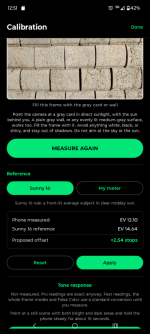
So my phone camera is well out and I applied their suggested correction.
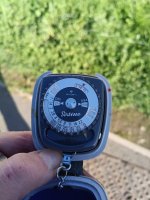
The trusty Gosen Sixtino. EV of around 14.3. Reading closest to f8, 1/250. This is my go to meter and usually gives me good enough readings. Any errors on the resulting negs aren't usually a fault of the meter but of the camera operator

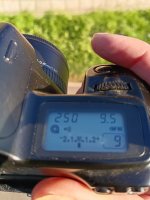
EOS 1000. Had a 400 ISO film in so manually set to 100 and also aperture priority mode giving me f9.5
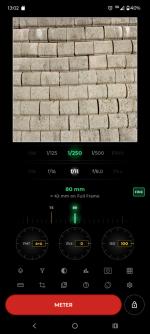
The app. f11. (All three readings taken on the same wall.)
Having never had issues with the EOS metering let's assume the baseline is f9.5 at 100 ISO. What I can't see with camera meter is whether that is part way to a f8 or f11 reading. The Sixtino is over f8 but not nearer to f9.5 with the phone app at f11.
Whilst hardly a perfect day for testing and not a perfect grey card it's probably the best day I'll get for many months. It shows that the app is reading a little over. Is it that a half stop over?
Out of interest I stuck with the Sixtino for the Minolta 16 shots and as always rely on the film latitude to take up any minor exposure errors. I did try one quick full reading with the app but it was out and cross referencing against the EOS soon got tiring and as the sun was already past it's peak elevation.
Conclusion. Possibly usable but more testing required.
Note. I assume it doesn't really matter what camera and lens details you input to get an app light reading. I think those details are for if you want to record location & meter readings for each reading you take.



 zonelightmeter.com

