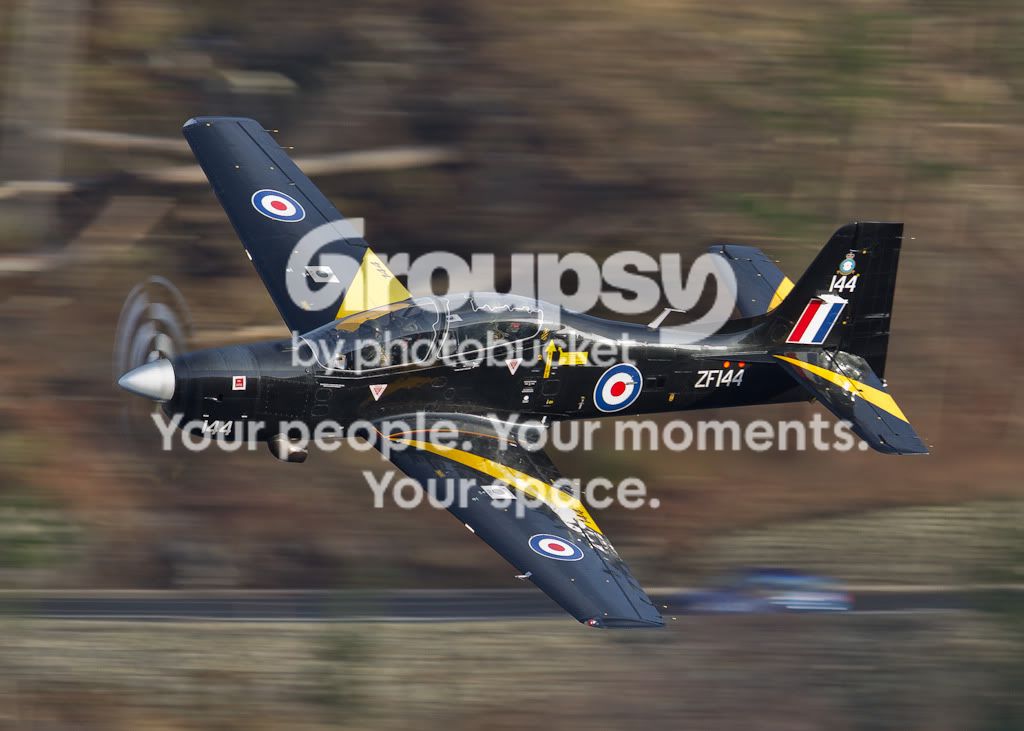
Panning shots and pulling my hair out!!

Messages
2,537
Name
Dave
Edit My Images
Yes
I have been to Oulton Park Racing Circuit twice this week to test my Nikon 70-200 VR II lens with the D700 and I'm so frustrated about the quality of my shots that I'm at the point of pulling my hair out!!
I would guess that 1out of 20 is in focus and up to my standard....and thats after processing and sharpening!!
Settings were s/s 1/200 fstop between 4.5 and 9
So what is the secret to panned shots I'm going down to the Mac Loop on Friday so want to get it right for aircraft going faster than racing cars.
If you ask for examples I may have deleted them all in a rage
Dave
 
Last edited:
What focus settings are you using? Do you have vr on and is it in active mode or normal?
 
Here is a typical example, straight out of the camera f9 at 1/200 ISO 200
http://www.pbase.com/dav4184/image/145012285

Graham - on tuesday I tried 9 point AF and today I tried both 51 point and 51 point 3D tracking....didn't make much difference either way still lots of unacceptable shots
Also tried VR on and off but the example above is with VR on and C mode
I'm wondering whether to have the lens checked out as it is still under guarantee but any still shots I take with it are good so I think it may be me or my settings
Any help greatly appreciated
Dave
 
Last edited:
I shoot Canon, but if the IS (VR) is set to full IS mode instead of panning mode then trying to pan can be a bit of a disaster and best avoided. It would be better to have IS off altogether than be in the wrong mode. As for focus points, the car is covered in plenty of strong, crisp detail, which should make focusing with a single AF point or tight group more than sufficient. I certainly wouldn't run with all AF points active with my Canon gear for something like your car example. In fact, when using my 100-400 with a 1.4X TC I am limited to only the centre AF point on my 1D3 and that doesn't seem to be a problem.

This was shot at 400mm and 1/100 on a 7D, so 560mm effective focal length, and has no sharpening beyond Lightroom defaults....

20120422_134334_1510_LR.jpg


IS would have been in panning mode, natch, and I used a single AF point positioned over the lettering on the side of the boat. I was at f/11 just to get the shutter speed down at 100 ISO. It was certainly not a requirement for DOF.

This was at 85mm and 1/50 at f/1.8 on full frame (5D2) with no IS and no edits....

20110226_191807_7448_LR.jpg


Practice helps a lot, but if you have a setting wrong somewhere it surely won't make things as easy as they might be.
 
Last edited:
Thanks Tim for your reply and for the great photo examples...you can read everything quite clearly on the side of both the boat and car much different from my try.
I'll have a go at shooting using a single AF point. Not sure what you mean about having IS off on my Nikon 70-200 I only have VR (On/Off); Normal or Active; Full or 5m to infinite (relates to shooting distance) and A/M; M/A and M.
Dont have a panning mode, the instruction booklets says the lens will automatically distinguish between panning and camera shake??
Would the full IS mode on the Canon be the Normal/Active on the Nikon?? in which case it is set correctly at Normal.....Active is if you were on a moving boat, car, train etc
Thanks again
Dave
 
Last edited:
I don't know the Nikon VR system, but with Canon you have Mode 1 IS, which aims to stabilise the lens in all directions, which is great if you are trying to shoot a static subject, but can potentially be a disaster if you are purposely trying to follow a moving subject.

Then there is IS Mode 2, which only stabilises the lens either in the vertical plane or the horizontal plane. It figure out which direction of stabilisation you require so you can either pan horizontally without the lens trying to fight the motion, or pan vertically with the same flexibility from the IS system.

My own personal experience when trying to shoot birds in flight or planes flying overhead is that IS Mode 1 (full IS) just doesn't work. You can see the subject jerking within the frame as the lens tries to combat your movements, runs out of room to correct and then plays catch up as the lens continues to pan.

Like I say, I don't know the Nikon features and terminology, but if there is a panning mode it should hopefully be fine. I understand about focus distance limiters too. My lens has those as well and I doubt for these subjects the setting would be relevant.
 
Hi Dave

I'm a Canon bod as well, so can't help directly with the camera settings, sorry...

Just a look at the photo you gave as an example, as you say, the Mini is blurred, but if you look to the top right, the B (of BMW sign) and the tress behind are sharper (still not sharp, but sharper than the car), this would suggest, your panning is slightly out, it's too slow for the car. It's also a possiblity, you took the shot and stopped panning / moving, rather than taking the shot and carrying on panning afterwards.

I find mixed results with IS when I'm there, if you're shooting head on and "freeze" the action, the IS is a help, if I'm panning, it can sometimes be a hinderance so I'll generally switch it off.

Hope this is of some help...
 
Here's a couple of example's

I seem to remember this was 1/60 at 300mm down at Denton's - I was having a play as the racing was a little slow...

tn1.jpg


And a head on shot

AMOC-08.jpg
 
Many thanks Tim and Andy for your explantions, suggestions and photos. When I was there on tuesday I did turn VR off but still little difference.
Since all my images are sharp on static objects I think it must be my technique
(or lack of it!!) as I think I probably do stop and not follow through, also may be a little jerky when pressing the shutter button.
I may have the lens checked for my own piece of mind but obviously need to get out on the circuit and practice more.
thanks again guys for your very helpful feedback
Dave
 
Last edited:
The key is practice, practice, practice. Pick the car up early and follow it for a second or two or three before releasing the shutter. Then maybe fire off a short burst of, say, 3-5 shots and continue to follow through when you release the shutter. Do try to pay attention to your shutter release technique. Jabbing at the button won't help. A squeeze or rolling your finger onto it might help. Even with the shutter release a bit more practice, practice, practice can't do any harm.

I don't often shooting panning type shots and when I do it takes a while for my action to become smooth again. If you're just starting out then it may take a while for you to get your movement sorted, so give it time and you will get there. Of course, equipment malfunction is a possibility, but where panning is concerned I'm not sure how you put the gear to the test if you yourself are unsure of your own skill level. Do you know anyone who is a master at panning and can give your gear a try?
 
Thanks Tim for your suggestions and ideas. As mentioned I'm goinhg to the Mac Loop on Friday with a group of lads so will ask and look at their panning techniques.
Thanks Kev for the link will have a good read as I have not seen that tutorial before.
Appreciate all your time and good suggestions
Dave
 
Last edited:
The problem with the Mach Loop is you don't get many chances to practice, so I suggest you find a spot with passing traffic where you can experiment. Maybe just sit on the front door step and practice with passing cars there.
 
Canon here too but I would suggest centre point only for your AF and perhaps upping your shutter speed a wee bit.

Your example appears to focus just behind the car.

Must agree about the practice, practice advice.
 
Thanks and yes I do need to practice more.
Are there no Nikon users with the 70-200 VRII lens who could give some feedback on the AF settings they use??
Thanks
 
I would take a look at the RAW data afterwards. Highlight the focus point and see if its actually on the subject, if it is, I would say that your shutter speed is slightly too slow or you focused too early.

Set the camera to single-autofocus so that its not constantly hunting as the subject passes by. Wait for a subject to pass and focus on it, then lock the focus in place. Set the camera to continuous shot and follow the next subject. In theory you should capture the subject in focus in the same place.
 
Last edited:
I would take a look at the RAW data afterwards. Highlight the focus point and see if its actually on the subject, if it is, I would say that your shutter speed is slightly too slow or you focused too early.

Set the camera to single-autofocus so that its not constantly hunting as the subject passes by. Wait for a subject to pass and focus on it, then lock the focus in place. Set the camera to continuous shot and follow the next subject. In theory you should capture the subject in focus in the same place.

I couldn't disagree more, modern cameras and lenses can follow focus brilliantly and I'd never sacrifice that to go back to trap focus any more than I'd fill a kettle with water and put it on the hob. All that's required is practice, focus as early as you can on the subject and follow it smoothly.
 
<snip>I would say that your shutter speed is slightly too slow <snip>

I can't agree with that. We have examples (well one of mine at least) at twice the focal length on a crop body and half the shutter speed, but it's sharp. Also look at the amount of panning blur in the background, such as the edge of the white sign, which barely shows much blur at all. If anything the shutter speed should be slower still, IMHO, but the technique/skill needs to match the speed.

If you look at the larger image here - http://www.pbase.com/dav4184/image/145012285/original - and pay attention to the EXCELR8 lettering on the side you will see a distinct fore/aft blurring of the letters, but not much of a blur up and down. This suggests the speed of the pan did not match the speed of the vehicle. Sure a solution, if all you want is a sharp car, would be to up the shutter speed A LOT, but then you don't get the background blur with the pan or the blur of the wheel spokes. The problem here, I'm fairly sure, is poor panning, which practice will remedy with time.
 
I just had a quick play by the front door and fired off some panning shots at 1/60 with my 5D2. I was standing indoors (for discretion) and had no time to pick up the vehicles early and follow through, so not ideal shooting conditions. Here are some of the results....

145mm
20120730_151609_2571_LR.jpg


200mm
20120730_151804_2581_LR.jpg


My keeper rate was poor, as I'm rusty and the shooting was awkward, but the problem for the OP is not the shutter speed of 1/200. That should be fine.

EDIT : Then I popped into a side road so I could get a little more distance and a little more prep time for each shot. 200mm was still too long, but I stuck with 1/60. I managed a couple of half decent efforts and then a flunker....

20120730_154054_2587_LR.jpg


20120730_154107_2588_LR.jpg


Flunker : Note the fore/aft blur of the lettering, because my panning speed did not match the vehicle. That's not a shutter speed problem. That's a skills problem.

20120730_154115_2589_LR.jpg
 
Last edited:
Thanks Guys, really appreciate the incredible help I have receive from you all especially Tim for some fantastic images and constructive comments.
I was shooting at 1/200 which for a 70-200 f2.8 VRII is fine; in C mode; 51 point focus at time.
As the cars were coming into the corner I would half press the shutter button follow them through into the apex of the corner and then fully depress the shutter button.
As Tim mentioned, my technique may not be good as I was not following through after taking the shot.......this has also been a problem with my golf swing but thats another story ...LOL.
Tim, if there is fore/aft blur is the panning technique too slow??
Thanks
Dave
 
Hard to say whether too fast or too slow. The issue is that the speeds are different, hence the "smudging" of details in the direction of the pan.

There are other issues which come into play when shooting the vehicle at an angle rather than exactly side on, and also if you're panning on the outside of a bend, because the vehicle will yaw relative to the camera and distance changes and relative speeds of parts of the vehicle will vary during the pan. For starting out I suggest you set yourself up to fire the shutter when the car is presenting the side to you fair and square, and try to avoid standing on the outside of a bend. Pick one AF point and aim it at a specific part of the vehicle - decal, door mirror, B pillar - anything around the mid point of the vehicle. As your technique improves then you can get more ambitious, but try to practice with the basics to begin with.
 
Thanks for your quick reply and very helpful information, will give it a go on my road before Fridays Mac Loop trip and return visit to Oulton in a few weeks.
Plenty of info. to keep me thinking and practicing.
Cheers
Dave
 
Hi Nigel - thanks for the examples, they are really good and with IS switched off, thats interesting.
I did try mine with VR off at one stage but little difference so I'm putting it down to my technique as previously stated
Dave
 
Last edited:
Thanks Guys, really appreciate the incredible help I have receive from you all especially Tim for some fantastic images and constructive comments.
I was shooting at 1/200 which for a 70-200 f2.8 VRII is fine; in C mode; 51 point focus at time.
As the cars were coming into the corner I would half press the shutter button follow them through into the apex of the corner and then fully depress the shutter button.
As Tim mentioned, my technique may not be good as I was not following through after taking the shot.......this has also been a problem with my golf swing but thats another story ...LOL.
Tim, if there is fore/aft blur is the panning technique too slow??
Thanks
Dave
Settings, Pick a focus point - don't give the camera a hard time, I'm not familiar with Nikon but Canon use close by focus points to help out the chosen one.

Technique, you know you have to follow through.

I'd personally recommend Back Button Focus if you can, I really don't like focussing with my picture taking finger, it seems all wrong.:(
 
My AF-ON button on the Nikon is set to back button focus, tried it for a while some time ago but will have another go until it becomes second nature
Thanks for the recommendation Phil.
 
Don't be afraid to crank up the shutter speed for your Loop trip, as has already been pointed out you only get one shot at it (or another 3 mins later if you're lucky). A high shutter speed doesn't mean you can't get a dynamic shot, this is reasonably dynamic, no?

3bb7b513.jpg


If you need to wind the speed down for props then smooth panning, back button focus and bursts of 2-3 shots works for me. The keeper rate is always lower at lower speeds so don't expect all of your shots to be bang on and don't forget to carry on panning after you've took the shot. Also try not o point your body at the aircraft as you spot it or as it's side-on you'll be twisting to face it.

IMG_9740-1.jpg
 
Hey John, if I can get 2 good shots like those then I would say it has been a successful day.
Thanks for the advice about the body positioning and lower ss for props.
Dave
 
The settings you have used are fine, focus on a point on the track where you want to get a good photo, then wait for a car to approach, panning to the point where you have clearest focus and click and keep following the car for a second longer.
 
I've got the 70-200, don't do a lot of panning shots but spent some time at Cholmondeley Pageant of Power recently practicing on the motorbike display team.

7388706738_2c1b023d62_b.jpg


Settings were VR Off, AF-C, 9 point focus centred around the middle, then lots and lots of practice. I must have spent the best part of the display just trying panning shots as they ran into the ramp. Definite improvement with the practice from my initial efforts to the final ones.

I followed advice given here, smooth action, track the subject, don't stop the pan to press the shutter, short bursts.

I think on the Nikon lenses standard VR is for handheld and panning, and active VR for if you're trying to take photos from a moving car. I find though that like above, you can end up fighting the VR if you're not careful so I leave it off if I'm trying to pan, even though the Normal mode is meant to detect panning.
 
Personally It depends what subject you are photographing, what speed the subject is travelling at, what lens your are using and getting the right shutter speed / aperture to match to create the right motion blur rather than VR OS IS etc. Correct camera settings and a smooth pan get you the shots.

Shutter speeds of 1/30 1/60 or even 1/125 aren't easy to get right especially for someone not practiced in taking pan's. And for someone who said panning is easy, why don't we see more pro's panning, because its not easy to get right and the hit rate can be variable. So apply the 1 over focal length rule explained below to get an idea of somewhere better to start.

A common rule of thumb for estimating how fast the exposure needs to be for a given focal length is the one over focal length rule. This states that for a 35 mm camera, the exposure time needs to be at least as fast as one over the focal length in seconds. In other words, when using a 200 mm focal length on a 35 mm camera, the exposure time needs to be at least 1/200 seconds-- otherwise blurring may be hard to avoid. Keep in mind that this rule is just for rough guidance; some may be able to hand hold a shot for much longer or shorter times than this rule estimates. So for users of digital cameras with cropped sensors, one needs to convert into a 35 mm equivalent focal length, eg 200*1.6 (crop) = 1/320 sec

That will help with setting up the right shutter settings to start with, you can get more adventurous later.

Now, Panning is a technique which requires mastering over time, its not something that you can instantly do and repeat. It require training you body to become familiar with the motion, thus it become almost automatic. What this will achieve is a smooth pan, something that is not easy to master.

Pick up the subject early, focus and pan with the subject, take them image when subject fills 2/3 of the frame, continue the pan after the shot, try and avoid stopping the pan or jerking at the edge will also aid in good results.

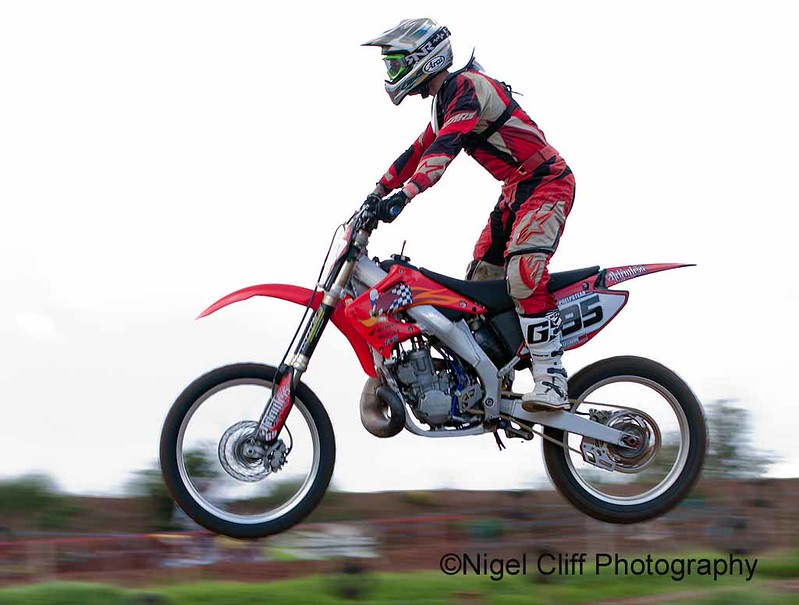
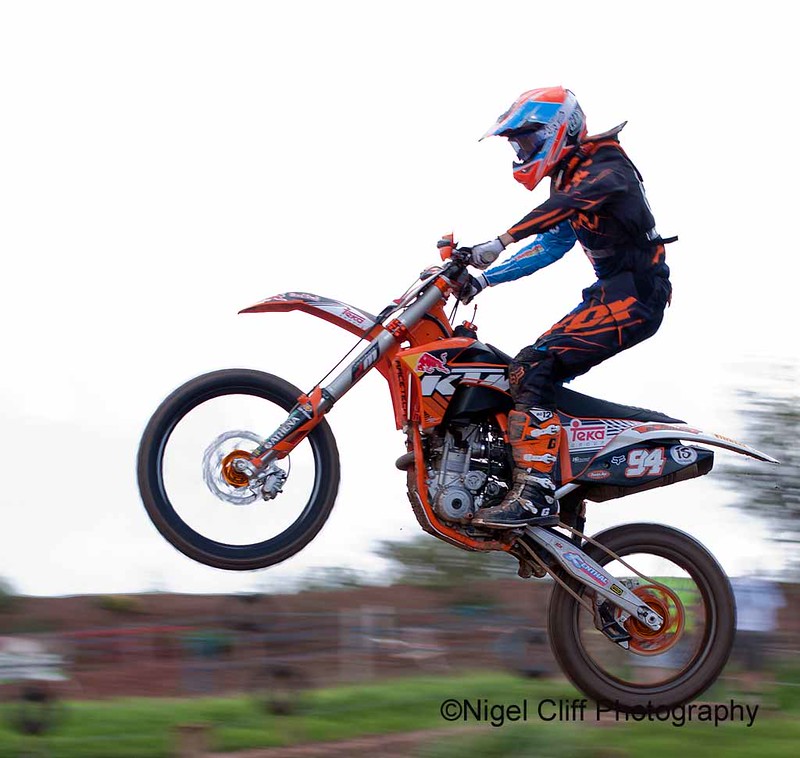
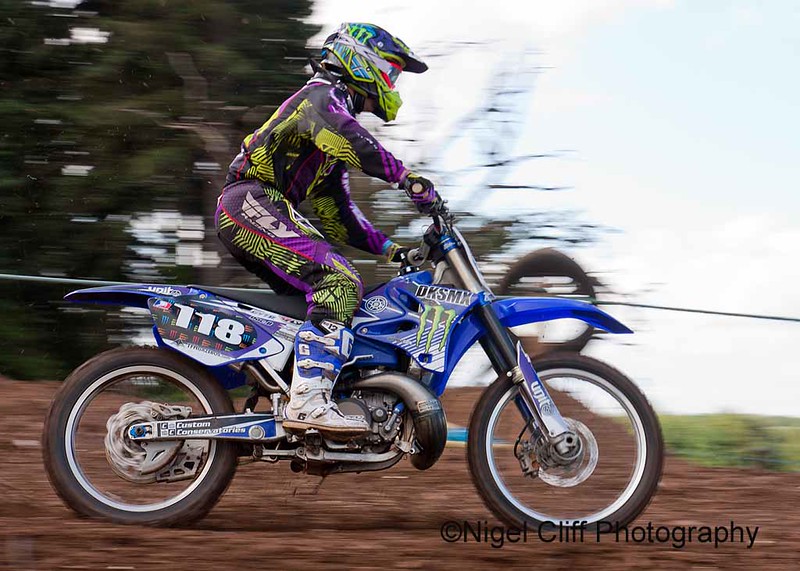
You are able to capture pans at slower shutter speeds, but to get everything right in the shot takes practice and a very smooth pan movement, taken at 1/100sec, but generally, I'm taking shots at 1/200 or 1/320 sec because of the speed of the bikes and slightly slower for cars....

1/100 sec
IMG_9314copy1.jpg


1/320 sec
IMG_9025copy1.jpg


or even 1/640 sec, but still generate motion blur
IMG_0603copy1.jpg


300mm f2.8 + 2x TC @ 1/800 sec
IMG_5729copy1.jpg


Feet position is important to give you a base from which to pan you body, as describe above, you then need to pick the action up early, panning with the on coming bike/car, then when it fills 2/3 screen start to take your 2 -3 images, recompose and take the next shots, remembering to continue the motion after taking the shots, that's also very important.......

Fire single shots not a burst, bursts are a waste of time for a plain old panning shot. Yes you might miss the moment when Elvis and ET climb out the sun roof and roof surf around the track to the sound of the Beach Boys, but... Concentrate on getting your timing right.

Don't shoot into the sun. That amazing corner you (and everyone else with a camera) has discovered where the cars/bikes come inches away from your face is worthless if you are shooting into the sun. Try to work out if/when the sun will have moved off and come back then.

If it is a bright sunny day, consider using a 1 or 2 stop ND filter to get the shutter speed down. Not a problem normally at 1/250th, but as you slow it down you will have problems.

Slow(ish) pans don't work if the vehicle is not on smooth ground. Its generally rubbish for non-tarmac racing as the bumps blur the subject.

Practice Lots.

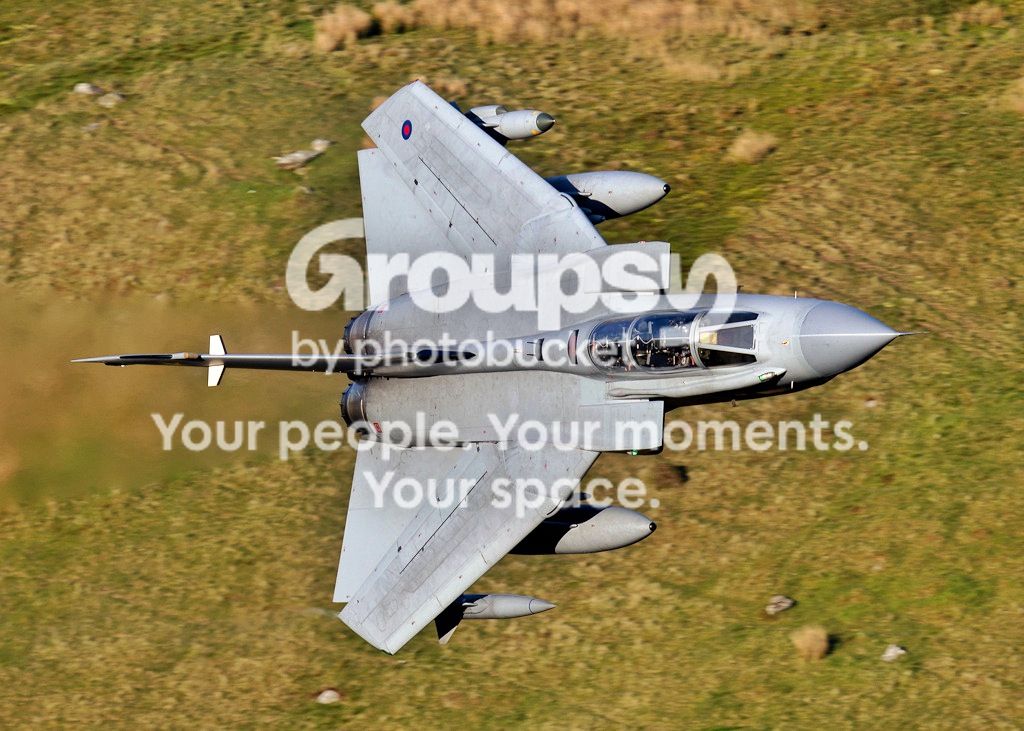
As for the Machloop, shutter speeds in the range 1/800- 1/1250 sec are required for most jets depending on the conditions. 200mm lens is too short in most of the locations on the loop, unless you have the F15 around. Best location for you with a 200mm lens is bottom shelf of the Bwlch or Cad West

Peter

 
Back
Top