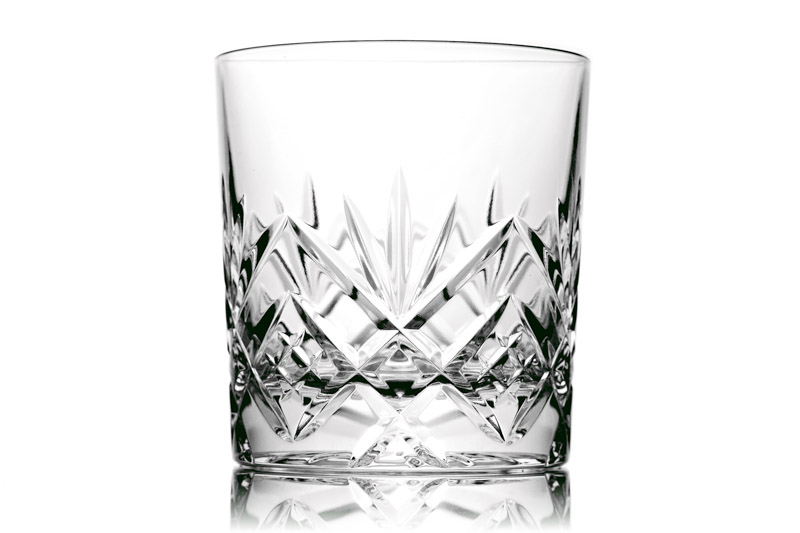
Photographing Glass Vases

Bright-field and Dark-field lighting is what you'll want to use to get some nice definition on the glass vases!
 
Might be worth having a little practice on some items you have at home tonight just to get some idea of what works and what doesn't.
 
Try backlighting for the macros, it can work very well with coloured glass.

VaseDetail.jpg
[/IMG]
 
I'll have a look about for some, I have Light Science and Magic which has an entire chapter specifically on lighting glass. It's basically to do with where they get lit from to give different effects in getting edge deffinition so you can see the shapes and contours of the glass. bright-field gets you light coloured glass with dark edges. Dark-field is the opposite with dark glass tones and brighter edges.

With the white background you'll need something to give the dark area two bits of dark card would probably work as you basically need to set them up so they are reflected by the edges while the rest reflects the bright background.

http://books.google.co.uk/books?id=...X&oi=book_result&ct=result&resnum=3#PPA443,M1

If you can do it you would be far better to set the lights up and move the pieces into place. The onboard flash wont work that well because it will just reflect straight back. You need to light the pieces to show the contours, fill light wont do that.
 
Roughly here's how to do bright-field. The light should be above or below the background pointing towards it. The light reflects off the background illuminating the vase. The black card at either side reflects off the edges of the vase to give some darker defining lines.

Adjusting the postioning of things adjusts the strength of the effect so you really need to play about with it.

Code:
________________________ <--- white background

=====             ====== <--- black card
          ^^^
          ^^^            <---- light pointing at background

          ( )            <---- vase
 
if you had some method of remote firing the flash you could do bright-field fairly easily, you already have the background so just need the dark card to deffine the edge.
 
if you had some method of remote firing the flash you could do bright-field fairly easily, you already have the background so just need the dark card to deffine the edge.

hmmmm what do we think to the bright-field set up but using the speedlite behind whats usually a reflector (shoot through)??

triggered by the ir-sender normally used for my studio flashes?
 
Behind the background shooting through? That works fine too :)
 
IMG_1029.jpg


hmmmm well my sender unit wont fire the 430EX as a slave so i tried the studio light through a reflector. This is the image direct from the camera, the base should be white i know (just grabbed a table and put a cover which was too thin i guess), the grey at the top is maybe due to the studio light behind being too close? making too much of an spotlight effect instead of balanced?

F/22
1/100
ISO: 100

sorry for all the questions, just tweaking it so i get it right tomorrow :) thanks to all of you for your help
 
The background looks too bright there as it's just a blown highlight, try moving the studio light further back and turn it down a bit to get a more diffused and even lighting. Also have a play with moving in the bits of black card to help darken the edges as at the moment they are bright causing it to bleed into the background. This might be caused by the overly bright background.
 
thanks for all the help :) truth be told i haven't got any black card so im aiming to get some tomorrow morning to take with me, luckily i have my girlfriend as my glamerous assistant so she can help with holding the black card etc :)

i may try again in the morning, those settings seem REALLY high in f/stop terms, is this due to the proximity of the light do you think? i.e move it back and i can drop it a bit? i thought around f/10-13 would be the maximum required really

sorry i sound like such an amateur i know. I have a lighting book on the way from amazon to help me understand a bit better
 
moving it back will allow you to open up the aperture. it also will give a more diffused light.

3501772047_85bf518614_o.jpg


I just did that with a 500w tungsten halogen. I held two coats for the dark bits as I couldnt find any black card! I set the glass on a sheet of glass that was in a picture frame.

that's great! thanks so much for your help :) i feel a bit better about it now :)
 
Back
Top