- Messages
- 123
- Name
- Colin
- Edit My Images
- Yes
Wondering if anyone can advise on an issue that I am trying to get on top of...
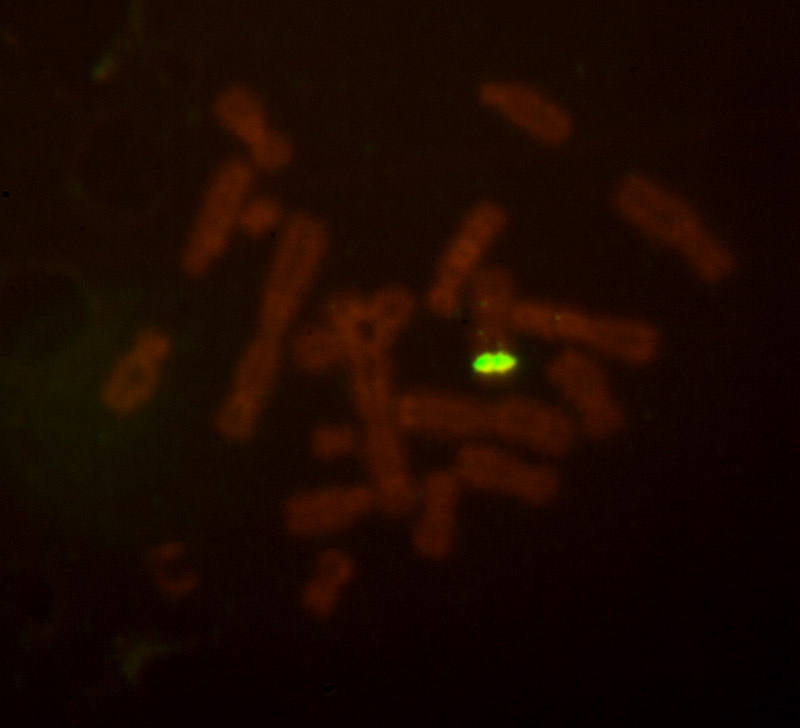
I got roped in to help some work colleagues take photographs of some fluorescent stained probes inserted into chromosomes - under a high power UV light microscope....
Long story short - not a lot of light. Most of the scene is pitch black with the odd speck of light. The resulting exposures that give a good result are not too bad - about 10 to 20 sec - we only need the specks of light to show up - the pitch black is welcome to stay pitch black.
However, the set up is a bit problematic - our works' Canon 400D mounted on a T2 mount on top of a photo tube on top of the microscope on top of the bench. It all means that I have to climb up a step ladder, lean across and squint into the viewfinder... and then reach down to fine tune the focus on the microscope - and then climb down and take the shot using the remote cord! (We don't have the money to upgrade to a system that guarantees parfocality between the microscope eyepieces and the camera, so I have to do a bit fine tuning to ensure focus.) We have an angle finder, but it doesn't help - there is so little light coming through that anything that interferes with the optimum view is not welcome.
So, the set up is getting good results, but is very awkward to use. I don't think placing the microscope on the floor is an option - all the UV paraphernalia fairly much compels it to the bench.
I had the bright idea of using my own 40D connected to a laptop, so we can put the live image on the laptop and drive everything from there. I have not used the 40D's live view facility much, nor the EOS Utility software. However, we got it installed and hooked up the camera. Trial shots with nice normal-stained chromosomes under tungsten light got it working fine. However, when I try it with the V dim UV set-up, the live view image on the lap top is just totally black.
I checked the 40D is set to C.Fn IV-7 0. I guess I can try increasing the brightness of the laptop to try to see our subject, but I thought there surely must be a better way?
If we can see it we can focus - if we can focus we can get a good exposure.
Anyone got any ideas? I wondered if the EOS Utility software has any way of increasing the gain from the live feed to give a bit more definition? It doesn't seem to have a lot of options/controls???
Most grateful for any suggestions...
Col
I got roped in to help some work colleagues take photographs of some fluorescent stained probes inserted into chromosomes - under a high power UV light microscope....
Long story short - not a lot of light. Most of the scene is pitch black with the odd speck of light. The resulting exposures that give a good result are not too bad - about 10 to 20 sec - we only need the specks of light to show up - the pitch black is welcome to stay pitch black.
However, the set up is a bit problematic - our works' Canon 400D mounted on a T2 mount on top of a photo tube on top of the microscope on top of the bench. It all means that I have to climb up a step ladder, lean across and squint into the viewfinder... and then reach down to fine tune the focus on the microscope - and then climb down and take the shot using the remote cord! (We don't have the money to upgrade to a system that guarantees parfocality between the microscope eyepieces and the camera, so I have to do a bit fine tuning to ensure focus.) We have an angle finder, but it doesn't help - there is so little light coming through that anything that interferes with the optimum view is not welcome.
So, the set up is getting good results, but is very awkward to use. I don't think placing the microscope on the floor is an option - all the UV paraphernalia fairly much compels it to the bench.
I had the bright idea
of using my own 40D connected to a laptop, so we can put the live image on the laptop and drive everything from there. I have not used the 40D's live view facility much, nor the EOS Utility software. However, we got it installed and hooked up the camera. Trial shots with nice normal-stained chromosomes under tungsten light got it working fine. However, when I try it with the V dim UV set-up, the live view image on the lap top is just totally black.I checked the 40D is set to C.Fn IV-7 0. I guess I can try increasing the brightness of the laptop to try to see our subject, but I thought there surely must be a better way?
If we can see it we can focus - if we can focus we can get a good exposure.
Anyone got any ideas? I wondered if the EOS Utility software has any way of increasing the gain from the live feed to give a bit more definition? It doesn't seem to have a lot of options/controls???
Most grateful for any suggestions...
Col