Pop-up every time I open TP

Messages
2,144
Name
Kerry
Edit My Images
Yes
I get this message every time I open TP on Safari on my phone or iPad.
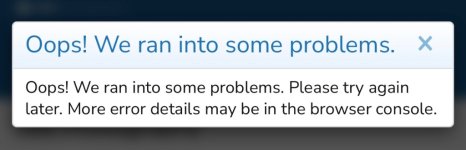
IMG_4831.jpeg

Everything works fine as soon as I dismiss it.

Don't get it on desktop with Firefox.

Anyone else?
 
No problem on Duck Duck go.
 
No problem here (Mac mini M1, Tahoe, Safari)
 
chrome with add blocker pro all ok
 
Update on this: occasionally getting it on desktop too now, on Firefox. Also, sometimes when I click the cross to dismiss it it doesn't go, but the screen behind it brightens, then I have to click the cross a second time to actually dismiss it - the screen behind it then works perfectly.

It's not just when I open the site either now - sometimes I'll get it when I tap a link to a new post, or from one of my notifications.
 
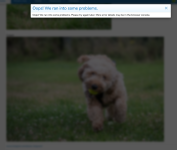
It's just happened again. This is how the page loaded:

Screenshot 2026-07-29 at 11.45.22.png

And this is after I clicked the cross once:
Screenshot 2026-07-29 at 11.45.39.png

Then after a second click I was able to see the page properly. This was on Firefox on desktop, MacOS Tahoe 26.5.2, M1 Mini.
 
It's just happened again. This is how the page loaded:

View attachment 488887

And this is after I clicked the cross once:
View attachment 488888

Then after a second click I was able to see the page properly. This was on Firefox on desktop, MacOS Tahoe 26.5.2, M1 Mini.
I have seen that but IIRC only when I use the 'back' click i.e. trying to access the previous page view. A simple page refresh tends to clear it.
 
Back
Top