Printing big - resolution?

Messages
2,162
Edit My Images
Yes
Hi,

I am going to get some of my images printed, this will be the first time I have ever printed something properly in the 3+years I have been into photography :bonk:

Ok, lets say I want a 16x24 print which is basically A2 and I am going to be sending the image to be printed by a company. Do I send them the image how it is, even though it is not big enough at the moment??

I created a 16x24 canvas at 254 dpi, the resolution of the printer. As you can see in the picture below the image I want printed is to small for the canvas size. Do I stretch it or am i being silly?
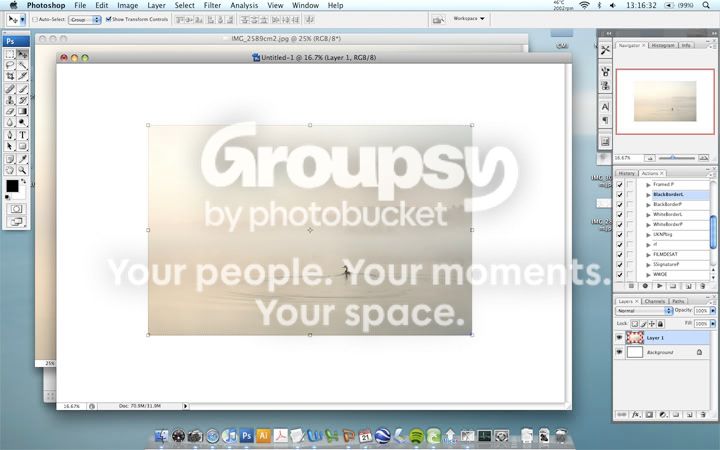
talk1.jpg


Thanks for any help.
 
At a guess I would resize it to the requireed size where you can view it (or at least segments of it) on your screen to check whether or not the image would be smooth enough to print at that res...
 
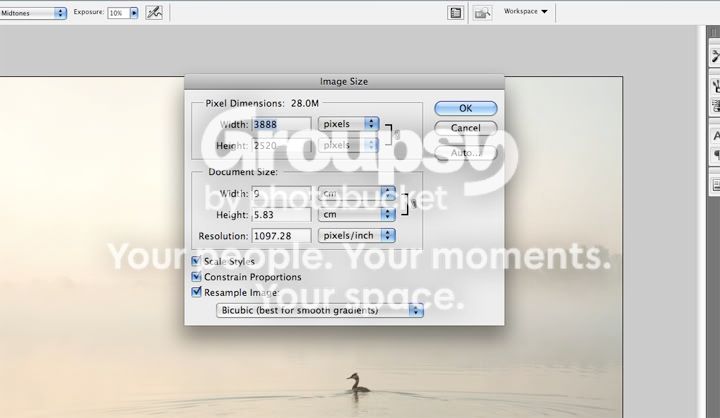
What you should do is go into Image -> Image Size and adjust the DPI. Printing professionally is normally done at 300 or 350 DPI, so that's a good value to use. It's better to bring a higher quality image to the printers, then they can scale it down.
 
Is this smooth enough..

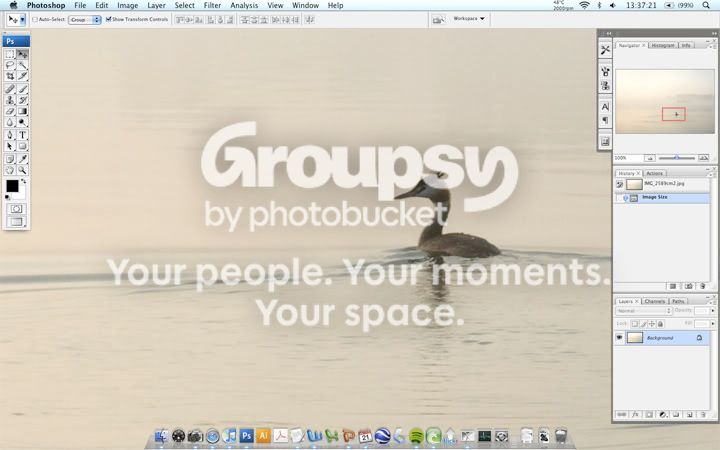
100% with the size increased to 24" (width) and at 254dpi
talk2.jpg


It was taken with budget equipment so is not the best quality but looks good enough for me.

Peak Imaging state that images should be at 254dpi
 
What is the native resolution of the image, quality can suffer enlarging too much. A tip is to enlarge in smaller steps, than one big one. I get better quality results that way from smaller images.
 
At 24" Across, your not going to have the print in your hand anyway so it doesn't need to be pixel perfect at 300DPI or whatever, That looks fine at 100%. I cant see why that wouldnt print just fine :)

From the original image just enter 254 in the resolution, then change the width and height to what you need,.
 
DPI, which really should be PPI, is simply Pixels divided by Inches.

If Peak Imaging want 254 ppi(dpi) and you want 16*24 inches then you will have to set the ppi(dpi) to 254 and add pixels by resampling until your image is 4064*6096 pixels and the output size is 16*24 inches.

It is not possible to say if your image is smooth enough by viewing a post here. My screen's resolution is about 96 ppi, someone else may be viewing at 110 ppi or 70 ppi or any value you can think of!
 
What does the print company advise? You might be better letting them do any upsampling required as they may have more sophisticated software.

Once for fun I had Snapfish print a 15 x 10 from a 3Mp P&S. The original file was 2048px x 1536px coming in at 1.6 MB. I was astonished at the result - it was a landscape and even viewing it close up it was really sharp. You could see individual blades of grass.
 
If it is for a canvas then you typically need less resolution than for a smooth print as the weave of the canvas means you don't need such high definition
 
I always prefer to prepare the file to exactly how it will need to be printed, that way there isn't going to be anyway for the printer to wriggle out by saying you didn't prepare the file correctly or misinterpreting your instructions.
 
If it is for a canvas then you typically need less resolution than for a smooth print as the weave of the canvas means you don't need such high definition

Ahh ok, this particular image is going to be a normal print. God knows how much the frame is going to cost me....
 
I've never given a second thought to dpi on large prints. Just crop the full size picture to the correct aspect ratio and upload the file to the printers. Let them do whatever they need to for the print size. If you give the printer all the pixels you have they can do their best with it. Got a 30 x 20" one on the wall in front of me now. Looks good to me :)
 
I've never given a second thought to dpi on large prints. Just crop the full size picture to the correct aspect ratio and upload the file to the printers. Let them do whatever they need to for the print size. If you give the printer all the pixels you have they can do their best with it. Got a 30 x 20" one on the wall in front of me now. Looks good to me :)
I think this is good advice.

You can (or at least I can ;))show mathematically that 6MP is all you need to make prints of any size which will look really good when viewed from a distance which is approprate to the size of the print. Obviously you can't make a wall-sized print which will look sharp close up, but you can make a wall-sized print that will look good from the other end of the room. You get the idea?

You've got 10MP to play with so you'll be fine.
 
You should be fine, as StewartR said
"6MP is all you need to make prints of any size which will look really good when viewed from a distance which is approprate to the size of the print."

I printed the 12mp image below at 73 x 50 inches (yes inches) and it looks pretty good close up and perfect from a few feet.


Also for a cheap frame try IKEA's Ribba range.
 
No copyrights broken in that pic?

The other point about large prints is to check them carefully. I have a great landscape shot of the beach at the Gower which I had put on canvas for the hallway - 1.5m long. Suddenly you see things that you hadn't noticed, like my wide lens at 10mm has a purple fringe at the edges, or the couple at the waters edge.

It's worth taking a close look all around before you print.
 
Back
Top