RAW vs. JPEG - Regarding image quality there is no debate!

Whether you edit it as a 16 bit TIFF or as a 32762 bit YARP file, it doesn't matter. You have already lost the extra information contained in a raw file when it was first converted to JPEG in camera.

Interesting indeed why not shoot RAW in the first place if you do any editing at all. 60% of data is indeed all lost in JPEG.

The only time one shoots JPEG is either due to very quick turnaround times (shoot news and upload in minutes as it happens) or lack of interest (amateur market or shooting obvious rubbish for whatever reason).

5DIII / 1Dx are probably the first cameras that can deliver reasonable quality JPEGs after playing a bit with settings, and adding lens profiles via EOS utility. How many JPEG shooters do that? Not many I'd guess..
 
Great way to see a completely different image to the one you are actually editing. TVs do a lot of processing to make small 720p or PAL image look sharp by all sorts of extrapollation, and at that size the dpi is ridiculous. I have 2x more pixels in 27" screen. I am not even going to the colour reproduction that is almost always on the bright and vivid side. Great for TV, not so great for color critical work...

Fortunately my TV has seperate (adjustable) settings for Photos and I set it up using a calibration image from DSCL.

And, since for the last 9 months all pics I have edited have been done with this arrangement I'm pretty certain that if the colour was badly out then I would have been told.

.
 
OP obviously have never shot a Fuji X camera.

So far, I've not found a single software filter that can come close to the film simulations done by the cameras. Fujifilm knows how to do get that magic look.
 
Shooting jpeg is like buying a lambo and only driving in 1st gear. Yes itl work but the potential is being lost. Any one tho thinks jpeg is better than a edited raw file CANNOT correctly use photoshop. Anyone shooting jpeg and says they get it right in camera is friggin stupid. If you wana use jpeg then ok but admit that your losing vital data. There is a reason raw is there.

I honestly cannot see any reason not to shoot raw when 99% of the people have the time to PP. I was self taught and youtube is amazing to show what to do. So why not try?
 
Whether you edit it as a 16 bit TIFF or as a 32762 bit YARP file, it doesn't matter. You have already lost the extra information contained in a raw file when it was first converted to JPEG in camera.

RAWs are indeed superior, but the mosaiced data looks ugly when printed :)

You'll always have to give up the extra information at some point. There is always 32bit JPEG at the end of processing.

The real question is if you really plan to process the RAW data. If all you do with your RAWs is to batch convert them in Lightroom (and possibly apply a tonal curve, slightly denoise, downsample and edge sharpen), there is no advantage in shooting RAW. Any modern camera can do it as good as the software RAW converter. True there was not enough horsepower on older cameras and they had poor JPEG engines and sometimes applied too much JPEG compression, but this fixed now. Any Expeed3 Nikon will likely match the output you get from RAW converter.

The advantage of RAW comes to play only when you want to do exposure, contrast or colour changes in post processing.
 
Interesting indeed why not shoot RAW in the first place if you do any editing at all. 60% of data is indeed all lost in JPEG.

Well as I've already said at the end of the day (even using RAW) you end up with an 8 bit image viewed on an 8 bit (or less) monitor with eyes that cannot even see the maximum colours possible in the 8 bit JPEGs.

Also my JPEGs are much smaller so take up less storage space especially on Skydrive.


5DIII / 1Dx are probably the first cameras that can deliver reasonable quality JPEGs after playing a bit with settings, and adding lens profiles via EOS utility. How many JPEG shooters do that? Not many I'd guess..

Well my profiles are set depending on the type of light - usually:

Sharpness=0
Contrast=-1
Saturation=-1

which I can change to:

Sharpness=0
Contrast=-2
Saturation=-2

for very bright sunny days.

So no problems there.
 
Last edited:
Well as I've already said at the end of the day you end up with an 8 bit image viewed on an 8 bit (or less) monitor with eyes that cannot even see the maximum colours possible in the 8 bit JPEGs.

Also my JPEGs are much smaller so take up less storage space especially on Skydrive.

Well my profiles are set depending on the type of light - usually:

Sharpness=0
Contrast=-1
Saturation=-1

which I can change to:

Sharpness=0
Contrast=-2
Saturation=-2

for very bright sunny days.

So no problems there.

Im guessing you dont shoot landscape? Id love to see how you lighten shadow areas or darken highlights with jpeg. Or even simply alter the white balance for say a long exposure with a 10stop filter... because well you cant with out destroying the image
 
RAWs are indeed superior, but the mosaiced data looks ugly when printed :)
In which case you need a longer lens as if you can see the demosaic detail, it means you are blowing up in post too much.

You'll always have to give up the extra information at some point.
Yup, but the advantage raw gives you is that it allows you to choose how to do the mapping from 12/14 bit to 8 bit. In camera JPEGs are doing just that.

The advantage of RAW comes to play only when you want to do exposure, contrast or colour changes in post processing.
Which pretty much describes exactly what I do in post...
 
Well as I've already said at the end of the day (even using RAW) you end up with an 8 bit image viewed on an 8 bit (or less) monitor with eyes that cannot even see the maximum colours possible in the 8 bit JPEGs.
You're missing the point. Raw files aren't about being able to display more colours, it is about choosing the mapping of the colours and grey levels from 12 or 14 bit down to 8.
 
Im guessing you dont shoot landscape? Id love to see how you lighten shadow areas or darken highlights with jpeg. Or even simply alter the white balance for say a long exposure with a 10stop filter... because well you cant with out destroying the image

Really?

Guess I've been doing it all wrong for years then and all the photos I've put on here and Flickr and 500px are all just blank spaces.

Silly me :lol::lol::lol:
 
Loving all the blanket statements thrown around here.

I shoot both. Canon's RAW are very versatile, at the same time use Fujifilm's Velvia or Astia film simulated JPG.
 
You're missing the point. Raw files aren't about being able to display more colours, it is about choosing the mapping of the colours and grey levels from 12 or 14 bit down to 8.

So you can do more editing without banding becoming apparent?

Well no argument from me on that one since I do occasionally get it, but I've also noticed banding on JPEGs produced from RAW since mapping down from 14 bits to 8 bits will ALWAYS cause some problems, whether it is done in camera or in an editing program.

.
 
So you can do more editing without banding becoming apparent?

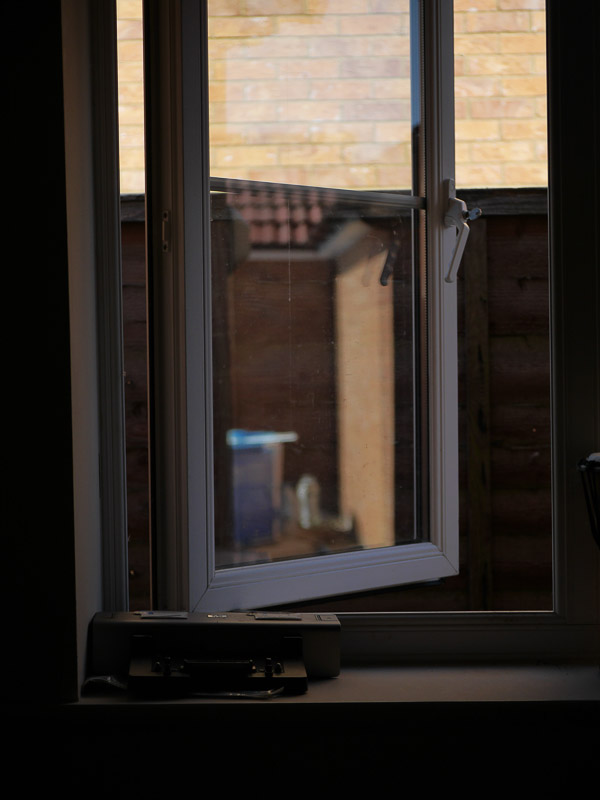
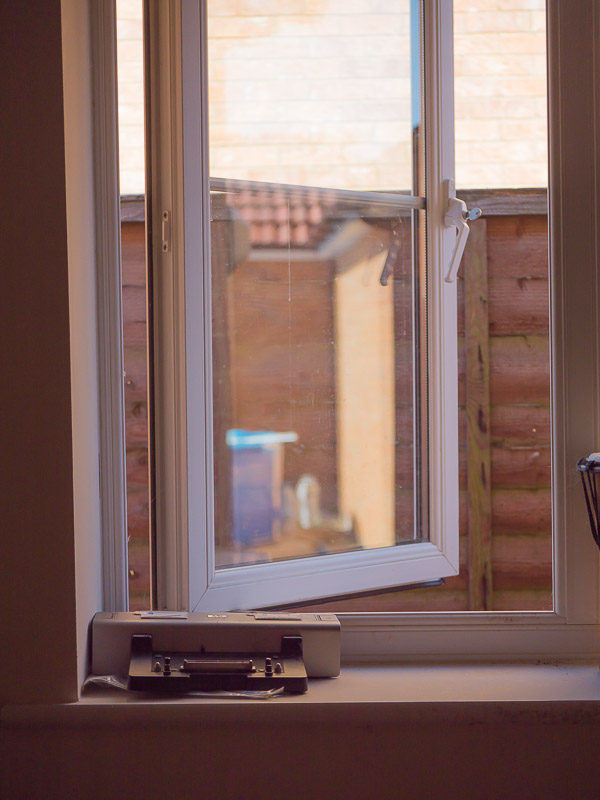
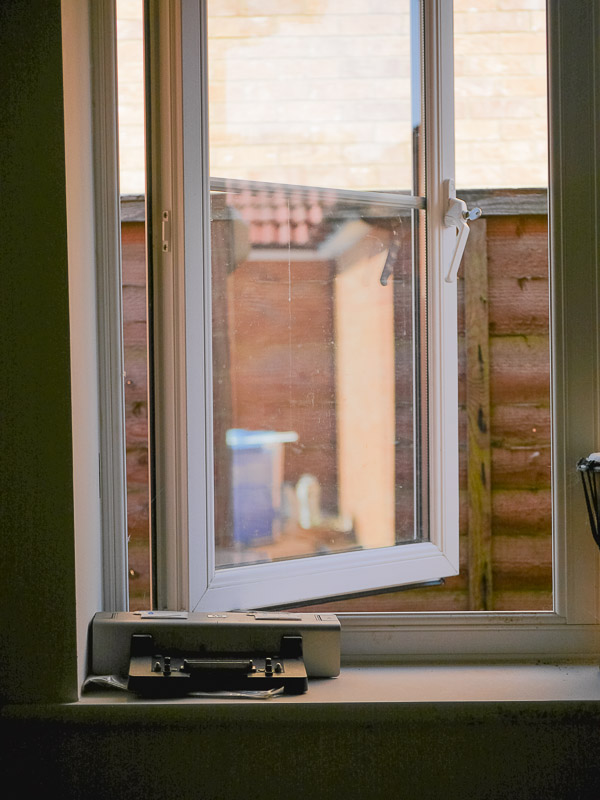
Here is a (very, very) quick - and contrived - example. So quick that I've just taken it to show in this thread. GH3/35-200, camera set to "standard" JPEG and raw. Exposure lock taken on the stone wall and then recomposed to take in the whole image.

SOOC JPEG:

jpeg-orig-800.jpg


I want to bring back some of the detail without blowing the highlights in the image, so a couple of sliders later (exposure pushed by 2.14 stops, shadows pushed to +50, whites to -100, blacks to +71 and Saturation to +14) on the raw file I get this:

proc-800.jpg


applying the same settings to the JPEG gets me this:

jpeg-paste-800.jpg


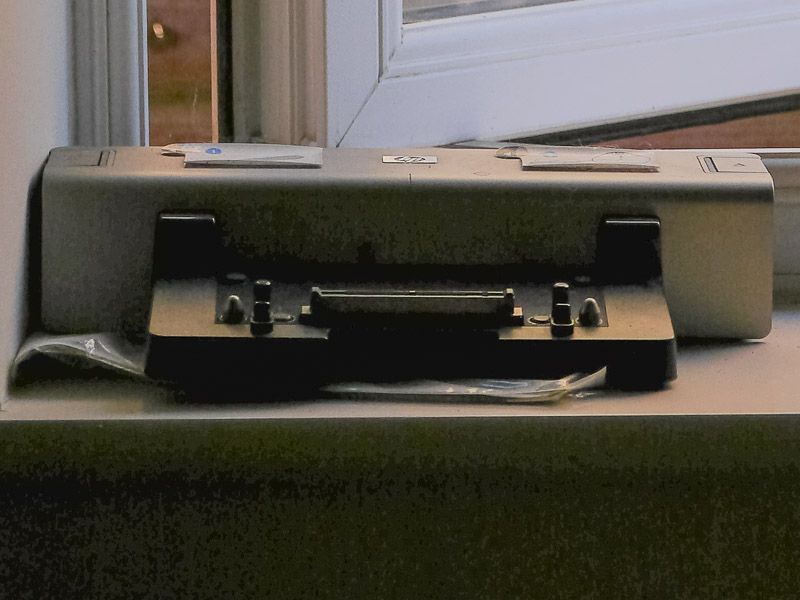
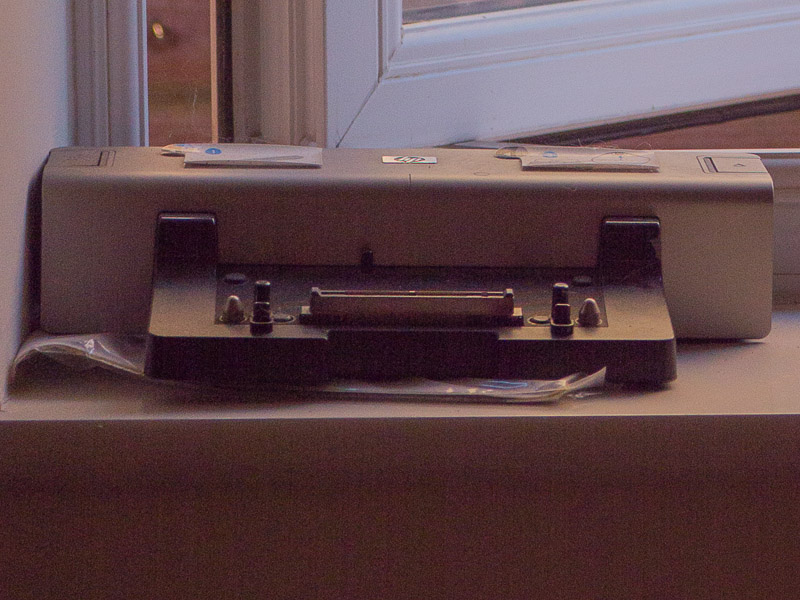
and cropping into the docking station on the windowsill gets me this from JPEG

jpeg-proc-800.jpg


and this from the same crop on the raw

raw-proc-800.jpg


Note that I haven't done any noise reduction or colour balance, but you should be able to see that there is FAR more tonal detail in the raw image than in the JPEG. The tonal mapping is done in camera with the JPEG - ALL the decision making has been done for you before you get it onto your computer.
 
Yes, perhaps a rather too wide blanket statement... You are fine in JPEG if the lighting is right and the tone mapping is correct for what you want and you are not worried by exact colour balance.

Really?

Guess I've been doing it all wrong for years then and all the photos I've put on here and Flickr and 500px are all just blank spaces.

Silly me :lol::lol::lol:
No, but you may well have been able to get even better pictures by processing the raw.
 
Shooting jpeg is like buying a lambo and only driving in 1st gear. Yes itl work but the potential is being lost. Any one tho thinks jpeg is better than a edited raw file CANNOT correctly use photoshop. Anyone shooting jpeg and says they get it right in camera is friggin stupid. If you wana use jpeg then ok but admit that your losing vital data. There is a reason raw is there.

I honestly cannot see any reason not to shoot raw when 99% of the people have the time to PP. I was self taught and youtube is amazing to show what to do. So why not try?

Maybe some of us just aren't that bothered? The joy for me is in the taking of the pictures in the first place. My Fuji throws out JPEGs I'm more than happy with as is, they then might just get a quick run through Snapseed on my iPad to fix wonky horizons and anything else I feel like, average time spent processing is about 15 seconds an image tops.

I have the technical knowledge to process them, but choose not to because I find it dull. Whether that's 'right' or 'wrong' is frankly irrelevant to me.
 
OP obviously have never shot a Fuji X camera.

So far, I've not found a single software filter that can come close to the film simulations done by the cameras. Fujifilm knows how to do get that magic look.

Yep, always shoot raw on my Nikons but when I had a X100 it was all jpeg. Just loved the colours and as you say, could never replicate it myself.
 
Yup, but the advantage raw gives you is that it allows you to choose how to do the mapping from 12/14 bit to 8 bit. In camera JPEGs are doing just that.
.

In fact you can affect the conversion in the camera. There is always RAW coming from the sensor. JPEG engine is applying the white balance and tonal curve from the camera settings.

On most Nikons CMOS cameras (starting from D300 or so), there are six-predefined presets that can be quite well tweaked right in the camera. If that's not enough you can load custom picture controls created in software with the curves you like. So you can have a number of curves created for scenes you shoot. You can switch between these by dedicated key on many bodies.

See:
http://imaging.nikon.com/lineup/microsite/picturecontrol/picture/index.htm

Obviously, you have even more control when you do that in post processing, but nevertheless there is a fairly solid option how to customise the RAW conversion right in the camera.
 
You're missing the point. Raw files aren't about being able to display more colours, it is about choosing the mapping of the colours and grey levels from 12 or 14 bit down to 8.

Well, in fact you are not mapping 12/14 bit to 8 bit. You are interpolating (not mapping which makes a big difference) 32bit (or 48bit) RGB data values from 4x14bit luminance information (where vast majority of information is digital noise) with knowledge of CFA configuration.

I know it might sound nitpicking, but this makes a big difference. The RAW conversion is a very different process from let's say reducing images or audio from 16bit depth to 8 bit.
 
... but nevertheless there is a fairly solid option how to customise the RAW conversion right in the camera.
Most cameras do that. The problem is a) having the right settings for the photo you are taking, b) actually sitting down and figuring out what the best settings for a particular scene actually are and c) remembering to select it when you are taking that photo.

Some 'togs shoot a lot of "single exposure" (for want of a better term) images. Say a sports tog photographing a football match under floodlit lights. Pick an optimised setting (shutter/aperture/ISO/image style) and you are almost guaranteed a good technical image. Whether the picture is interesting or not is down to the skill of the 'tog.

General walkabout photography is far more likely to benefit from processing raw files. For example a day out in a stately home - ISO, shutter speed, lighting, colour balance, subject etc.. can vary wildly from frame to frame. A one-size-fits-all approach is far less likely to be successful.

I am specifically NOT saying it is wrong to shoot JPEGs - your subjects, style and camera (everyone has very positive comments about Fujis for example) may be suited to JPEGs. You definitely have more wiggle room with raws. Whether you need or want that wiggle room is a different matter. On the other hand, saying SOOC is the only way and claiming the high ground is just as wrong as saying raw is the only way.
 
I always shoot raw but I only use Canon's DPP for processing. That utilises the settings I have on the camera for sharpness, white balance etc, so I am already half way there when I start working with the picture.

I am thinking about getting Lightroom, but judging by what has been said so far, it will make the editing of my raw files much harder and I may not get good results without an awful lot of learning. Have I understood that correctly?
 
Well as I've already said at the end of the day (even using RAW) you end up with an 8 bit image viewed on an 8 bit (or less) monitor with eyes that cannot even see the maximum colours possible in the 8 bit JPEGs.

Also my JPEGs are much smaller so take up less storage space especially on Skydrive.


not sure how big your skydrive is, but I am guessing not 3TB. Not sure it makes much production sense other than distributing ready product (TIFFS or JPEGS).

And to be completely honest I can tell the difference between exported 8bit 100% JPEG and 14bit RAW file open in Lightroom (apparent 10bit on my monitor) with the same exact settings. Colours and gradings are way smoother in RAW/16 bit TIFF.

This is not to say most printers can't even print 8bit sRGB full range but that is well beyond this talk.

Well my profiles are set depending on the type of light - usually:

Sharpness=0
Contrast=-1
Saturation=-1

which I can change to:

Sharpness=0
Contrast=-2
Saturation=-2

for very bright sunny days.

So no problems there.

You are totally forgetting your dynamic range (only shoot in a studio or controlled light on location?) - the shadows and highlights that can be well over 10-12 stops
what about CA that looks plain awful even on flickr sizes, what about distortion?
Any you always expose 100% perfectly... or can reshoot the same shot.

These are dealbreakers, unless you shoot perfect light with optically perfect lenses.

5D3 (and maybe everything the very latest from Canon) can deal with that with a bit of good effort, but RAW still goes a lot further.
 
I know it might sound nitpicking, but this makes a big difference. The RAW conversion is a very different process from let's say reducing images or audio from 16bit depth to 8 bit.
I'm fully aware (as I deal with this sort of stuff on a daily basis) of the conversion processes going on - I can even take you through the processes used JPEG compression if you want ;)

Most people don't care about that level of detail and summarising it as mapping (it is a mapping as you take an RGB value @12/14 bit and map it to another RGB 8bit value) 12/14 bit down to 8 is probably good enough to give people a feel for what is going on.
 
I am thinking about getting Lightroom, but judging by what has been said so far, it will make the editing of my raw files much harder and I may not get good results without an awful lot of learning. Have I understood that correctly?
You will find that LR is a far more user friendly flow. It does do things differently to DPP though.

I did compare DPP & LR a couple of years ago. You can see the results here: http://photo.andysheen.co.uk/technical/lightroom-raw-vs-dpp-raw-processing/
 
Personally I think if the lighting is good then the camera does a pretty good job in jpeg form.
If I am in a rush for the paper or the 750 in the motorsport then its jpeg.

If time isnt of the essence or the lighting is tricky or I am indoors then its raw everytime for me.
 
Last edited:
Note that I haven't done any noise reduction or colour balance, but you should be able to see that there is FAR more tonal detail in the raw image than in the JPEG. The tonal mapping is done in camera with the JPEG - ALL the decision making has been done for you before you get it onto your computer.

Here is when you missed the point. First of all it is not true that one of your pictures is RAW and the other JPEG. Both are JPEGs that have been processed from RAW using two different workflows (in camera presumably o default settings and in the convertor with default settings and your shadow recovery).

Secondly you are not correct when you say, that you haven't done any "colour balance". Both images have been significantly colour processed. Both in the camera and in the computer. RAW conversion is a very extensive colour processing operation and since you are showing two colour images, you had to do it. Also downsampling of the image is a very major noise reduction technique.

There is no such thing like unprocessed JPEG. It is always processed by either your camera or your raw converter.

The only fact that you demonstrated is that you've been able to recover more details in the RAW converter than your camera can do on default settings.
 
Last edited:
Here is when you miss the point.
I don't think I am ;). I understand (and can take you through most of) the processes used in each step of processing a raw file. The technologies interest me just as much - if not more - as the pictures taken. I understand a raw file is a collection of digits, as is a JPEG. I also understand that JPEGs are not "fixed" - if you don't colour space manage properly a JPEG will appear different depending on the capabilities of the application displaying it. What you are doing is using wording and tautology to try and obfuscate the point which is quite simply that you have more leeway in processing a raw file.

The raw processor also performs far more than you mention - including demosaicing, lens distortion and chromatic aberration correction (part of the micro 4/3rds standard and cannot be stopped in LR), black level selection, initial colour balance selection, luminance mapping, colour space to monitor correction (calibrated and profiled monitor) default input sharpening, and applying a camera profile (called Adobe Standard in LR) which attempts to map the way the sensor behaves. With a raw file, I can control all of those after the capture.

The only fact that you demonstrated is that you've been able to recover more details in the RAW converter than your camera on default settings.
I don't think any in-camera settings would be able to replicate that level of processing, and if it was, you'd have to remember to select that profile for that image - another shot pointed somewhere else in the same room would require a different profile. That was my point.
 
Personally I think if the lighting is good then the camera does a pretty good job in jpeg form.
If I am in a rush for the paper or the 750 in the motorsport then its jpeg.

If time isnt of the essence or the lighting is tricky or I am indoors then its raw everytime for me.
I have no deadlines with my photos. I also don't take that many images. I also learn more each time I process raws - which is all I take. If I did have any of those pressures, I'm sure I'd shoot JPEGs.

Just read your article, very interesting indeed. :)
Thanks :)
 
Last edited:
Yeah I would say literally when I am not at a race track or something for the local paper its 100% raw as I like the abillity to alter as I see fit and if needed alter the shadows and highlights to what I need.

However when I do the occasional shooting for Lincolnshire today I do I shoot raw as they have had me do some evening events, for example a Bollywood event I did the raws as they allow me a good week before asking for the images.

But the long and short of it, I do find in anything other than good light the 60D fairs better from user processed raw... where as when taking the mrs 1100D out on jollies I find the jpegs for the most part, to be exceptionally good for a cheap camera although again, I only use that for when we are walking about with the kids so don't need to shoot raw as its for my personal useage.
 
(it is a mapping as you take an RGB value @12/14 bit and map it to another RGB 8bit value)

I understand "mapping something to something else" as a simple deterministic conversion of a value from one space to a value in the other space.

In camera sensor situation each photo-site behind RGGB bayer matrix gets 14bit luminance (non-colour) reading. Every pixel knows exactly only its own colour data and has to interpolate the other two colour channels from neighbouring pixels. So in fact you can't say you are simply mapping 14bit information to 8bit.

In fact RAW demosaicing is more a process where you need to reconstruct 4x3x8bits from 4x14bits of data and you need to fabricate data rather than reduce.

Surprisingly a hypothetical 8bit RGB camera (like Sigma Foveon) would be better than todays cameras capturing 14bits RGGB with CFA.
 
I understand "mapping something to something else" as a simple deterministic conversion of a value from one space to a value in the other space.

In camera sensor situation each photo-site behind RGGB bayer matrix gets 14bit luminance (non-colour) reading. Every pixel knows exactly only its own colour data and has to interpolate the other two colour channels from neighbouring pixels. So in fact you can't say you are simply mapping 14bit information to 8bit.

In fact RAW demosaicing is more a process where you need to reconstruct 4x3x8bits from 4x14bits of data and you need to fabricate data rather than reduce.
I look at it as two separate processes. You take 4 x 12/14 bits of luminance data to produce 4 x 3 x 12/14 bits of data (or whatever the internal representation is of the raw processor). This is demosaicing and involves interpolation.

You then manipulate the data in post processing to produce a different set of 12/14 bit RGB values depending on the processing done. You are altering the values, but maintaining their bit depth.

You then need to save the data as an 8 bit JPEG (or map it to an 8-bit screen for display). It is this process - going from a 12/14 bit RGB value to an 8 bit RGB value where the mapping occurs. Whilst it isn't truly linear (as you can't reconstruct the 12/14 bit data by a linear transform back), it is a mapping. A small range of 12/14 bit RGB space maps to a single 8 bit RGB value in the output.

Does that make it clearer?

And if you really want to argue it, then according to wiki, map is synonymous with function. It says nothing about the type of function in use, just it takes an input set of values and returns an output set of values. Even interpolation can be considered a map as it relates a particular set of inputs to a single output ;) But now we really are down at the meaning of words and arguing for arguments sake.
 
Last edited:
PS. Even demosaicing is a map. Taking 4 input data points, there is a deterministic output. That is, if you take the same 4 input data values, you will get the same 4 RGB tuples out. What changes between demosaicing algorithms is the function (i.e. mapping) used.
 
OK. I don't want to argue about words too. I just too often hear people saying that RAW is better than JPEG because one is 14bits and the other 8 bits and you loose information because of the conversion. In fact all these bits are apples and oranges.

I agree that shooting RAW is better, because it is more flexible and you can have better control during post-processing. On the other hand, it is not true that JPEG converted by RAW in camera are less sharp, less detailed, more noisy or less colorful than the JPEG converted in software converter. This all depends how you configure the RAW conversion process and some engines are better and more customisable than others.

I shoot exclusively RAW on my Nikon DSLRs for many years now and have a solid workflow. I think I know all the technical details, but I am still not able to match quality of Fuji x100 in-camera JPEGs. Neither in Lightroom nor Apple Aperture.

It is all about curves and settings applied during RAW conversion and those used in Fuji cameras are for some reason damn good. Much better than any presets Adobe ships Lightroom with.

Often there is another advantage when shooting JPEG. If you don't have the option to fix the exposure/wb in post, I need to think more during shooting. When shooting JPEG, I know it is critical to check RGB histogram. Often I delete the shot I would otherwise keep, change exposure/wb and shoot it again. In RAW, I am sometimes lazy and often check for clipped highlights only, knowing there is a good chance I can sort out the rest.

There is a chance that having to think about the right settings and exposure can save as many JPEG pictures as RAW.
 
I just too often hear people saying that RAW is better than JPEG because one is 14bits and the other 8 bits and you loose information because of the conversion.
Assuming you are going to do post processing beyond rotating/cropping, raw is better than JPEG because there are more tonal gradations in each channel and you haven't thrown away the high frequency (i.e. fine detail) in the image due to the lossy nature of JPEG. You fundamentally have better and cleaner data to start with. It is as simple as that...

Whether you can (or even want) to get it to look like the in camera JPEG is another matter.
 
This thread needs examples of photo's with the two different processing options, JPEG from camera and JPEG from a raw file to see if any one can tell the difference and which one looks better.
 
However let me repeat again. The quality of a JPEG image CANNOT be better than a properly processed RAW file. Period. If you somehow think it can be you are mistaken.
If comparing a processed RAW and a JPEG and the JPEG is better, you need to go back and process the RAW properly

You are 100% correct.
  • It is always possible to process a raw file to be identical to the JPEG from the camera.
  • Unless the in-camera settings were perfect then it always possible to process a raw file to be better than the JPEG from the camera.
 
This thread needs examples of photo's with the two different processing options, JPEG from camera and JPEG from a raw file to see if any one can tell the difference and which one looks better.

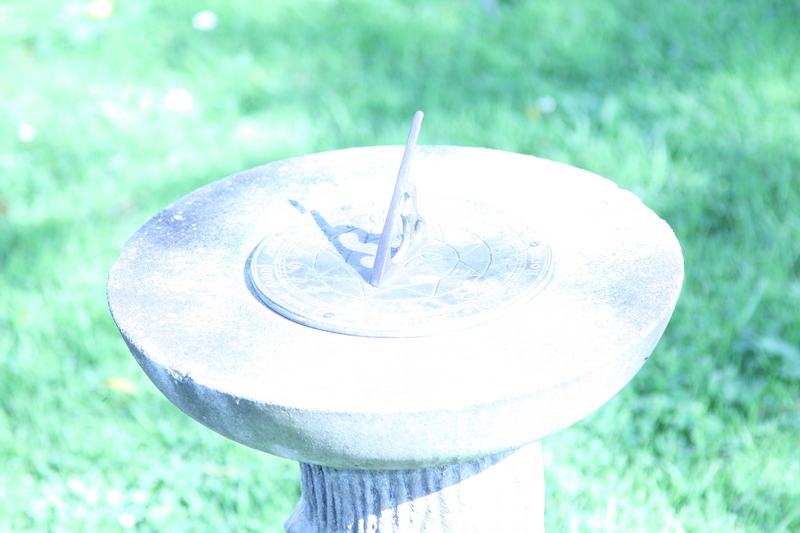
Here's my favourite example -
Grass.jpg


Grass%20Proc%20Raw%20LR4.jpg


It may be a bit difficult to tell them apart. I shot raw+jpeg. The first image is the jpeg, the second is the raw data processed in LR4.
 
Last edited:
Back
Top