

I have now cracked the original problem, so many thanks to all who have responded. I now have a further problem in that I thought that if I raised a PM within TP I could attach my saved image just as I've done when using email but this does not seem to be the case. Does anyone therefore know how I can get it into a PM. Thanks again.I have often seen members posting a picture (within a post/thread) of what appears on their computer screen. I wonder if someone could tell me how to do this please. These people are also able to draw arrows on the image to illustrate what they are taking about, how is this done please. I need to save an image from my own screen to email it to someone. I am using Vista Ultimate. Any advice/guidance will be greatly appreciated. Many thanks.
You are using an out of date browser. It may not display this or other websites correctly.
You should upgrade or use an alternative browser.
You should upgrade or use an alternative browser.
Saving a screen view
- Thread starter Bluenose
- Start date


- Messages
- 5,705
- Name
- Adrian
- Edit My Images
- No
You hold down the "Ctrl" key and then press the "Prnt Scrn" key (usually located top right of your keyboard - if it's a full size keyboard it'll be above the numeric keyboard on the right)
You then paste into another programme such as MS Paint; Word etc.
You then paste into another programme such as MS Paint; Word etc.

Ambermile
A Whole Lot of Sparkle..
- Messages
- 4,126
- Name
- Arthur
- Edit My Images
- No
Holding the ctrl, alt and print scrn keys will save the current window to your clipboard. Ctrl, shift and print scrn will save the desktop to the clipboard.
Then just paste into an editing program (like Paint even) and you are sorted.
Arthur
Then just paste into an editing program (like Paint even) and you are sorted.
Arthur
Holding the ctrl, alt and print scrn keys will save the current window to your clipboard. Ctrl, shift and print scrn will save the desktop to the clipboard.
Then just paste into an editing program (like Paint even) and you are sorted.
Arthur
Thank you all for your replies but mine doesn't seem to work. I have pressed 'PrtScn' on its own and also with the 'Control (Ctrl) key pressed and nothing happens. I went into 'Notebook' but there is nothing there. Sorry to seem so dumb, but am I doing something wrong here?

- Messages
- 1,467
- Name
- Chris
- Edit My Images
- Yes
Doesn't work for me either. I have tried all of the ways people have suggested but cannot get it to copy (or do anything in fact). :shrug:
Chris
Chris
Ambermile
A Whole Lot of Sparkle..
- Messages
- 4,126
- Name
- Arthur
- Edit My Images
- No
Thank you all for your replies but mine doesn't seem to work. I have pressed 'PrtScn' on its own and also with the 'Control (Ctrl) key pressed and nothing happens. I went into 'Notebook' but there is nothing there. Sorry to seem so dumb, but am I doing something wrong here?
It is the Ctrl, the Alt and the print scrn keys ... Notebook is not an image-editing package, hence the suggestion to use Paint. The key strokes only save the image to the clipboard, you will need to paste (Edit menu, the Paste) it back, or use Ctrl and the "V" keys simultaneously
Arthur
Hello aligibbs, when I open up the screen that I want to save and the do a 'Printscreen', nothing actually happens, what should I see? I have tried to do a 'Printscreen' and then 'Paste' but there is nothing to paste! Am I looking in the right place i.e. my Notebook?Once you have print screened- you need to "paste" it into paint/photoshop/word etc.


Steep
Nutcrack Rapids
- Messages
- 17,295
- Name
- Hugh
- Edit My Images
- Yes
Thank you all for your replies but mine doesn't seem to work. I have pressed 'PrtScn' on its own and also with the 'Control (Ctrl) key pressed and nothing happens. I went into 'Notebook' but there is nothing there. Sorry to seem so dumb, but am I doing something wrong here?
Notebook is a text program, you need to open a graphics program like photoshop or even windows paint and then 'paste' the image into it by either clicking on EDIT and choosing paste or by pressing CTRL and V
Pressing just Print Screen will copy everything you see on your monitor at the time and you might have to cut away the bits you don't want. Do as Ambermile says and press CTRL+ALT and Printscreen together to copy only the contents of the window you want to see.
Steep
Nutcrack Rapids
- Messages
- 17,295
- Name
- Hugh
- Edit My Images
- Yes
Hello aligibbs, when I open up the screen that I want to save and the do a 'Printscreen', nothing actually happens, what should I see? I have tried to do a 'Printscreen' and then 'Paste' but there is nothing to paste! Am I looking in the right place i.e. my Notebook?
You won't see anything when you press the key but the copy will be made. When you say "Notebook" do you mean you are using a laptop computer or looking in the Notebook application that comes with windows?

- Messages
- 231
- Name
- Ron
- Edit My Images
- No
If your using Vista. Use the snipping tool. Go to start, all programmes, accessories, snipping tool. This will allow you to cut out the part of the screen you want and draw arrows etc. then under file choose send to email recipient.
Cheers
Ron
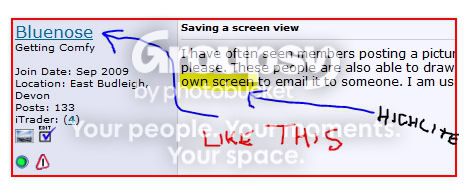
Sample
Cheers
Ron
Sample
Notebook is a text program, you need to open a graphics program like photoshop or even windows paint and then 'paste' the image into it by either clicking on EDIT and choosing paste or by pressing CTRL and V
Pressing just Print Screen will copy everything you see on your monitor at the time and you might have to cut away the bits you don't want. Do as Ambermile says and press CTRL+ALT and Printscreen together to copy only the contents of the window you want to see.
Hello Steep, I can understand what you are saying in that I need to open Photoshop (which I have)or Windows Paint (which I don't seem to have) but having pressed all of the keys mentioned in these replies, I don't seem to have an image anywhere that I can paste. I can't find anything called 'Clipboard' but I do have 'Notepad' is this one and the same. When I go into notepad there is nothing there. Sorry to be causing so much hassle.

- Messages
- 3,308
- Name
- John
- Edit My Images
- No
Your clipboard doesn't exist as an application. It's part of the memory where Windows stores things temporarily that you want to transfer from one application to another.
Notepad is a text only application and pressing the "Print Screen" key on your keyboard produces an image. The two are not compatible.
1) Hit Print Screen
2) Load Photoshop
3) Create a new document and choose "Clipboard" from the "Preset" dropdown list.
4) Press CTRL+V (or choose "Paste" from the "Edit" menu)
5) Press CTRL+Alt+Shift+S (or choose "Save for Web & Devices" from the "File" menu) and save it out to a file.
Job done
Notepad is a text only application and pressing the "Print Screen" key on your keyboard produces an image. The two are not compatible.
1) Hit Print Screen
2) Load Photoshop
3) Create a new document and choose "Clipboard" from the "Preset" dropdown list.
4) Press CTRL+V (or choose "Paste" from the "Edit" menu)
5) Press CTRL+Alt+Shift+S (or choose "Save for Web & Devices" from the "File" menu) and save it out to a file.
Job done
Thank you for this detailed response Kaouthia, I've cracked it! Thank you so much and to all the other responders too for your help. Happy New YearYour clipboard doesn't exist as an application. It's part of the memory where Windows stores things temporarily that you want to transfer from one application to another.
Notepad is a text only application and pressing the "Print Screen" key on your keyboard produces an image. The two are not compatible.
1) Hit Print Screen
2) Load Photoshop
3) Create a new document and choose "Clipboard" from the "Preset" dropdown list.
4) Press CTRL+V (or choose "Paste" from the "Edit" menu)
5) Press CTRL+Alt+Shift+S (or choose "Save for Web & Devices" from the "File" menu) and save it out to a file.
Job done
Doesn't work for me either. I have tried all of the ways people have suggested but cannot get it to copy (or do anything in fact). :shrug:
Chris
Hiya Blue Moon 7 Have a look at reply number 21 from Kaouthia and follow those instructions, when you have done the printscreen bit you won't be able to see anything but when you open Photoshop or Paint and create a new document and the do the control v bit, hey presto it appears. Give it a go.

Gary Coyle
In Memoriam
- Messages
- 12,654
- Name
- Gary
- Edit My Images
- Yes
Hi Geoff, you need to have the image remotely hosted somewhere on the net or use TP's gallery function and then link to it, you simply cant attach like an email attachment
I have now cracked the original problem, so many thanks to all who have responded. I now have a further problem in that I thought that if I raised a PM within TP I could attach my saved image just as I've done when using email but this does not seem to be the case. Does anyone therefore know how I can get it into a PM. Thanks again.I have often seen members posting a picture (within a post/thread) of what appears on their computer screen. I wonder if someone could tell me how to do this please. These people are also able to draw arrows on the image to illustrate what they are taking about, how is this done please. I need to save an image from my own screen to email it to someone. I am using Vista Ultimate. Any advice/guidance will be greatly appreciated. Many thanks.

- Messages
- 5,000
- Edit My Images
- Yes
You can download a free program called Screen Hunter which does a screen grab of your screen and saves it as BMP, Jpeg Or Gif.
You can use the cursor to decide exactly what you save.
I've used it for years and it's great!
http://download.cnet.com/ScreenHunter-Free/3000-2192_4-10063246.html
You can then simply attach the image as a file and e-mail it.
You can use the cursor to decide exactly what you save.
I've used it for years and it's great!
http://download.cnet.com/ScreenHunter-Free/3000-2192_4-10063246.html
You can then simply attach the image as a file and e-mail it.


- Messages
- 745
- Name
- nutty
- Edit My Images
- Yes
How is this done on an iMac?
Cmd+Shift+3 - This will give you a screenshot of your whole screen.
Cmd+Shift+4 - This will give you a little crosshair which you can use to select which part of the screen you want to capture.
All saved to desktop by default. You can change the location and type of file if you wish.