Silly Question

Messages
865
Name
Anand
Edit My Images
Yes
How do I add images on my threads for sharing/critics, etc. Tried copying and pasting from My Pictures...this doesn't work...everytime I click on Insert Image it asks to add URL..

Please help:'(
 
Personally I use use Photobucket. It's a doddle to get your account set up & it's easy to use as well.
 
Will try...thanks Andrew...was a quick reply...that's waht I love about this forum..thanks
 
right click image properties on flickr copy the url, insert image delete the http that is in the pop up box and paste your link
 
Last edited:
Photobucket is the best for hosting images for posting on forums.
 
Sorry Graham, you've lost me...how do i insert an img code?
 
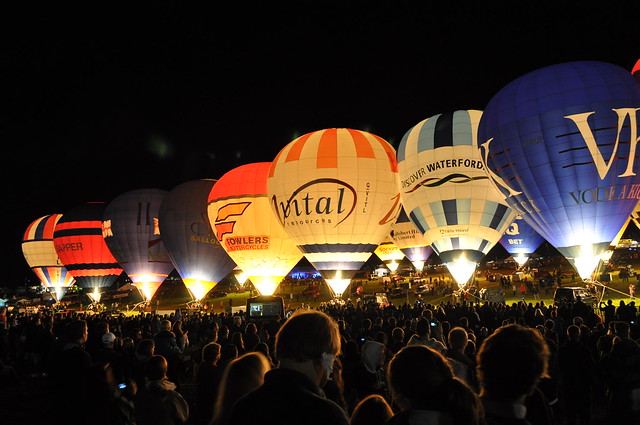
test image...sorry guys for being bit thick...

lightbox
 
trying picasa now...sorry again...

Tdk3_fRoQugX96Xqdkrtd1v3EXQEQL3nziaZGW9q_BA
 
Dont think Picasa has worked either...will call it night...thank you all for trying...

Meanwhile more suggestions welcome..
 
QUOTE=RKC;3650669]right click image properties on flickr copy the url, insert image delete the http that is in the pop up box and paste your link[/QUOTE]

:thumbs:

5691749130_778c51bbcb_z.jpg
[s:
 
Last edited:
No, Sorry Bob, Still can't get it...dare I ask where is image property on Flickr page? Sorry being a mither
 
Voila!!

Had to go via. EXIF info, etc....is there an easier way to view Image Property?
 
Thanks Graham...will try photobucket as well to see if it's easier...well can atleast sleep now without being bugged :-)
 
on flickr view all sizes, select the sized image you want, right click the image, left click at bottom on the pop up box properties, in the pop up box copy the address url, when selecting insert image on here delete the http that is in the pop up box and paste what you have copied

the url will be this for your 640x425 size
http://farm6.static.flickr.com/5067/5691749130_778c51bbcb_z.jpg
 
Brilliant!....Thank you so much all...Really feel thick now!!

P:S - My colleagues at work think I am a computer pro..;-) (Ssshhhh!)
 
Back
Top