size

Messages
2,805
Name
walter
Edit My Images
Yes
have been struggling understanding size for forum photos,
to take a photo from my library from windows media what size do i need to get it down to to put it on forum, and can anyone give me a few tips on a format to work to for good results, i am new to this type of photography,
camera is a pentax optio L 60,
 
I usually go for 800-600 at 72 dpi saved on quality 7 (medium)
 
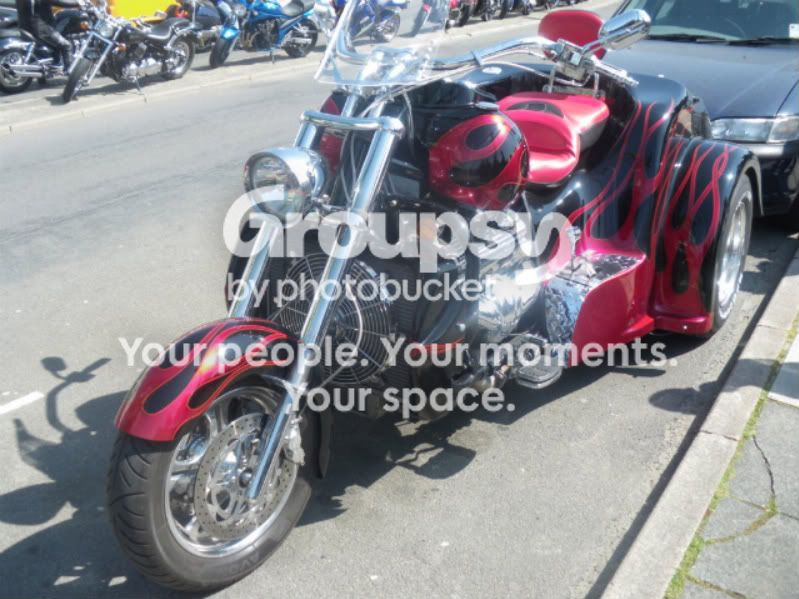
009-1-1.jpg

i can post on here but not make an album, any ideas
 
If you are talking about uploading actually to TP I think its a file size issue - the max file size for a TP upload is 200kb, that one is 31kb too big

Nice trike btw (tho a tad over exposed)
 
Last edited:
thanks BSM
is the file size on photo acceptable because photobucket is the host server,

to get photo down to size 200KB what does that equate to in pixels or bytes,
i know this is where i am struggling not being able to understand the terms,

it is a nice trike took on the may day run hastings this year
 
If you save your image at a medium resolution, and keep the longest size to around 750 or 800 pixels, the file size is likely to be between 120 and 200kb, which should be fine for posting on most sites.

Ignore the dpi setting, as it has absolutely no relevance to images posted on the net.
 
thanks BSM
is the file size on photo acceptable because photobucket is the host server,

yes - you can show larger files if they are hosted elsewhere (there is still a limt but its higher)

to get photo down to size 200KB what does that equate to in pixels or bytes,
i know this is where i am struggling not being able to understand the terms,

A Kb is technically1024 bytes so 200 kb would be 204,800 bytes (most people consider a kb to be 1000 and ignore the add on - so it would roughly be 200,000 ) Kilo means thousand in latin/greek (one of those clasical languages anyway) , mega means million , and giga means billion.

Its difficult to say exactly how pixels translate to bytes as it varies with other photo settings , but a 800x600 file saved at medium quality will usually be under 200kb

In that pictures case its 31kb too big (ie 31000 bytes too big) - your dimensions are right so i guess you've saved it at too high a quality setting.

Ive resized it for you here - its now 132kb (I've also tweaked the levels to make it look less overexposed ) just right click and choose 'save picture as' to get it back on your computer

009-1-1_copy.jpg
 
Last edited:
Back
Top