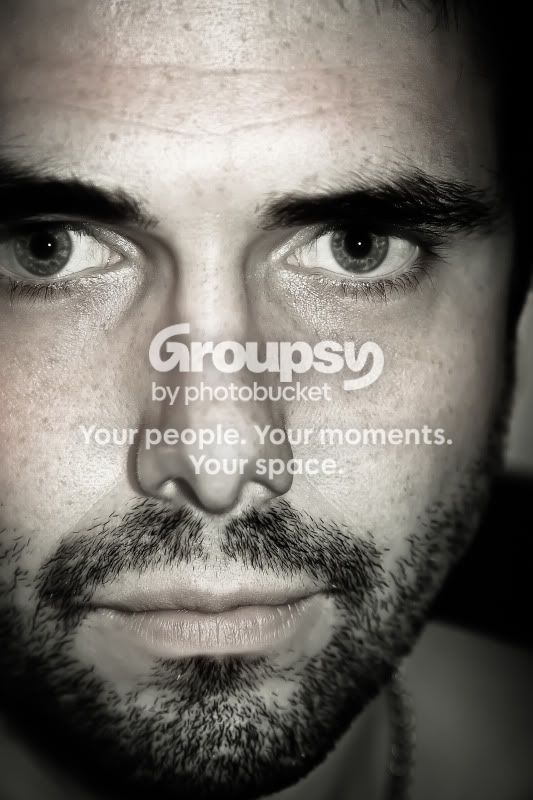
Taking a self portrait, tips?

Messages
1,178
Name
Ian
Edit My Images
No
Ok, so I have to take a self portrait for my first mini assignment at my BTEC. This is going to be the picture that will be attached to my work for this term, I think the tutor is wanting us to have a series of pictures that defines us (I know very arty farty) whioch we will take over the 2 years. I kind of like the idea and he has suggested that they could be good on bussiness cards (if I ever need any) and other marketing stuff.

I have a good study tripod a Canon 50mm and a Tamron 28-75mm (just got this an I am pretty impressed). My first attempt was jut a face shot, its in the portrait section, didnt wanna post again incase I was seen as an attention seeker :lol:.

So tips on how to nail this? Especially getting good focus on the eyes when using a cable release. I am getting a 430EXII with a wiresless trigger how should this be used off camera to get something a bit different? What other accessories would be usefull?

I know this is asking alot but thats why were all here :wave:.

Thanks in advance.
 
Last edited:
Here was my first attempt from a little while back.

http://www.talkphotography.co.uk/forums/showthread.php?t=251516

There are details in the thread explaining what I did. In addition to those details, I also sharpened the eyes up with the high pass filter. The gritty looking skin was done with Nik Silver Efex, but I've done a similar thing with high pass sharpening before too.

I didn't have the issue of focus that you had with yours, as I didn't focus as closely.

I'm far from being an expert, but hope that helps a bit. :)
 
Scott,

I really like it is was the same kinda look I was trying for, I take it thats a plug in your on about for PS? The off camera flash really makes a difference I am thinking, Is that what made your eyes pop, I have absolutely no experience with flash of any kind, what was the ambient like in the room?

Cheers.
 
Scott,

I really like it is was the same kinda look I was trying for, I take it thats a plug in your on about for PS? The off camera flash really makes a difference I am thinking, Is that what made your eyes pop, I have absolutely no experience with flash of any kind, what was the ambient like in the room?

Cheers.

Yeah, Silver Efex is a (fantastic) PS plug-in.

It was night time, so the light in the room was just from a couple of 40watt wall lamps. The background was mostly dark, but in the original there was a patch of white wall showing, which I had to clone out.

In fact, I've just found the unprocessed version.
11kvbk3.jpg


It's the processing that made the eyes pop. It's really nothing special as a photo at all, until I went at it with Photoshop. :D

Actually, looking at the exif, it wasn't night time, it was early evening. So the light must be from the window. My wonderful memory. :oops:
 
Last edited:
Scott,

Much appreciated, I will have a look for that plug in and give it a go, I just used a highpass sharpen on mine (slightly OTT for the look) but that plug in seems to produce sumthing very similer.
 
Ian, I've done a couple for my photo 52. I use a prop (something like a music stand) to focus on, mark it's position on the ground so that I can line up on it when ready. Shoot with the remote and self timer... The self timer gives that little bit longer to get into position.
 
John,

For the kind of thight crop I was looking at would F4 be ok at say 50 - 75mm? I will use your prop Idea tonight.
 
took me a while to find it, without a search :D... but...

http://www.talkphotography.co.uk/forums/showpost.php?p=2667332&postcount=490

The second and third shots in that post are at f/5 with the nifty fifty. I setup the focus with a prop, put a ruler on the floor to line up with... Lit with a single flash with a home made snoot on it that I'm looking at.

As for your question, I guess that'll depend on the effect you're wanting to create...
 
IMG_5299-Edit.jpg


For the first self portrait I was trying somethign like that, but i dont think I got enough light into the eyes, the lashes and all are nice and sharp but the eyes lack a bit of pop, I was lookign up some of the post processing options and will give it a go but is there anyway to bring them out in camera i.e. flash etc.
 
I'm not sure... I'm pretty new at this flash malarky myself... I guess you could either bounce the flash of a wall behind the camera for more diffuse light, or put it below the camera... but then you might want a reflector above... I'm guessing by the catchlight, that the flash was pretty level with the camera ?
 
John,

It was the onboard camera set to +1, I should be gettign a 430EX with a wireless trigger in the post tomorrow so I will try your tips and see where i get, it all half the fun i suppose.
 
Good luck Ian.. hopefully someone with some ;) more experience of flash and this sort of thing will pop there head in and offer some more useful pointers... I'm still very much at the bottom of the flash learning curve
 
Last edited:
Connect the canon to a laptop placed beside you, turn on camera in the mode you wish to use. (you can use a USB extension cable if needed)

Fire up eos utility, switch to live shoot mode, adjust the settings to suit, ie aperture, shutter speed ISO, drag the focus box over one of your eyes, focus and shoot.. job done.. I do it all the time and find it a really easy way to get a half decent self portrait.

Theres plenty of examples on my site (link in sig')
 
Last edited:
Good man Ian!!

I didnt realise you could drag a focus box on the PC, well never used it before thats certainly a great help. I will give it a go tonite!!
 
Some helpful tips. Thanks all + thread starter.

Not as fun: I have to take my own picture for mrs passport name change. Only place in the area charges 10 quid for 2 photos. Will have a go myself. Can't believe it costs ~ £100 just to change her surname. We even lose out on the 5 years she has remaining on her current one. :(
 
Back
Top