

This Depth of Field stuff is great!

Messages
31
Edit My Images
Yes
I'm new to DSLRs, so the learning curve is still pretty steep.

Also I am a wheelchair user, so I have to use tethered shooting using USB on my laptop, as I cannot manipulate the camera itself.

Therefore I must also always use a tripod. I tried my first indoor shots today, and although the lighting is just my standard kitchen light, so the results aren't brilliant, I'm just blown away by the depth of field control using manual mode and controlling Aperture versus shutter. I think I know the theory, but you know what it's like when you do it yourself for the first time, it all seems quite exciting!
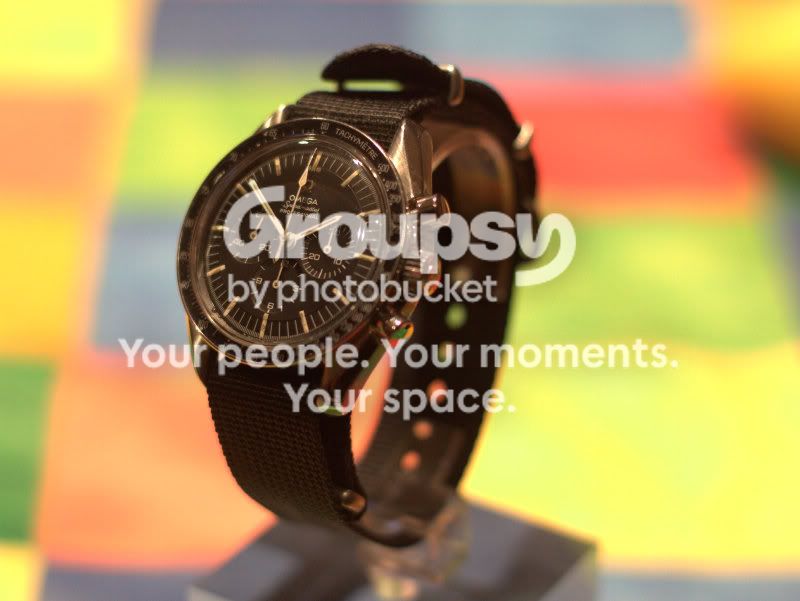

IMG_0025.jpg


IMG_0053.jpg


How can I tell whether the exposure is correct?

Also think I need to get my head around white balance.
 
Nice watch!

Look at the histogram to see if the exposure is correct. It should be a nice mound in the middle with space both to the left and right.

Have a gander here.

http://www.dpreview.com/learn/?/key=histogram

If you shoot in RAW, you can adjust the white balance afterwards, same partly true with the exposure.
 
Last edited:
Mike,

Welcome to the Forum.
Nice couple of images you have there. I actually like the contrasting colours between background and watch.
Considering your limitations I think you are doing a grand job already.

As for everything like exposure, white balance etc, over time you will get a proper grasp of it. The plus side is with digital you just delete and try again!

Look forward to seeing more of your work!

Cheers
Stuart
 
Nice watch!

Look at the histogram to see if the exposure is correct. It should be a nice mound in the middle with space both to the left and right.

That's not actually correct. Yes use the Histogram but you need to understand what it's doing. If I'm shooting with a white background (or high key image) I'm going to have a predominance of white pixels to the right some that may clib quite rigtly and the opposite if a black background (or low key image).
 
nice set. Particularly like the first one as the watch really pops out of the image, alsmost 3D like :thumbs:
 
That's not actually correct. Yes use the Histogram but you need to understand what it's doing. If I'm shooting with a white background (or high key image) I'm going to have a predominance of white pixels to the right some that may clib quite rigtly and the opposite if a black background (or low key image).

I was referring in general, I dont think the OP is going to be shooting high key images straight off the bat.
In general, a "good" exposure is an even clump in the middle.

histogram_original.gif

From DP review.
 
Last edited:
Yes, nice watches :thumbs:

Good link on histograms here http://www.sekonic.com/images/files/HistogramsLightmetersWorkTogether.pdf

Good link on optimum exposure here - Expose To The Right technique
http://www.luminous-landscape.com/tutorials/expose-right.shtml

Calculate your depth of field here
http://www.dofmaster.com/dofjs.html
Bear in mind that DoF calculations measure from the front of the lens, whereas the scale on the lens measures from the sensor, which makes a big difference when you're that close!
 
I was referring in general, I dont think the OP is going to be shooting high key images straight off the bat.
In general, a "good" exposure is an even clump in the middle.

histogram_original.gif

From DP review.

Whilst I can agree with what you say, it's only part of the story and it still depends what you shoot. You don't always get histograms like that which makes it important to understand and know what to look for. A common scene would be a backlit subject which wil have a very different histogram....

I'm not totally disagreeing with your point just stating there's a lot more to the story.
 
Thanks Guys.

That is a useful discussion, that is already much clearer, and I understand both points :-)

Useful links too, thanks all.
 
Back
Top