Hello everyone,
I have recently transitioned from Windows 11 to a Mac Mini M4, using a Mac keyboard and a Keychron M6 mouse. On Windows, I relied heavily on FastStone Image Viewer because of its speed and intuitive navigation.
Since moving to macOS, I have tried XnView; while it allows for mouse wheel navigation, I found it has other limitations compared to what I’m used to in FastStone. I would much prefer to use Adobe Bridge, but I am struggling with the mouse controls.
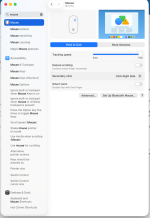
Specifically, I would like to use the mouse wheel to scroll to the next or previous image. Currently, it seems that the mouse wheel, along with the left and right mouse buttons, are all defaulted to zooming/enlarging functions. Having three different physical inputs dedicated to the same magnifying action feels redundant for my workflow, and I would much prefer to reassign the wheel to navigation.
Is there a setting I am missing to enable "Mouse Wheel to Next/Previous Image" in Bridge? If this isn't natively supported in the Mac version, are there any known workarounds or settings to change this behavior?
Another thing is that I was not able to set one of the buttons of the mouse to delete unwanted images in full-screen mode with just one click?
Thanks for any help!
I have recently transitioned from Windows 11 to a Mac Mini M4, using a Mac keyboard and a Keychron M6 mouse. On Windows, I relied heavily on FastStone Image Viewer because of its speed and intuitive navigation.
Since moving to macOS, I have tried XnView; while it allows for mouse wheel navigation, I found it has other limitations compared to what I’m used to in FastStone. I would much prefer to use Adobe Bridge, but I am struggling with the mouse controls.
Specifically, I would like to use the mouse wheel to scroll to the next or previous image. Currently, it seems that the mouse wheel, along with the left and right mouse buttons, are all defaulted to zooming/enlarging functions. Having three different physical inputs dedicated to the same magnifying action feels redundant for my workflow, and I would much prefer to reassign the wheel to navigation.
Is there a setting I am missing to enable "Mouse Wheel to Next/Previous Image" in Bridge? If this isn't natively supported in the Mac version, are there any known workarounds or settings to change this behavior?
Another thing is that I was not able to set one of the buttons of the mouse to delete unwanted images in full-screen mode with just one click?
Thanks for any help!