


- Messages
- 1,161
- Name
- James
- Edit My Images
- Yes
Following on from a thread of last night when I had a funny display issue with an image on the web (semi-sorted) I've been playing about with a bit of manual calibration of my monitor. I'm not entirely sure this method works though, so would like an opinion.
I went outside with various different coloured objects and piled them together then took an image in raw+jpeg. The goal when shooting was to get the image on the LCD to look exactly like that in the scene, colours and brightness, which fortunately it did on the first shot.
I then uploaded the images, both jpeg and raw, to my computer and worked on the colour settings of my display (leaving the image unchanged) until the image on computer matched the image on the LCD. Well, almost, I have saturation and contrast turned off in camera, but the colour representation was is now spot on compared to the LCD, which in turn was identical to the scene. A boost in contrast and saturation brought the images into line perfectly.
Does anyone see a flaw in this. Clearly this isn't calibrated to prints which will no doubt display slightly darker, but as a representation of the image I think should work.
The image in question was this one.
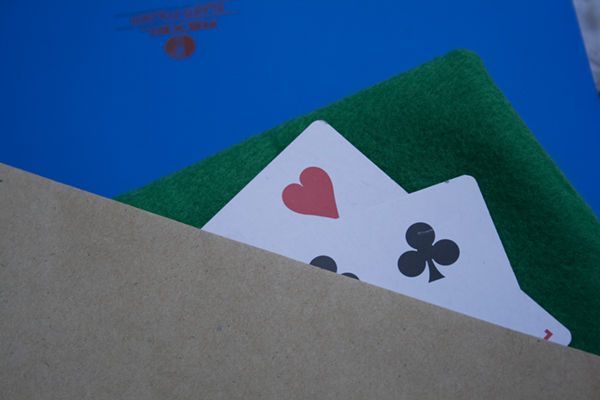
The image itself is quite blue just from the light outside, the key (I think) was to get the LCD to look like the scene, and then the image on my puter to look like the LCD (and thus the scene).
I went outside with various different coloured objects and piled them together then took an image in raw+jpeg. The goal when shooting was to get the image on the LCD to look exactly like that in the scene, colours and brightness, which fortunately it did on the first shot.
I then uploaded the images, both jpeg and raw, to my computer and worked on the colour settings of my display (leaving the image unchanged) until the image on computer matched the image on the LCD. Well, almost, I have saturation and contrast turned off in camera, but the colour representation was is now spot on compared to the LCD, which in turn was identical to the scene. A boost in contrast and saturation brought the images into line perfectly.
Does anyone see a flaw in this. Clearly this isn't calibrated to prints which will no doubt display slightly darker, but as a representation of the image I think should work.
The image in question was this one.
The image itself is quite blue just from the light outside, the key (I think) was to get the LCD to look like the scene, and then the image on my puter to look like the LCD (and thus the scene).
