

Yet another silly question!

Messages
400
Name
Sam
Edit My Images
Yes
I have a Tamron 70-300 lens, and love taking images with it. I am finding though, that when I view the images on my laptop, most of them appear quite noisy (grainy):

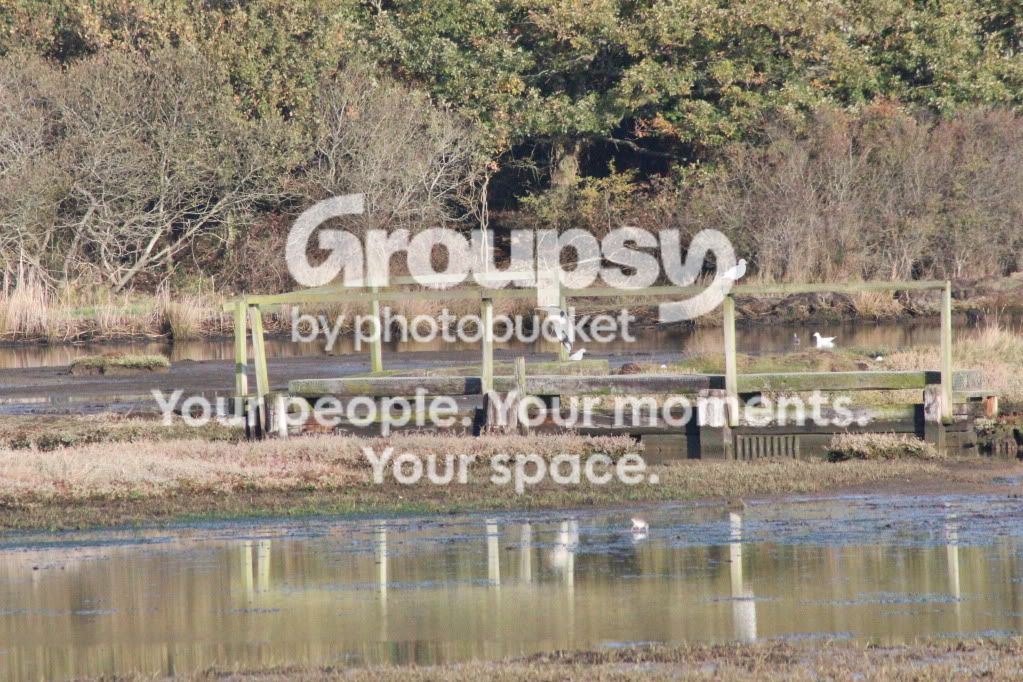
Lepe281011030.jpg


Lepe281011022.jpg


It becomes much more noisy if I crop a picture:
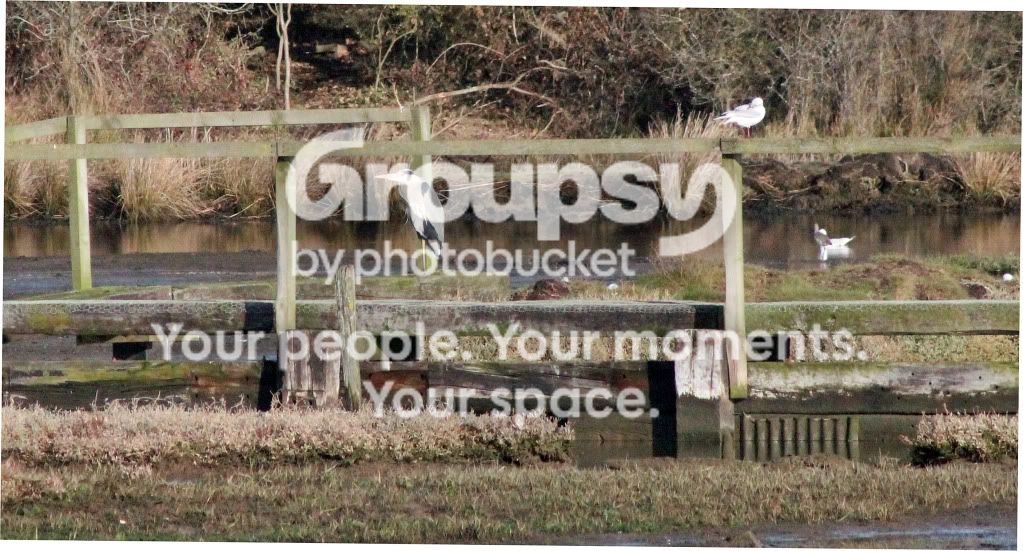
Lepe281011023.jpg


My images just dont look as clean as everyone elses on here and its getting me down.

So - what am I doing wrong? Have I got the settings wrong on the camera or what? Is it the lens itself??

I ensured the lens was sparkling clean before I went out, so I dont think its that.

Thanks for your help!
 
Use lower iso settings. The last one is iso 5000! It is that which is introducing noise. Shutterspeed 1/4000 aperture F11 are also a bit over the top. Are these auto settings? A sunlit scene such as this could be easily handled by about 1/500 second F8 and an iso of around 200.
 
Last edited:
The ISO was all automatic - I cant get my head around ISO yet. I thought the camera should pick an appropriate ISO for the light? Guess it looks at the shutter & aperture too.

It would seem that although I thought I understood shutter speed & aperture I clearly dont!

Am clearly both stupid and naive if I thought I would ever be any good at this -:cuckoo:

Am going off to swear very loudly at myself..........:bang:
 
Calm down. We all have to start somewhere. :)
As for the auto settings I'm wondering whether you have the camera set for sports or something. If you have a landscape setting try that. Once you start getting used to your camera then you can begin to take more control of it. You can take control of iso by putting your camera in the 'P' setting which is still auto-everything else.
Iso can be looked at as a 'gain' control. The higher the iso, the higher the gain, which can be advantageous if you want to freeze fast action. But as you've found out, high iso adds noise because that gets amplified as well as the light output. So it can sometimes be a balancing act.
Hope that helps a little.
 
It does indeed........I forgot that I have a 'landscape' setting on my camera......trying to be all cool by doing it fully manual........idiot!! LOL!!
 
With the images above, yeah its the ISO thats causing the noise, however what I would do if I were you is move down to larger F - with the 70-300 VC try a few f5.6 shots, if I can help it I try not to go over 1600ISO as it gets pretty rough after that.

Also I think from around v9 elements got some decent noise reduction, so if you can't afford to go for lightroom see if you can get a copy of elements 10 (about £60)
 
All good advice and here is my tuppence worth.

Beg, steal or borrow Understanding Exposure 3rd edition by Bryan Peterson. Probably the best book available and should be in everyone's collection. I got mine from Amazon if it helps.

Andy
 
I do have this book Andy - I have read the first couple of chapters - I guess it hasnt sunk in though! I havent had the time to read the rest as yet, but will do. Its very easy to read - I just have to make sure it sinks in!!
 
why not try partially manual..?

set the ISO to 200...turn ''OFF'' the Auto ISO...so that's one parameter locked

then take some shots

find something moving - a dog. select shutter priority and see how the camera selects aperture when you select 1/100 1/350. 1/1000 etc

then some landscapes...select aperture control say f5.6, f8, f16 and see how the Depth of Field changes
 
Last edited:
Sam, I have to agree with Dean - don't be so hard on yourself - photography is hard especially if you jump in at the deep end (I should know its what I usually do and in hindsight is a mistake).

John also has some great advice, but perhaps as I'm guessing you're pretty new to this I would try out two very user friendly modes you have "Scene Intelligent Auto mode", which is basically full auto and "Creative Auto mode", which works like a more controlled auto.

Now of course the camera is making most of the choices here, however in the beginning the camera can teach you a lot. What I think you should do is take some pictures in one of those modes (Creative if you want to control depth of field) and see what decisions the camera made for you - 90%+ of the time it will make the right ones anyway in general use, in fact that may even be higher with this new intelligent mode you have.

Let us know how it goes, drop some more pictures in here and keep at it, photography is a great (if expensive for me) hobby and as you're digital just keep firing away, its not like the film costs anything :)
 
Drop your shutter speed down to about 400/500 and that will drop your ISO level automatically. I quite often have my ISO on auto, and normally shoot TV with a shutter speed of around 400 and handheld when I'm wandering around taking wildlife or scenery such as your examples. My ISO rarely gets above 800 and at that there is very little noise.
 
Thanks folks for your fantastic support and great advice. I get so frustrated as I am the sort of person that expects to be good at something instantly! I get very confused with all the techy stuff...then, when I think I understand it, I get a bit cocky and go manual, then screw it up again! Will definitely follow your advice and see what happens.

Thanks again guys, its great to know you're out there.
 
Back
Top