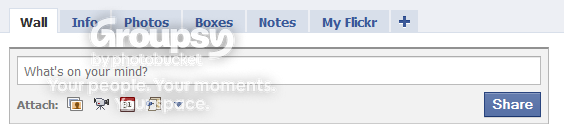
Adding flickr box to facebook

Messages
2,154
Name
James
Edit My Images
Yes
I finally have it working but I don't know how, sorry to be no help. The app does seem a little flakey though, not always working or coming up with odd things. Hope you sort it.
 
Anyone else have this problem?
 
the app is a little flakey since the new look to FB. generally i dont bother with the box any more and just rely on the updates in my news feed, although they are generally 4-5 hours behind the actual upload to flickr.
 
the app is a little flakey since the new look to FB. generally i dont bother with the box any more and just rely on the updates in my news feed, although they are generally 4-5 hours behind the actual upload to flickr.

Can you remember how you added the box?
 
Anyone managed to get this working?
 
hi jimmy83
I done this today wasn't straight forward but with a bit of messing around i got it working

first i used your second link and then added the facebook app and also become a fan.
I then when to my facebook and clicked on the flickr links which added a tab.

I then followed this when you go to search and save

http://apps.facebook.com/myflickr/manage/
1. Choose what photos you want to show by searching
+ http://apps.facebook.com/myflickr/search/
2. Manage the newly created search
+ http://apps.facebook.com/myflickr/manage/
3. In the "Profile Tab" tab, configure and click the "Generate Tab" button

I hope this might help
 
hi jimmy83
I done this today wasn't straight forward but with a bit of messing around i got it working

first i used your second link and then added the facebook app and also become a fan.
I then when to my facebook and clicked on the flickr links which added a tab.

Ive done this part, but dont quite follow your next steps :thinking:
 
Thanks for your help, but iam still struggling :(

Do you now have the flickr box on your profile? As Iam not sure if you have the tab or box/or both?
 
Yeah ive got the tab


but no tthe box on the left handside of my profile
 
go to the facebook settings tab and then click application settings you can then add the box there:thumbs:

Yeah tried turning the box on and off, still no dice :bang:
 
Back
Top