Adjusting how flickr processes your photos...

Messages
216
Name
Joe Z
Edit My Images
Yes
I'm pretty sure from what I've seen and read that flickr applies a bit of subtle post-processing to your uploaded photos, namely a spot of sharpening and a slightly upped contrast.

I was wondering if there's a way of changing this for particular photos as some photos (particularly high iso noisy ones) which look fine on my desktop are coming out incredibly over-sharpened in flickr.
 
I'm somewhat unconvinced by the original premise.

I've conducted my own trials and the file I upload from my computer to Flickr is byte-for-byte the same as the Original version downloaded from Flickr.

If there were any changes made by Flickr, it would result in a different file size.

e.g.

http://www.flickr.com/photos/cybertect/6312713739/sizes/o/in/photostream/

350,704 bytes if I download the image from Flickr.

Exactly the same as if I export the file from Lightroom with the same settings I use for the Flickr Publish module.

Now, I'm on a Pro account, but I see little reason to believe that should make much difference. If you're not, try it for yourself and see.
 
I seem to remember it being established that uploading an image that had a longest side of 1024 pixels stopped it applying the sharpening.
 
Real world experiment with the same photo above.

In Photoshop, I overlaid the Flickr Original size on top of the file I'd uploaded to Flickr, then set the blending mode to Difference. When this is done, where there are differences between the layers, they show up as lighter pixels, where there is none, the result is black.

If there were any changes applied by Flickr it ought to be apparent.

There was none visible, the resulting image was pure black.

I then duplicated the Lightroom export file into a new layer in Photoshop and applied USM of 100%, radius 1.0 px and Threshold 0. Setting the blending mode to Difference again, there was an apparent difference between the two.

To make any difference more apparent, I then brightened the 128 level up to 255 with a Curves Adjustment layer.

N.B. I've downsized the resulting files by 50% for posting here.

Diff with sharpened original at 128 -> 255

diff_sharpen_128.jpg


The change is readily apparent from the original to the sharpened version.

Diff with Flickr file at 128 -> 255

diff_flickr_128.jpg


As you can see, there's still no visible difference between the original and Flickr versions.

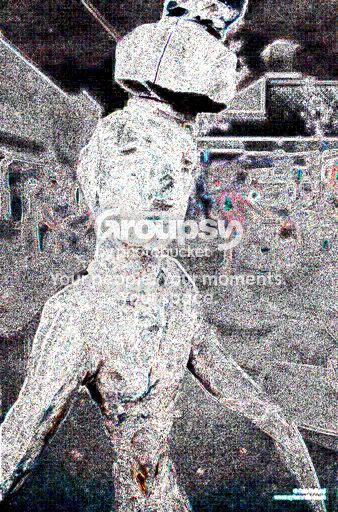
To make the scrutiny even tougher, I applied the maximum amplification the Difference image - mapping Level 4 to 255 with the Curves Adjustment layer.

Diff with sharpened original at 004 -> 255

diff_sharpen_004.jpg


FWIW, I repeated the sharpening version with a much lower level of sharpening (50/0.25/0) and the result was pretty similar to the one I've posted here.

Diff with Flickr file at 004 -> 255

diff_flickr_004.jpg


Now, while there is a difference visible between the original and the file from Flickr, it is much smaller and does not match that which results from sharpening, but JPEG compression (note the blockiness in 8x8 cells used by the JPEG compression algorithm).

Moreover, I'd suggest that, if we have to go to these extremes to make them known, they would be imperceptible in the real world.

 
Last edited:
I seem to remember it being established that uploading an image that had a longest side of 1024 pixels stopped it applying the sharpening.

Well, I do post most of my photos to Flickr at 1024 px max.

If you do something else, like I said earlier, try it for yourself and see if it really does change the file.
 
I'm sorry, my original post was a bit unclear.

The difference is applied to the thumbnails and the re-sized versions displayed in your browser, not to the original file. It's part of flickr's compression algorithms for re-sizing and displaying thumbnails. Here's an example:

A: original photo, uploaded to flickr then redownloaded through 'original image'.


B: uploaded to flickr, preview version that I've saved from browser.


The latter file is quite obviously sharpened. I repeat, the processing is not done to your file, but to the browser previews+thumbnails that users see when they navigate your photostream.
 
The latter image looks better IMO.

I have had problems of images looking naff when I choose the code for a 500px or similar image. At 800px or similar they seem to look better on-screen.
 
Back
Top