Affinity Eraser Tool

Hi Marc, I still use V2, I'm guessing this is the new version as the screenshot looks different to what I'd see?

Just to check, have you got the image layer selected?
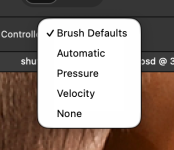
Does controller offer current layer or current layer and below?
If a mask layer has been created, is it switched to visible?

Sorry if this is of no help and is teaching you to suck eggs :)
 
Hi Marc, I still use V2, I'm guessing this is the new version as the screenshot looks different to what I'd see?
I downloaded it the other day, so assume it's the lated
Just to check, have you got the image layer selected?
I have
Does controller offer current layer or current layer and below?
Screenshot 2026-05-25 at 10.52.10.png
If a mask layer has been created, is it switched to visible?
I think so. I've tried it on the original image as well
 
Sorry Marc, I'm not sure I can offer anymore as it appears to have changed a fair bit since they rolled all the apps into one, hope someone else can chip in.
 
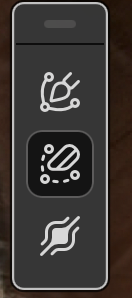
Just a thought Marc, are you in Pixel editer?

Edit, sorry cross posted.
 
Last edited:
D'oh! :headbang:

Found it. Thanks, guys.

Don't feel bad :)

Many do the same thing, same as saying the adjustments do nothing when the wrong layer is selected, but soon get used to checking when things don't work as suspected.
 
Back
Top