

Auto ISO Query

Messages
868
Name
Phil
Edit My Images
Yes
Hi all,
A quick question regarding Auto ISO.
I have attached a pic here taken at the weekend on a D7000. I had the auto ISO set to max out at 3200 and to keep a minimum shutter speed of 1/250. As far as I was aware the camera should always keep the ISO as low as possible until it needed to bump it to raise the shutter speed to the required level as I was shooting in Aperture Priority. So why has it raised it to 1250 to achieve a shutter speed of 1/8000?
Surely the same shot could have been achieved with a much lower ISO and slower shutter speed, I don't think I needed 1/8000!
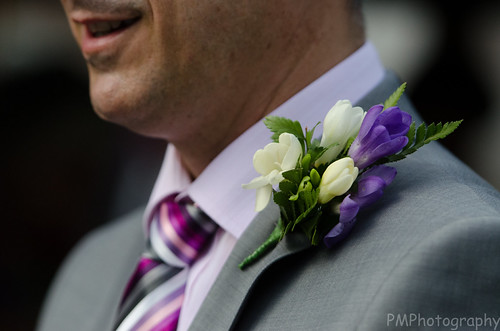


Wedding Day C&P-189.jpg by Phil Mighall, on Flickr

Maybe I'm missing something but hey, this is the basics section!! :thinking:
 
you are right, Auto ISO should only change when the shutter speed is at minimal (slowest) and it is still under exposed.

try turn your camera off and on again? or remove the battery? might be just a glitch with firmware.
 
Hi. The EXIF info says it was shot on aperture priority at f2.8. That might account for the 1/8000 but it is still underexposed. If you wanted a ss of 1/250 you needed to be in TV mode. If it was a bright day, why choose auto iso? stick to 100 iso.
Just illustrates why Manual mode is preferable.
 
Hi. The EXIF info says it was shot on aperture priority at f2.8. That might account for the 1/8000 but it is still underexposed. If you wanted a ss of 1/250 you needed to be in TV mode. If it was a bright day, why choose auto iso? stick to 100 iso.
Just illustrates why Manual mode is preferable.

Hi Carol,
I agree, the shot is still underexposed. This makes me wonder why the camera has decided a shutter speed of 1/8000 is appropriate? I was quite happy in aperture priority and had auto ISO set as I was moving from bright light to dimmer rooms in the house. I didn't necessarily want a shutter of 1/250 just not to go below it hence the minimum set on the auto ISO.
 
I did something very similar once with my D7000 and found that I had knocked the selector to M by accident which meant that the command wheel was now changing shutter speed and not aperture as I thought, so turning it to ensure maximum aperture ended up with 1/8000 shutter speed instead and I didn't look at the display:bang:
 
Hi Carol,
I agree, the shot is still underexposed. This makes me wonder why the camera has decided a shutter speed of 1/8000 is appropriate? I was quite happy in aperture priority and had auto ISO set as I was moving from bright light to dimmer rooms in the house. I didn't necessarily want a shutter of 1/250 just not to go below it hence the minimum set on the auto ISO.

It chose an iso of 1250. Not knowing what conditions you shot the image under its a bit hard to judge, but I'd guess that choosing those settings allowed the camera to take control of the exposure etc rather than you, and there's no telling what went on. I've never had any joy using auto ISO. Learn to make some judgements about the available light and go from there. If its bright, then 100 iso, if its dull, 400 iso, if its darkish, 800 iso and then check the rest of your settings from there.

Looks to me as though it metered from the chap's white shirt (what sort of metering did you use?) and then did the usual of deciding that the white ought to be mid-tone grey and so underexposed everything.

Personally, I've never had any success adopting the practice of just wanting a constant ss and aperture and leaving the iso to make the balance right on auto iso. Its never worked for me.
 
Last edited:
Hi. The EXIF info says it was shot on aperture priority at f2.8. That might account for the 1/8000 but it is still underexposed. If you wanted a ss of 1/250 you needed to be in TV mode. If it was a bright day, why choose auto iso? stick to 100 iso.
Just illustrates why Manual mode is preferable.

I think this misses the point I'm afraid. On all Nikon's I've used you are able to select auto iso and the lowest allowable shutter speed (in this case presumably chosen as the OP is using a long lens). When the camera can no longer maintain minimum shutter speed, it will increment the iso to compensate the exposure. I beleive that in S mode it will open the aperture up to wide open before it increases iso. Either way, you would never expect to see the iso being incremented with such a high shutter speed.

BTW, This still works in manual mode as well except that the camera will then only ever juggle the iso to make a correct exposure, the shutter speed and aperture will remain fixed. Quite handy actually and ideal for the conditions that the OP is talking about when you're moving in and out of light and dark or changing direction in and out of sunshine.

So back to the question, I'm a bit stumped. The exif shows that it was in Aperture Priority mode so nothing odd going on there. I can only speculate that somehow the auto iso was switched off and that iso figure was just what was dialled in at the time. Or could the min shutter speed have been cranked right up for some reason? Beyond that I'm scratching my head and would start to wonder if there is a fault.

Actually one last question. On the auto iso menu, what was the iso sensitivity set to?
 
Last edited:
Hi graham,
ISO sensitivity was set to 200 as far as I know, will check that I haven't messed it up. Max iso set to 3200, min shutter to 1/250.
 
Hi graham,
ISO sensitivity was set to 200 as far as I know, will check that I haven't messed it up. Max iso set to 3200, min shutter to 1/250.

I don't know my way around the D7000 too well but is there maybe some sort of short cut to turn off auto iso that could have been activated by mistake? Possibly the U1, U2 options? I'm clutching at straws!
 
I don't know my way around the D7000 too well but is there maybe some sort of short cut to turn off auto iso that could have been activated by mistake? Possibly the U1, U2 options? I'm clutching at straws!

On the D300 & D700 if you press the ISO button on the top of the camera, and spin the command dial this will increase the base ISO if you are in Auto ISO, you do not need to revert to the menu to change it.

I was not aware of this until I did this once without realising, and got a similar result to the OP.
 
On the D300 & D700 if you press the ISO button on the top of the camera, and spin the command dial this will increase the base ISO if you are in Auto ISO, you do not need to revert to the menu to change it.

I was not aware of this until I did this once without realising, and got a similar result to the OP.

Cheers. That's worth storing in the knowledge bank as I'm sure that is easily done.
 
Camera's prioritise parameters when it comes to using any of the "auto settings", in some camera's you can change the priority settings in the custom functions, but what seems to have happened here is that you setting it in AV instead of TV over road the shutter speed priority you had set then chose the appropriate ISO for the shot.

The camera will normally prioritise in the following orders.
AV - Selected Aperture -Selected ISO - shutter speed to allow correct exposure
TV - Selected Shutter speed - Selected ISO - Aperture to allow correct exposure
 
Last edited:
iancandler said:
Camera's prioritise parameters when it comes to using any of the "auto settings", in some camera's you can change the priority settings in the custom functions, but what seems to have happened here is that you setting it in AV instead of TV over road the shutter speed priority you had set then chose the appropriate ISO for the shot.

The camera will normally prioritise in the following orders.
AV - Selected Aperture -Selected ISO - shutter speed to allow correct exposure
TV - Selected Shutter speed - Selected ISO - Aperture to allow correct exposure

Nikon auto iso system doesn't work this way. It will always use the lowest iso available within the parameters you have dictated.
 
Martyn... said:
On the D300 & D700 if you press the ISO button on the top of the camera, and spin the command dial this will increase the base ISO if you are in Auto ISO, you do not need to revert to the menu to change it.

I was not aware of this until I did this once without realising, and got a similar result to the OP.

Just tried that theory out and you're right. If you press the ISO button and spin the command dial it does change the base but this requires you to purposefully press the button and move the dial. I didn't do this at any point. Still confused :(
 
iancandler said:
Camera's prioritise parameters when it comes to using any of the "auto settings", in some camera's you can change the priority settings in the custom functions, but what seems to have happened here is that you setting it in AV instead of TV over road the shutter speed priority you had set then chose the appropriate ISO for the shot.

The camera will normally prioritise in the following orders.
AV - Selected Aperture -Selected ISO - shutter speed to allow correct exposure
TV - Selected Shutter speed - Selected ISO - Aperture to allow correct exposure

That seems a strange way to work. Surely setting the ISO higher is a last resort in order to achieve the aperture or shutter speed you require :thinking:
 
Nikon's system works like this:

A - select aperture, camera selects shutter speed; if at minimal shutter speed, bump up ISO to compensate.
S - select shutter speed, camera selects aperture; if at maximum aperture, bump up ISO to compensate.

does any of your other/new shots work as normal? i think it's just a glitch in the firmware.
 
wuyanxu said:
Nikon's system works like this:

A - select aperture, camera selects shutter speed; if at minimal shutter speed, bump up ISO to compensate.
S - select shutter speed, camera selects aperture; if at maximum aperture, bump up ISO to compensate.

does any of your other/new shots work as normal? i think it's just a glitch in the firmware.

Haven't had a chance to try anymore shots but am going to check the firmware to see if it needs updating. To be honest the camera was switched on and off all day so a temporary glitch should have corrected itself?
 
Right, think I've cracked it! The D7000 has an "Easy ISO" setting in the menu that enables you to change the ISO by turning the rear dial without pressing the ISO button. Looks like I thought this was a good idea when I set it up and have inadvertently turned the dial while shooting. Now turned off!
 
Hadn't even considered that. Well deduced! I bet you're not the first to find that out the hard way.
 
Back
Top