Cant get my head wrapped around this.

Messages
4,925
Name
Neil Williams
Edit My Images
No
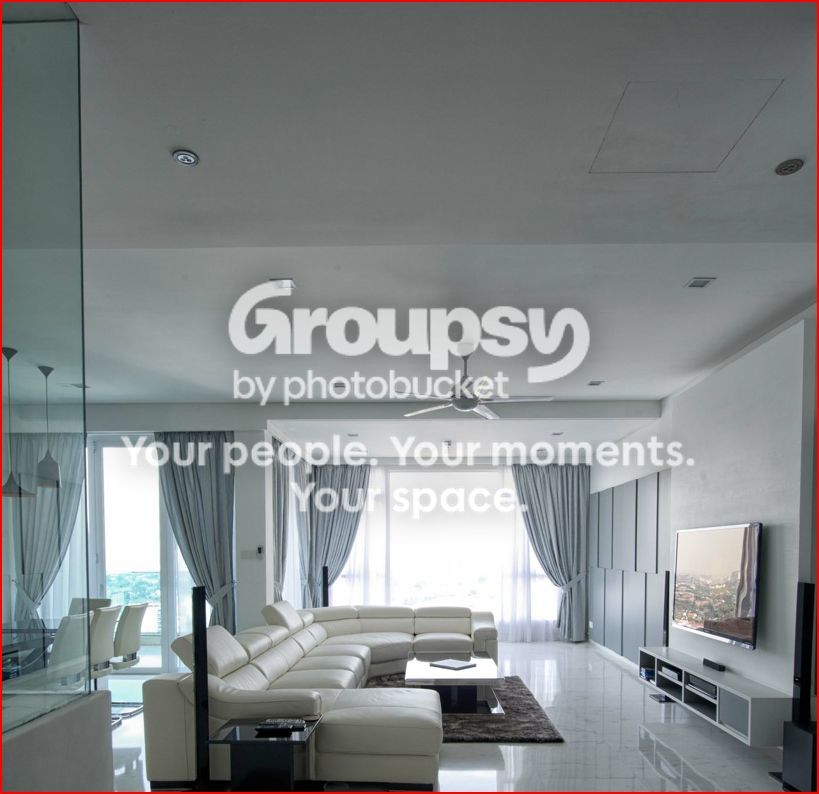
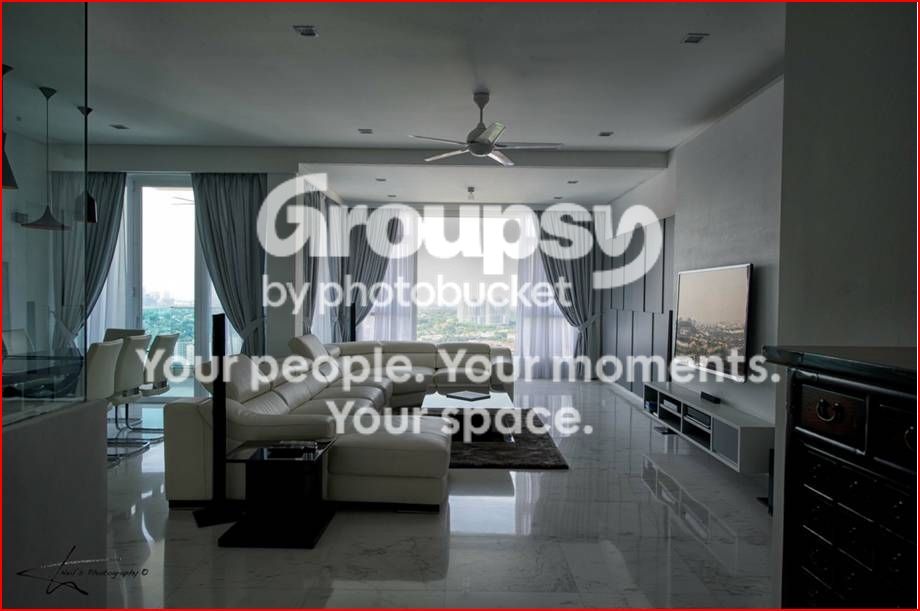
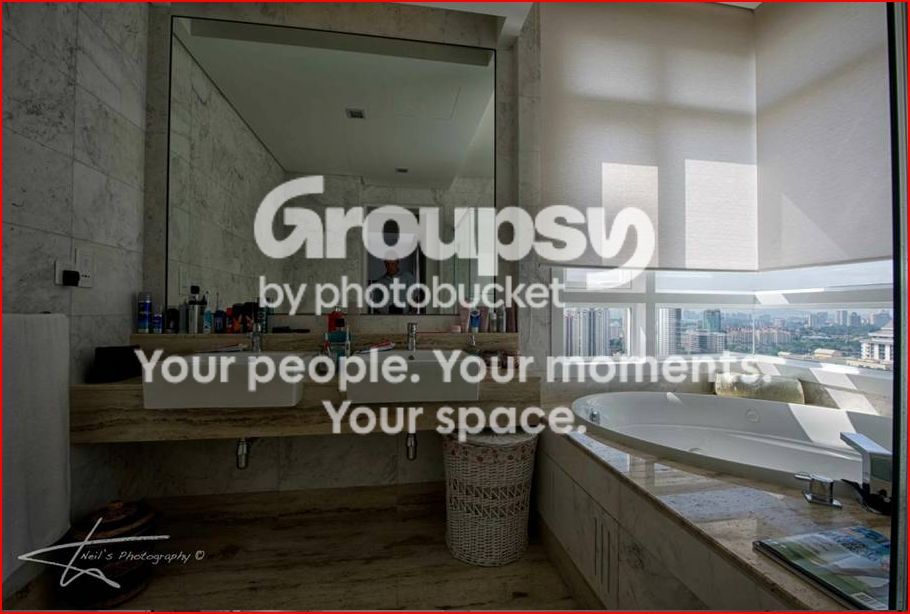
Please look at the 3 photos below and help me to get the exposure right?
The first picture the window is blown out but the living room is good.
The second picture shows all the distant Condos in the living room window but the rest of the room is too dark
The third picture shows the way I wanted to catch the living room and outside scenery but just couldn’t get it...........do I need to use processing software (i.e. Lightroom) to get this right??
1/.
neil2f.jpg

2/.
neil1.jpg

3/.
neil3.jpg
 
You need to take two exposures, and merge them in software or you might get away with using flash. Expose the camera for the outside and let the flash fill in the room.
The camera can't cope with the differences in brightness between the two different areas, so you have to work around the cameras weakness.
 
The last shot looks under exposed to me.

In the first 2 there are 2 issues you have to deal with. Firstly the window light is going to be a fair bit brighter than the rest of the room. The only way to correctly expose both i would think is to layer multiple exposures.

The other issue is that that as the room is so white the cameras meter is going to try and under expose to achieve mid-grey so you may want to dial in a little + compensation.
 
You need to take two exposures, and merge them in software or you might get away with using flash. Expose the camera for the outside and let the flash fill in the room.
The camera can't cope with the differences in brightness between the two different areas, so you have to work around the cameras weakness.

Never thought about flash, I will give that a blast when I get back home with my SB600..................should I mount that ion the camera or use it off camera say sitting on the dining table??
 
The last shot looks under exposed to me.

In the first 2 there are 2 issues you have to deal with. Firstly the window light is going to be a fair bit brighter than the rest of the room. The only way to correctly expose both i would think is to layer multiple exposures.

The other issue is that that as the room is so white the cameras meter is going to try and under expose to achieve mid-grey so you may want to dial in a little + compensation.
When I took these shots I could see on the histogram that I needed to keep adding +++ exposure but just couldnt get it right i guess
 
your other option would be to take the shot at night, with all the lights on in the room and set the camera on a tripod on a remote release.

Or, take the picture from the end of the room where the window is. Then take a shot of the view from the window as a separate shot.

i'm assuming this is to show the property off for a rental / for sale website or advert?

Nice pad by the way :thumbs:
 
your other option would be to take the shot at night, with all the lights on in the room and set the camera on a tripod on a remote release.

Or, take the picture from the end of the room where the window is. Then take a shot of the view from the window as a separate shot.

i'm assuming this is to show the property off for a rental / for sale website or advert?

Nice pad by the way :thumbs:
I like the idea of shooting it at night as the views outside at night are breathtaking

Its my pad.......I just bought it and had an Interior designer design it
 
The problem you are having is that the difference between the brightest area (window) and the darkest area (interior) is just too great for the camera to capture in one exposure.

There are ways around it, as already suggested. Take two exposures, one for the bright areas and one for the darker areas, and merge them in Photoshop or similar.

Expose for the brighter areas, and use additional lighting to light the darker areas to a similar level.

Shoot the interior when it is not so bright outside; dusk/evening.
 
The problem you are having is that the difference between the brightest area (window) and the darkest area (interior) is just too great for the camera to capture in one exposure.

There are ways around it, as already suggested. Take two exposures, one for the bright areas and one for the darker areas, and merge them in Photoshop or similar.

Expose for the brighter areas, and use additional lighting to light the darker areas to a similar level.

Shoot the interior when it is not so bright outside; dusk/evening.
I have Photoshop but never used it as I normally just use Lightroom with color efex pro....................guess its time get my head into Photoshop:clap::clap:
 
You need to take two exposures, and merge them in software or you might get away with using flash. Expose the camera for the outside and let the flash fill in the room.
The camera can't cope with the differences in brightness between the two different areas, so you have to work around the cameras weakness.

This. I'd have thought someone with the a kit list like the one you have should have know this (i'm not envious or anything :) ).

I'd go down the two exposure route myself, but it would be interesting to see how it works with a flash. Not sure how it would come out with so much glass and a polished floor but bouncing the flash off the ceiling might diffuse it sufficiently. Experiment!
 
Looking at these pics I would be tempted to try a shot of the reflection in the TV of the view outside. It would need to include the whole frame of the TV methinks.
 
Hi. I always thought that with interior shots you need to turn the lights on. I like no.1, doesn't bother me that the window is blown out, but would crop the top uninteresting bit of ceiling off.
 
Yea, as has been said, look up "dynamic range" and "bracketing exposures". It's a fairly basic technique and you should find info about it in any decent basic photography book/guide.
 
It's all been said before, but the human eye has a far greater dynamic range then any sensor. The eye balances things out (and it only really has a very narrow field of view that it concentrates on), but the sensor can't.
Either even out the light levels (by using a flash) or expose for different ends of the levels and merge in post processing.
 
Turn all the lights on on the room as well. Generally improves interior shots apparently. May impact on the white balance then though but as your room has lots of white you should be able to eye-dropper correct that in post.
 
Take the second shot, open IN LR4, push the shadows bar to +70-80 (about 2 stops recovery on shadows), black bar to +40-50 (1-1.5 stops). Chances are you will have a useable image for at least A3 printing.... At least I know I would with the 5d3, and I am 100% certain the D800 could do so as well. I am not sure about the D3s since I am a Canon guy and not that familiar with its ability to push shadows. You would use the second shot not the first because highlight recovery tends to look wrong if part of the highlights are unrecoverable while others bordering them are recoverable. Shadows and blacks tend to have a much larger range of recoverability so they all improve equally and therefore look more natural.

That being said, the preferred method would be exposure bracketing, and even a 3 shot exposure bracket should do the trick in that situation. Take test shots until you get the outdoors exposed like in the second shot. Then intentionally underexpose by 1 stop and do a -1,0,+1 bracket. Then combine as an HDR. This will result in the city outside the window looking just like in the second shot while the interior will look like the first shot. Add in some highlight and shadow recovery, or do a 5 shot bracket instead, and you could get an even more balanced final image.
 
Back
Top