Dirty Mirror?

Messages
376
Edit My Images
Yes
My Olympus E-300 shows up small but lots of colourful dots that ruin my images when i shoot long exposures....this is becoming very annoying as all my shots are being wasted.

Is this due to a dirty mirror as this happens with any lens i use for long exposures.

Ive tried to clean this with the air cans from a far distance but no such luck!

Where can i get this cleaned and how much would this cost?

If this isnt the problem could you please state what you think it is...

Thanks very much in advance

P8089561.jpg


Cropped to and contrast adjustment to show dots
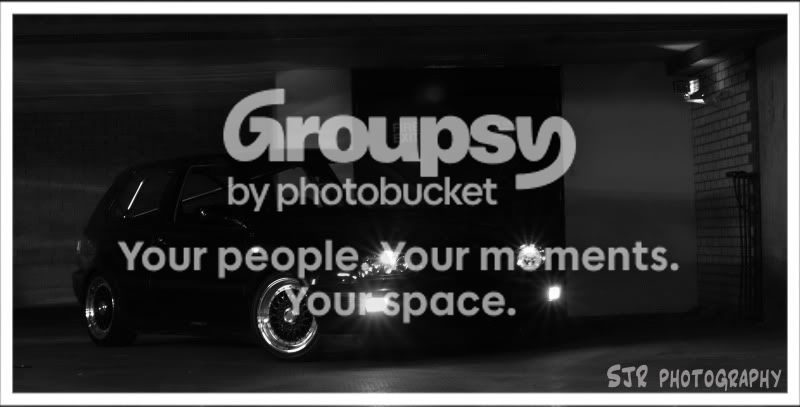
Golf1.jpg


Again

P8089563.jpg


Cropped 100%

Dots.jpg
 
It can not be your mirror as this is only for viewing when composing
I think it is colour noise check what ISO you have set It might also be sensor noise caused by long exposure (What do you call Long?)
Sorry but some things you can’t stop but can reduce in Photoshop
 
could you do a 100% crop of a few of them perhaps? The only thing I can see on that first image is what looks like lens flare caused by the car headlights, otherwise they look clean enough. Also, you exif fo rthe shots would be useful, as dirt on lenses an stuff will create more issues at smaller apertures, high ISO can create noise issues, long exposures can creat noise and so on.
 
That's classic chroma noise; a consequence of long exposures using a relatively small sensor with high signal amplification... if using a lower ISO and longer exposure doesn't sort it, you could try one of the many examples of noise reduction software that are avalable ;)
 
It looks very much like noise. Have you enabled Long Exposure Noise Reduction? If the camera does not lock up for the same time as the exposure time immediately after shooting (while the noise is processed out) you have not got it enabled.

If that doesn't do it, there are things you can do in post production, but I rather suspect that LENR will sort it.

BTW, dirt on the mirror, in the lens or on the lens, or in the viewfinder, can never appear in your photos. The only dirt you will ever see in images is on the sensor, and then it is usually only visible at high f/numbers.
 
taken from here:

http://www.dpreview.com/learn/?/key=noise+reduction

he effect of long exposure stuck pixels can be reduced to a great extent by taking a "dark frame" (with lens cap on) either before or after the main shot and subtracting this from the original shot

Would this actually work? As i cant quite get my head around how it would
 
just looked through the camera settings and have just found that the noise reduction was turned off so that is now turned on! Thankyou to everyone who has posted as ive been wondering about this for ages now! Hopefully this solves the problem..cheers
 
How do i go about enabling this Long Exposure Noise Reduction?

Check your handbook, it's in the menus. Oly E-300 is an older camera, I guess it's possible it doesn't have it...?

taken from here:

http://www.dpreview.com/learn/?/key=noise+reduction

Would this actually work? As i cant quite get my head around how it would

Yes, it works. This is what the camera does with Long Exposure Noise Reduction. It creates another picture for the same exposure time (hence the camera locks up while it's going on) but with the shutter closed the only image formed is the noise. This is the 'dark frame'. It then knows what the noise pattern must be in the actual photo, and subtracts it from the image file. Usually works pretty well.
 
Long exposure noise reduction is a really handy feature, but be warned it's a time consuming one. The camera has to take a second expsure of the same length to the one you've just done, so if you took a 5 minute exposure your camera will be out of action for another 5 minutee after that.
 
Thanks for that matt i never realised it worked that way.

So will this noise reduction benefit my images then? as most long exposures i take are only usually a max of 30 seconds...

Thanks everyone im glad to be learning something new
 
not the mirror
thats a lot of speckles

i do zoom my onscreen image and take out any unwanted blips with clone
likewise the full composition is reduced of edge distractions and any un-necessary bits and bobs
that does look like an electronic thing....may be pixels going down
cheers
 
Back
Top