Beginner DXO PR 6 & PL 9 to denoise

Messages
3,220
Name
Russell
Edit My Images
Yes
Hi, anyone use or has used DXO PR 6 & PL 9 to denoise images?
As my Adobe is coming to an end I decided to buy PL 9 and as users of DXO no it has the or is supposed to have the same denoising as Pure Raw 6.
Now just learning the PL 9 so maybe missing something but when I denoise an image in PL 9 it just does not seem to do as good a job as Pure Raw 6,
Tried to use the same setting only available in Pure Raw 6 Luminance, Detail, Lens sharpness = strong, intensity at 100, chromatic aberration & Lens distort in PL 9,
I no someone is going to ask for images to look at but as I say still trying to get to grip with PL 9 and have not worked out the export options yet.
Thank You,
Russ.
 
I have been using PL since version 4 and bought into it for the amazing noise reduction even back then and my processing has always been simplistic i.e. KISS principle. However, I am getting to grips with the AI masking as that is looking like a game changer.

My perception is that if you have PL most users do not need PR

Of note AFAIK the updates & improvements between the 2 products are not in lock step. IIRC there was criticism a while back that the improvements re: NR in PR were not simultaneously added into PL.
None to sure whether they are (now?) more joined & integrated in regard to updates???
 
I have been using PL since version 4 and bought into it for the amazing noise reduction even back then and my processing has always been simplistic i.e. KISS principle. However, I am getting to grips with the AI masking as that is looking like a game changer.

My perception is that if you have PL most users do not need PR

Of note AFAIK the updates & improvements between the 2 products are not in lock step. IIRC there was criticism a while back that the improvements re: NR in PR were not simultaneously added into PL.
None to sure whether they are (now?) more joined & integrated in regard to updates???
Hi, Thanks for the reply. just tried it again and now they look almost identical ( wife says one from PL 9 has better colour and I don't argue),
Russ.
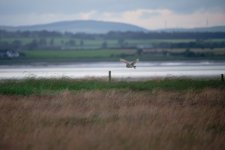
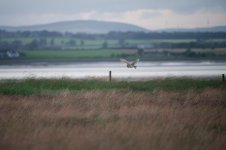
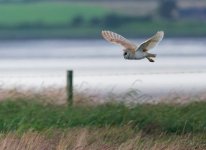
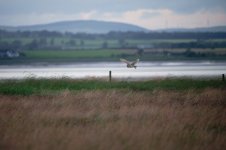
PR 6.jpgPL 9.jpg
 
OK, so I tried again with PL 9.
Hope there are 3 images here.
Screen shot from PL 9,
Image from PL 9 exported and Image from DXO Pure Raw.
Again I hope as can be seen the screen shot direct from PL 9 still looks noisy where the the other two look OK. even the one from PL 9 that looks nothing like the screen shot image after exporting,
What I cannot figure out is how to see that screen shot image within PL 9 looking the same as the exported one without having to use the loop view on just one part of the image to see the affects thar denoise has made, in Pure Raw you can view the changes direct over the whole image. I used the same settings in both apps as far as luminance goes.
Hope someone understands what I am asking here. Thanks, Russ.


Screen Shot PL 9.jpgDSC_2419_DxO9.jpgPure Raw-DSC_2419.jpg
 
Last edited:
PL (at least my v5) only allows the thumbnail view of the de-noised image, in order to save processing delay.
 
PL (at least my v5) only allows the thumbnail view of the de-noised image, in order to save processing delay.
After some searching and asking Edit/Preferences/Display tab. Check the box for Enable DeepPRIME rendering. Don't no if that is an option in version 5. Russ.
 
After some searching and asking Edit/Preferences/Display tab. Check the box for Enable DeepPRIME rendering. Don't no if that is an option in version 5. Russ.
Does slow up performance slightly on my iMac M1, but nothing like it did on my old iMac from a few years ago. :)
 
Back
Top