HDR Question

Messages
151
Name
Len
Edit My Images
Yes
I fancy giving HDR photography a try and will be shooting with a Nikon D3100.
The D3100 doesn't have image bracketing built into it and I was wondering if I'd get the same final results by taking 1 image and making several copies of that image and stopping down the exposure of the copied images using Photomatix Pro?
Thanks.
 
You can do it that way, but you'd be better off just manually bracketing in camera.
Set the camera to manual and then set your desired aperture and just take several photos under, exposed, and over exposed by changing the shutter speed.
 
For some shots where i've got a tripod i'll do multiple exposures in the camera and use those.

But for situations where you can't do that (for whatever reason - for me it's usually because I don't have a tripod) then you can still often get very good results from a single image. The only caveat is that the single image must contain enough detail in the highlights and shadows - you can do a quick check in photoshop / Lightroom / Aperture / whatever software you use by sliding the exposure up and down. Assuming you have enough detail, judt export multiple versions with different exposure levels, and then merge them to a HDR in whatever software you use for that - persoanlly I use Hugin.

It is definitely more limited in how broad the dynamic range is that you can get, but more than enough to rescue some blown-out skies from otherwise nice photos. I've used it on quite a few older photos in my library.

David
 
I fancy giving HDR photography a try and will be shooting with a Nikon D3100.
The D3100 doesn't have image bracketing built into it and I was wondering if I'd get the same final results by taking 1 image and making several copies of that image and stopping down the exposure of the copied images using Photomatix Pro?
Thanks.

Just do it manually. Take the correct exposure as your camera sees it then take a shot that is 2 stops over and take one that is 2 stops under the original correct exposure. It's not as fast as autobracketing so you'll need to be as quick as possible.

Alternatively you can take one RAW image at the correct exposure (paying more attention to exposing correctly for highlights) and then just fire the RAW file into Photomatix and it will do the rest for you. You can then choose several settings for the desired result. Many people can get superb results doing it this way.

Rgds
 
Last edited:
+1 for taking your exposures in manual.

But don't get hung up on a "zero" exposure and bracketing around that.

The zero exposure is a bit like a spoon. Eventually you realise there is no spoon.

You need as many exposures as it takes to capture the entire dynamic range from shadows to highlights at your chosen interval. A 2-stop exposure interval is usually plenty.


Scott.. Vicent has some nice examples from single RAW files, but he does a lot of his shots from multiple exposures.
 
I like to get natural looking tonemapped HDRs (if I can) using multiple exposures.

If I want that 'grungey' look a single exposure will do.

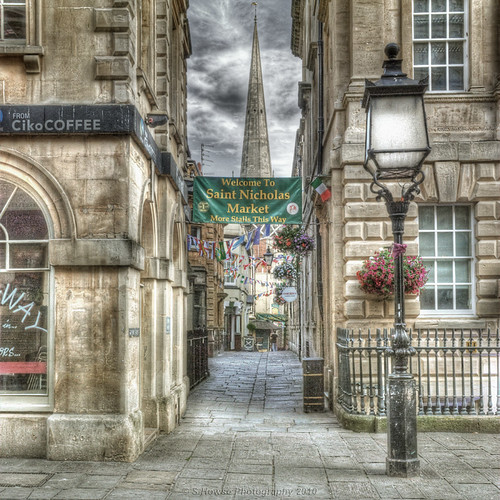
4757960669_31d26184a6.jpg


Portybear, I think you'll get the hang of it pretty easily.
 
Last edited:
Digifrog said:
I like to get natural looking tonemapped HDRs (if I can) using multiple exposures.

If I want that 'grungey' look a single exposure will do.

Ummm... you can get very natural looking images from HDR on a single RAW image too. The only downside is that the HDR is limited to about 4-5 stops of exposure variation, but that is more than enough for most situations. And theoretically you may lose some quality be boosting the exposure of the RAW (but presumably that's similar to ISO quality loss, which if you're taking photos at ISO100 then that shouldn't be a concern).

David
 
Ummm... you can get very natural looking images from HDR on a single RAW image too.

I know. This is demonstrated I think by Vicent's link [above]

When I want a 'grungey' look I don't see the point in using multiple exposures.

Rgds
 
Back
Top