How can I........?

Messages
354
Name
Ashley
Edit My Images
Yes
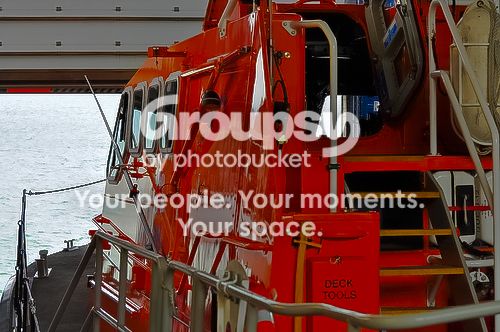
I took this photo and i'd like some help with PP. I'd like to bring the orange out a bit more but at the same time bring the detail out in the sea. I have Photoshop CS5, but it's still very new to me......

I took the photo in both RAW & JPG format

8002827052_c5091a9731.jpg


Thanks

Or does it look ok as it is??
 
Last edited:
see what you can do with the raw file

just playing about with that duplicate the layer and bring the exposure down so the water looks right and also go to image adjustments variations and make it more blue

add a layer mask in black by pressing alt then add layer mask use the paint brush in white to paint the water do a good job of it then flaten the image with

up the brightness and the orange shows through more
 
Last edited:
This took about 20 seconds so could be improved on...

8002827052_c5091a9731[1]f_zps612e6bcf.jpg


Open as RAW.
Boost Saturation and Vibrance to bring the Orange up.
Add small amount of Fill Light to taste.
Move Highlights and Lights sliders to the left to bring the sea out a little.
 
Last edited:
In CS5 under "File" at the top of the screen select "Open As" and then go to "Open As" at the bottom of the screen and you get a load of choices one of which is "Camera RAW."

This way you can open a JPEG as a RAW, if you should want to :D
 
Thanks for tips guys but i'm getting caught up in knots when trying to work with duplicated layers. After the layer is duplicated and I try to make a change to one of the layers it seems to affect both layers.
 
Thanks for tips guys but i'm getting caught up in knots when trying to work with duplicated layers. After the layer is duplicated and I try to make a change to one of the layers it seems to affect both layers.

If you select the top layer and make adjustments - it'll appear to affect both layers - but if you hide the layer, you can see the lower layer is untouched. That's why we use layer masks (or just rub out the bits we want to show from a lower layer).
 
Thanks for tips guys but i'm getting caught up in knots when trying to work with duplicated layers. After the layer is duplicated and I try to make a change to one of the layers it seems to affect both layers.

Then don't bother with layers, do it like I did but spend longer on it.
 
I did try your suggestion woof woof which worked very well thanks, however as i'm trying to learn how to use photoshop I wanted to try the other suggestion aswell.....
 
if you duplicate the layer and work off the top one it will not touch the bottom one click on the eye on the left hand side of the layer and you will see it will hide the changes you have made click it again and it will show changes you have made to the image on that layer as long as you leave the bottom original image alone it will stay that way till you flatter the image
 
Back
Top