dinners
In Memoriam
- Messages
- 15,745
- Name
- Phil
- Edit My Images
- Yes
Hi
Quick question - hope there's an easy answer......
After taking photographs - I connect the camera to the PC and just select 'my computer' and copy the files over.
Once copied over - I'll look through them on the PC & decide which to keep. Those I decide to keep I might adjust in P'shop prior to uploading to Flickr where I can obviously then look at the exif data.
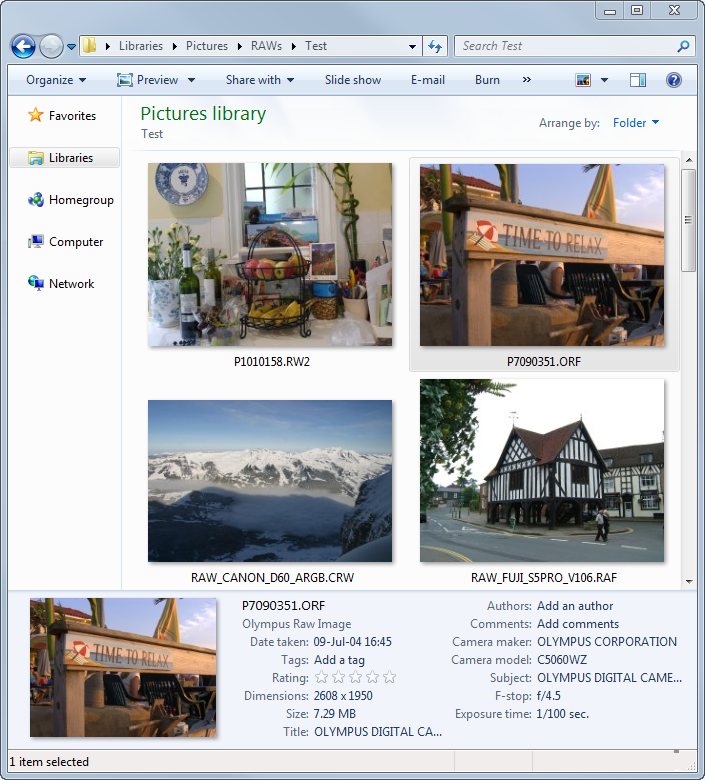
I know I can see it on the camera but what I want to know is whether I can quickly see basic info like aperture / shutter speed / ISO etc (viewed larger on the PC) prior to keeping or deleting.
I'm asking because I think I'd find it handy to quickly see the difference in settings between those I want to keep and the rubbish I delete.
Any suggestions welcome.
Quick question - hope there's an easy answer......
After taking photographs - I connect the camera to the PC and just select 'my computer' and copy the files over.
Once copied over - I'll look through them on the PC & decide which to keep. Those I decide to keep I might adjust in P'shop prior to uploading to Flickr where I can obviously then look at the exif data.
I know I can see it on the camera but what I want to know is whether I can quickly see basic info like aperture / shutter speed / ISO etc (viewed larger on the PC) prior to keeping or deleting.
I'm asking because I think I'd find it handy to quickly see the difference in settings between those I want to keep and the rubbish I delete.
Any suggestions welcome.