Is it safe to delete Recycle bins?

Messages
47
Name
John
Edit My Images
Yes
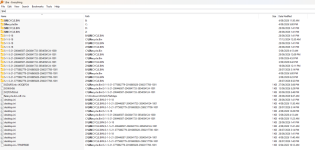
I have noticed for some time that my PC contains multiple "Recycle Bins" does anyone know how/why this happens and can they be safely deleted?

Screen Shot 2026-09-05 at 10.51.28.81 AM.png
 
Can't be much help but you asked why it happened. I think I managed to create these extra bins on an older PC I don't have anymore, from memory, I think it was because I partitioned a disc into two drives. It might also happen if you use something like FolderLock to encrypt something, it's been a while so best to check with someone else :)
 
They have a $ so they are system files and generally shouldn’t be deleted, you can however click into them and delete any files inside them (which permanently removes them rather than allowing a restore).

Windows generally creates one on each drive because it doesn’t actually delete or move the file when you press delete, but changes the files data header to say the data can be overwritten as needed,
 
As mentioned above, Windows creates the file for each drive (including network drives) so they shouldn't be deleted and they're not taking up space or resources on your system.
 
I think the sub folder is the SID of the user, so when you delete a file from your profile, it can’t be seen from another logged in user. If you really want to, you can delete them (you might need to boot into Windows recovery mode go to it), they just get recreated.

If these folders are taking up large amounts of disk space inexplicably, it might be worth doing (eg some deleted file got orphaned) but if not, turn on the option to hide system files and forget about it lol

 
Back
Top