Lightroom Classic - Reduce size?

Messages
45,461
Name
'Gramps'
Edit My Images
No
Persevering with Lightroom Classic, it seems more faff than my previous PL5 + Affinity processing but it has some good features so I'll keep going.
This afternoon I wanted to export a photo but at a reduced size (for forum attachment) but for the life of me I can't see how I do it.
Google said I need File Settings on Export and showed me a pop-up I should get - but I don't get the same pop-up and I don't have File Settings.
Anybody help with what I'm doing wrong, or not doing?
 
Persevering with Lightroom Classic, it seems more faff than my previous PL5 + Affinity processing but it has some good features so I'll keep going.
This afternoon I wanted to export a photo but at a reduced size (for forum attachment) but for the life of me I can't see how I do it.
Google said I need File Settings on Export and showed me a pop-up I should get - but I don't get the same pop-up and I don't have File Settings.
Anybody help with what I'm doing wrong, or not doing?
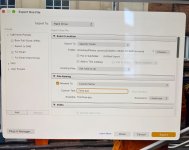
Can you show us a screenshot of the dialog you do get when you try to export an image?
From memory, the option is to set a maximum size (width, height) and is about half way down (there a quite a few things you can set).
It should be in the same place a the Quality for the Jpeg.
 
Can you show us a screenshot of the dialog you do get when you try to export an image?
From memory, the option is to set a maximum size (width, height) and is about half way down (there a quite a few things you can set).
It should be in the same place a the Quality for the Jpeg.
IMG_2740.jpeg

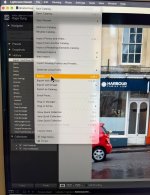
From the Develop module.

Try File/Export/image sizing.

IMG_2742.jpeg
 
:facepalm: What a twit!

Thanks chaps (y)

We've all done it. Hopefully you get used to LRC, I find it a very good program and I do use the database and have done for several years. I think a lot depends on what we are used to and how our brains work. I really struggle with Photoshop, it just does not seem to be logical to me.
 
We've all done it. Hopefully you get used to LRC, I find it a very good program and I do use the database and have done for several years. I think a lot depends on what we are used to and how our brains work. I really struggle with Photoshop, it just does not seem to be logical to me.
I think the benefits will outweigh the 'issues' for me, time will tell.
macOs keeps telling me that some of my old 'components' used in processing won't work when Apple ends Rosetta support in ios 28 so it might be a necessity.
 
Back
Top