

Nikon 1 J1: High Contrast

Messages
26
Name
Owen
Edit My Images
Yes
Can somebody please tell me what I'm doing wrong, my picture seem to have quite a high contrast, is there a setting i can turn off or change to give me richer deeper colours?
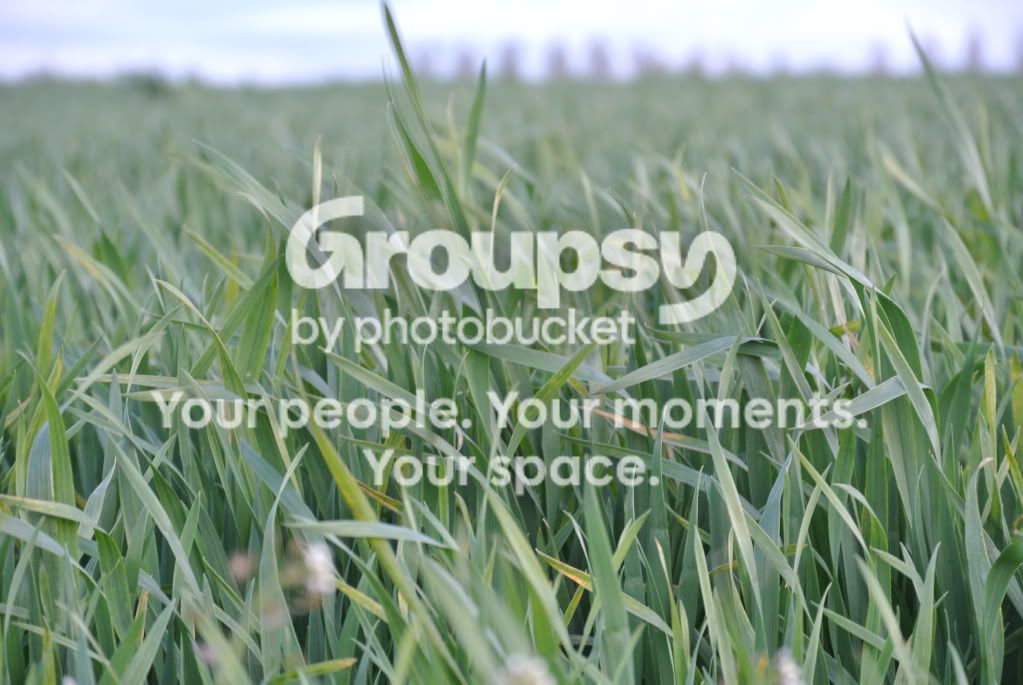
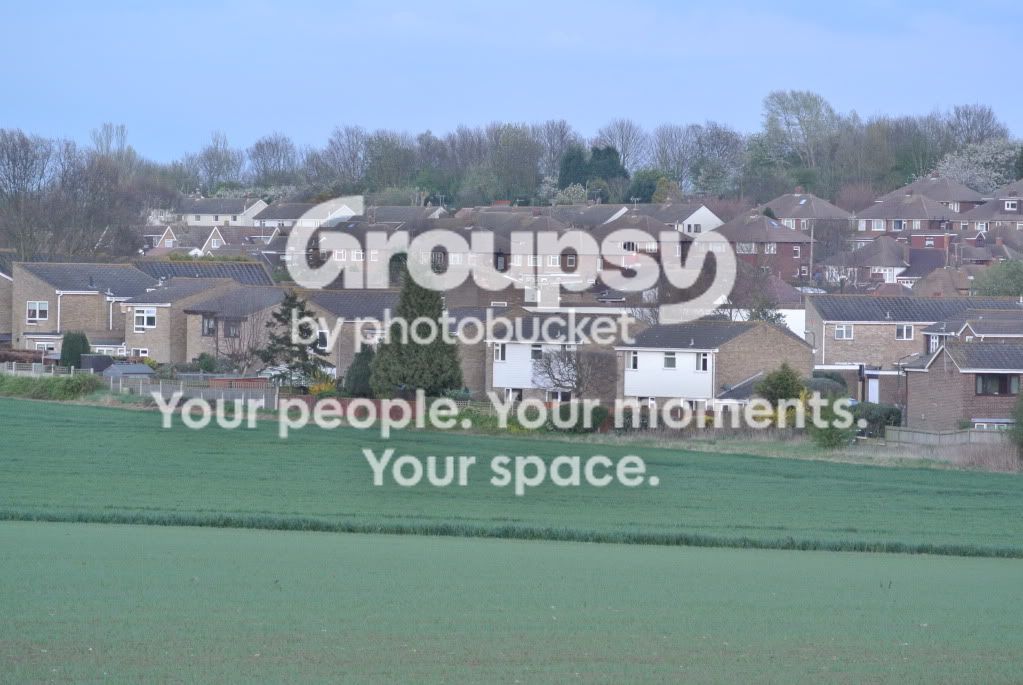
DSC_0176.jpg


DSC_0167.jpg
 
I'd suggest you need to learn what contrast and saturation (at least) are.

I'd not really call those images high contrast, quite the opposite infact.
 
ok, well... can you suggest how i can get my pictures with deeper colours blacker blacks, greener green for example.

I wonder if i will every sign up to a Forums that don't have users with constant sarky remarks.
 
It wasn't sarcasm.

I really think that if you are going to use terminology like contrast that you at least know what it means.

Gaining an understanding in these things would also help you understand what is wrong with your images and fix it yourself rather then just having someone tell you to increase contrast and saturation.
 
i thought the reason for a forum was to share photos and tips and maybe answer questions that members might have? i know i can edit this photo in iPhoto or Light Room, just wanted to see if i could get a near perfect picture without having to go through hours of editing to get it right.
 
Are you shooting in Jpeg? What jpeg settings are you using? If you aren't already, perhaps try the "Vivid" setting.
 
It's possible, nikons have a few jpeg settings. Natural, vivid and something else I can't remember? You could try these and see how you go.
If it helps, I run all of my images through lightroom or photoshop. When you have the presets saved it only takes seconds.

With regards to the sarcastic comments, remember you can't read rudeness or sarcasm. It may not be meant in the way that you read it. This is a good forum and generally speaking everyone on here is up for a bit of light hearted banter. So with that in mind, welcome along.
 
Yes shooting in JPEG, havnt had the camera long, just realised you can configure 'Picture Controls' i have put Saturation to its full, i can already see deeper more accurate colours. Does anyone has a list of settings that i go try?
 
Hi
Contrast and saturation,but you should be getting this from your camera,try a full reset of the setting,then take a few shots and see what happen,then you can adjust the setting to suit you. :)
 
time of day has an effect on your images the difference between the light early morning lunch time and evening time can effect the mount of contrast your camera will produce. as a little experiment get out at sun rise take a photo go to the same spot at lunch time and again at sunset just see take the same photo three times to see the difference
 
Ok, what did you do? did you increase contrast and saturation or decrease?

Contrast - the strength of the difference between the light and dark areas, stark black and white is high contrast, middling shades of grey is low contrast.

Saturation - the intensity of colour (maybe not as simple as this, colour has a multitude of different terms).


Does the J1 have a "Vivid" colour mode? that might be what you're looking for.

It really is as simple as having a play with the different modes and settings to see what you like. It's very difficult to guess what someone else is looking for in the image


And to be fair to brianwar, he wasn't being sarky, it was that you asked the wrong question. You weren't asking what you thought you were. If you're not sure what a term means, just say what you mean in normal language. It makes it easier for everyone and it's more likely you'll get the right answer. Which is the point, isn't it?

Welcome to the forum :wave:
 
Ok, what did you do? did you increase contrast and saturation or decrease?

Hi increase both with Infanview,but to me theses are close to what you should be getting from your camera.

As i said your best bet is to try a reset of your setting in the camera,then if your shooting j-peg set that to fine,and just fire a few shots of on say full auto,and see what results you get :)
 
Owen - I've moved this thread into the "Talk Basics" section - in the straight "Talk" section, I think sometimes we assume that everyone knows the basic terminology, where in the basics section, nothing is taken for granted.

For what it's worth, I don't feel that Brianwar was being particularly sarcastic either, and everyone has done their best to help you so far - we're actually quite a decent bunch of people, perhaps you might consider taking a little more time to realise that, before just condemning everyone here...
 
Can somebody please tell me what I'm doing wrong, my picture seem to have quite a high contrast, is there a setting i can turn off or change to give me richer deeper colours?

DSC_0176.jpg


DSC_0167.jpg

Sarcastic or not, BW's post was unnecessarily blunt and unhelpful IMHO.

Both images are low contrast. The in-camera presets are the things to adjust, though don't stray too far from the standard defaults until you've taken a few more pictures on which to base a judgement.

The first one is taken on a dull day that will naturally result in flatter looking results, plus it looks a smidge over exposed which has robbed the image of deeper blacks.

The second one, ditto, plus it looks like you used a longer lens and atmospheric haze has robbed it of contrast and saturation.
 
Auto white balance is the other thing to keep an eye on, though it doesn't seem to have done too bad a job here (if indeed these were shot on auto).

If for example you take a photo consisting largely of green grass, the camera is likely to pump in a fair amount of magenta (opposite to green) in an attempt to 'correct' all the green it's seeing. This can have the effect of washing out colours.
 
Back
Top