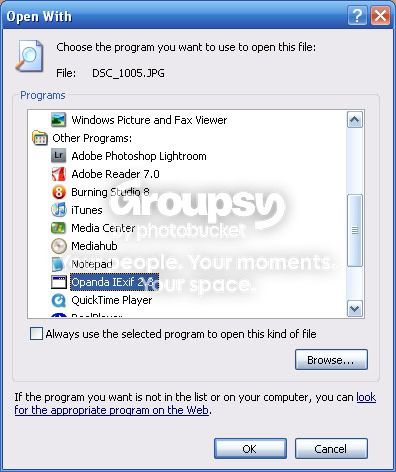
Please help, i can't open files in Opanda Exif

TG.

Messages
6,953
Name
Tel
Edit My Images
No
Just recently i've had a problem opening images in Opanda Exif, this never used to happen, in fact i'm sure it doesn't always just at certain times, not sure why it's happening, so i was hoping one of you nice techie guy's could help out, anyway when i click to open the image this is what i get see below, your help is much appreciated, many thanks in advance :)

EXIF-INFO-1.jpg


EXIF-INFO-2.jpg
 
Try using Kuso exif instead, it has a larger data base than Opanda.

Realspeed
 
have you installed another program that has defaulted jpg's to it?

Do you get the second error message when you click OK to select opanda as the program to use?

Usually you'd tick the box that says always use this program... I'm guessing you've lost the association for jpg files to a program.
 
Files shouldn't be asscoiated with Opanda. You right click the photo if you have opanda installed and view exif from there.

If you want to use Opanda to edit data you need Opanda pro.

Both are available from their website.

Maybe uninstall all opanda apps then reinstall from a fresh download.

I don't get that problems and I use Opanda all the time.

Mind you I'm using XP not Vista or 7 :D
 
You right click the photo if you have opanda installed and view exif from there D

Thats what i'm doing :)

have you installed another program that has defaulted jpg's to it? Not that i know of

Do you get the second error message when you click OK to select opanda as the program to use? yes


Try using Kuso exif instead, it has a larger data base than Opanda.

Just downloaded that :thumbs:
 
I gave up on Opanda a long time ago. In my experience Opanda was failing to display any EXIF data for some files, even though the data was there and available to other apps. I haven't got time to waste on software that sucks. It was too unreliable to be worth keeping.

I flirted with FxIF a while ago, when I was using Firefox, and that was good, but now I'm back on IE and it's Kuso all the way for me, both on and off the web. Unless things have changed in recent months I seem to recall that Kuso would not work on later releases of Firefox, otherwise I would have used it there too.
 
Back
Top