Post processing software poll

what post processing software do you most often use?


  • Total voters
    110
  • Poll closed .
I would have thought Photoshop to be on the list?
 
I used Lightroom until they went subscription only and then changed to DxO Photolab
 
I use LR for conventional photos, but On1 for IR.
 
I've always used ACDSee, can't compare it to anything else but it does all and more than I need.
I have tried a couple of others but am not a fan of spending hours on the computer so tend to stick with sliding sliders rather than creating something new..
 
I am contemplating moving to classic from LR, mainly because I'm worried about storage. I do use the local tab in LR but given that's just a screening tool and you can't add keywords to photos you don't import to cloud, it's more limiting. If I could add keywords to photos in local tab, I'd be happy to stick with LR

I think the user interface of LR excellent and classic really feels quite dated to me by comparison. But I may get used to it
 
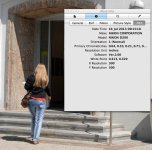
For decades, I've used nothing but Apple's built in "Preview". It has all the facilities I need.

Exif Example Preview.jpg
 
I tried the other LR once and didn't like it, so went straight back to classic. I can't remember why I didn't like it though. Moving to subscription did make me think about moving to different software, but it's actually quite good always being completely up-to-date with all the latest upgrades etc.
 
I think it's quite normal to get used to one system. I'm certainly that way.

I used to have an issue with subscription but have also become fine with that.

To be honest, if LR does develop it's local tab a bit (IE the bit that now allows you to keep your photos on your SSD and out the cloud), I'd have no cause to move. I only really edit my 3 star and above photos and only really want those in the cloud and there aren't tons of those. So it may be I never hit the storage limit and I'm worrying unnecessarily
 
As the Poll only accepts one option, it doesn't represent my use.
For colour files I load into DXO PL5 for minor tweaks like perspective & crop.
I then export to Affinity Photos to do further minor tweaks and maybe incorporate NIK software.

For my monochrome RAW files I import into Darktable (via Image Capture) to tweak and then export as .tiff as above.

Sounds lengthy but isn't really and only applies to those I feel need processing.
 
As the Poll only accepts one option, it doesn't represent my use.
For colour files I load into DXO PL5 for minor tweaks like perspective & crop.
I then export to Affinity Photos to do further minor tweaks and maybe incorporate NIK software.

For my monochrome RAW files I import into Darktable (via Image Capture) to tweak and then export as .tiff as above.

Sounds lengthy but isn't really and only applies to those I feel need processing.

And this is somewhat where I am too: LR plus Silver Efex, On1. Still have DXO optics pro 9 installed to (and affinity, but I'm never going to use that).
 
Darktable, because I use Linux. Done with subscriptions and done with Microsoft.
 
Every RAW file needs processing, so 'post processing' to me means potentially altering the image/pixels after the RAW conversion.

An interesting list, but without Photoshop and ACR being in the list it is incomplete imho, and any results are unrepresentative of what options people may be using.

I've been using Adobe Camera Raw via Adobe Bridge for many years. That can be used on Jpegs and RAW files. Occasionally I go into Photoshop from ACR to do some further editing when needed.

As far Photoshop not being on the list of options, Photoshop can be a pixel editor, but also a global editor. With the ACR plugin, it can be a RAW processor as above, or you can use the Camera Raw plugin as an easy editor of a lot of settings, or as a filter on a layer.

I do have LightRoom, but don't need anything other than the RAW processing, so don't need to create catalogs, which use up space, and so prefer ACR.

So I am one of the 'Other's above. ;) :LOL:
 
Every RAW file needs processing, so 'post processing' to me means potentially altering the image/pixels after the RAW conversion.

An interesting list, but without Photoshop and ACR being in the list it is incomplete imho, and any results are unrepresentative of what options people may be using.

I've been using Adobe Camera Raw via Adobe Bridge for many years. That can be used on Jpegs and RAW files. Occasionally I go into Photoshop from ACR to do some further editing when needed.

As far Photoshop not being on the list of options, Photoshop can be a pixel editor, but also a global editor. With the ACR plugin, it can be a RAW processor as above, or you can use the Camera Raw plugin as an easy editor of a lot of settings, or as a filter on a layer.

I do have LightRoom, but don't need anything other than the RAW processing, so don't need to create catalogs, which use up space, and so prefer ACR.

So I am one of the 'Other's above. ;) :LOL:
I know what you mean. But the term post processing comes from a more accurate term post capture processing, it covers everything you do after taking the photo, which I think is accurate.
 
Sorry for not including more options. I picked those I thought would be most common and included an other option.
That's fair enough, but talking about anything to do with image editing/processing/post processing and not include Photoshop, and Camera Raw, if you are taking the time to differentiate the LightRoom versions, is puzzling to me. :jawdrop:

I mean so far RawTherapee, is a very niche product imho, and so far the votes, or lack of, is proving that. I'm surprised that there are so many for DxO Photolab! :confused:
 
Isn't Affinity Photo more like Photoshop rather than Lightroom and it's on the list? I've never used it though, so just guessing.
 
How long did it take you to adjust?
In total it took a while because I tried downloading various processing programs to see what suited me. Any software is going to be a change but some clicked with me more than others and DXO Photolab I found easier to get going with so I went with it. I don't do that much when I'm processing raw files and found it automated most of what I wanted to do well plus it has excellent noise reduction. I also liked their software pricing and update policies since they don't have a subscription version at all and they keep supporting camera models on older software revisions for a decent amount of time. I'd started trying to use CaptureOne but I was concerned with the way they seemed to be pushing subscriptions so I didn't want to risk getting trapped back in the same situation as Lightroom.

It has been a pain changing and I won't gloss over that. I'd bought books that helped me get into Lightroom and years of working with it so all that is lost going to different software and the support for learning DXO Photolab is nowhere near as good. I've used their forums a handful of times and basically been told I'm doing it wrong so I should accept the way Photolab does it which isn't helpful. I store photos in large groups in folders which Lightroom has no issue with as it simply looks for new files and imports them but Photolab counts every photo every time so it can take some time before I can get to new photos so I've had to change how I organise my photos. Weirdly and I don't understand why it can't read any DNG file so for cameras they don't support (like DJI action cameras and DJI drones) it won't touch their files so I'm still using Lightroom 6 which works fine with them even though it was released almost a decade before these cameras existed. There's no panorama stitching in Photolab either so I'm still doing that in Lightroom 6.

Still I'm mostly happy with my setup now but just want to be honest that it isn't an easy change and I probably wouldn't have done so if it wasn't for Lightroom going subscription only.

Isn't Affinity Photo more like Photoshop rather than Lightroom and it's on the list? I've never used it though, so just guessing.
I was trying it for panorama stitching recently and that was definitely my impression as well although I have seen it frequently recommended for photo processing.
 
I use DXO in conjunction with Affinity and I believe that quite a few people do the same , isn’t an option for both
 
I think it's quite normal to get used to one system. I'm certainly that way.

I used to have an issue with subscription but have also become fine with that.

To be honest, if LR does develop it's local tab a bit (IE the bit that now allows you to keep your photos on your SSD and out the cloud), I'd have no cause to move. I only really edit my 3 star and above photos and only really want those in the cloud and there aren't tons of those. So it may be I never hit the storage limit and I'm worrying unnecessarily
I do not understand this comment. I use LR Classic and never use the Cloud but store everything locally. I back up with a NAS.

Dave
 
Must admit to doing most processing in Photoshop, then into Lightroom for final edit to print, adjusting for the paper and effect I want the output print to have - all the heavy lifting is Photoshop, and that will be Afinity at the end of this years Photoshop subscription when i give it the elbow.
 
I have found that I hardly use my LRC these days and when I do, it's just to crop pictures and adjust exposure. It's really not worth me spending on a subscription any more and when this one runs out in January, that'll be it and I'll either use a free one or a standalone app that I can buy and use forever without paying anything further.
 
I was referring to LR rather than LR Classic

Although I was sorting of joking further up, for many of us, the application now called lightroom isn't really at all. I suspect Adobe thought their customer base would just move across, but most of us have no wish to do so. Calling it something else might have been better.
 
I still use Bridge & Photoshop as I have been doing for year’s, It does everything that I need & more. I did install Lightroom classic to try & uninstalled it & then went back to what I know.

Discovered the Lightroom catalogue the other day ….51 Gigabytes recovered hard drive space.
 
I keep toying with whether to shift to LrC. I like the fact I'd have no storage issue beyond my own SSD storage. That's the main pull

But the UI does seem really quite dated

But it seems an awful lot of you like it so maybe it's just a case of getting used to it

Although I was sorting of joking further up, for many of us, the application now called lightroom isn't really at all. I suspect Adobe thought their customer base would just move across, but most of us have no wish to do so. Calling it something else might have been better.
 
But the UI does seem really quite dated

I've used software to do various things for more than 30 years. My criteria for judging the interface is how easily and effectively it helps me do what I want, rather than whether it follows trends in design. Sorry if that sounds a little snotty, but it really is my approach, and when I see an interface design update it makes me groan inwardly because at the least I'm going to have to re-learn stuff, and more often it just sods up a perfectly usable set of tools in the name of modernisation. Sometimes the improvements are great, and sometimes not so much.
 
I admit I am a bit of a sucker for a polished UI. Although it isn't just that, I also like a UI that is free from clutter with the most common options (ideally customisable) front and centre and less used stuff in menus, rather than having too much clutter available at once

Calibre for ebooks is a good example. An open source unpolished UI but I can customise it and keep it simple
 
For those LR Classic users, is there an option to 'hide' any of the side menus when viewing an image temporarily. IE. To create a 'distraction free' view?
 
Back
Top