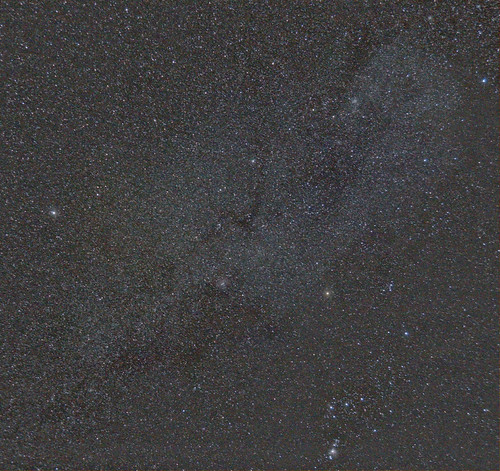
Processing of Milky Way using DSS (Help please!)

Messages
746
Name
Phil
Edit My Images
Yes
Hi,

I took some shots of the Milky Way to stack using Deep Sky Stacker and was fully expecting to see a bit of detail there but am not having much luck at all. Was hoping someone could take a look at the images and see what their thoughts were, maybe where I could be going wrong or if I'm just expecting to much.

First picture is an example of a single frame that is being used in the stacking process. There are 44 all together, 9 of them dark frames.
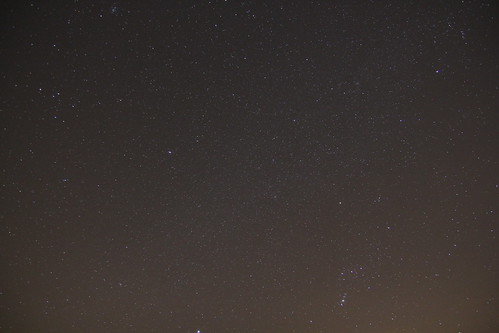

IMG_2734 by MrPeriPeri, on Flickr

Second picture is of a stacked result from DSS and have played a little in Photoshop with Curves:
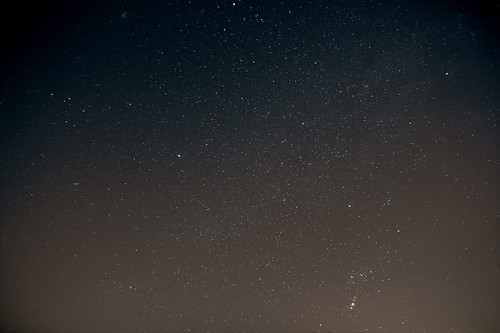

Stacked by MrPeriPeri, on Flickr

Third photo is a single frame that I have played with in Photoshop as a comparison to the stacked image:
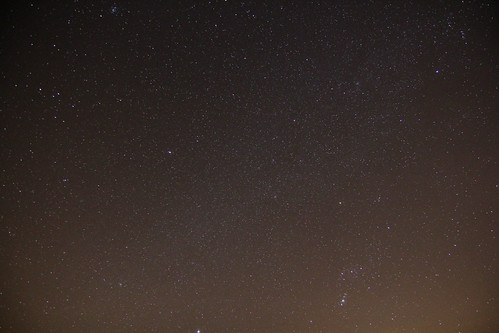

Single Shot Result by MrPeriPeri, on Flickr

I think there is a lot of data there and it could be a good image but I think my processing is screwing it up to be honest. I have tried following tutorials but not having any luck. If anyone has any advice or wants to have a play with the images and see what detail you can draw out please feel free.

Below is a separate image I took of the Milky Way and was expecting something was like this, but have not been able to produce anything close.


Sky 2 by MrPeriPeri, on Flickr

Any help will be very much appreciated!

Phil
 
You've for a bit of an LP gradient, it's possible to deal with that, some nice detail showing up, M42 and M43 are clear... I'll take a look as we discussed in PM.
 
I really am looking to try this myself. How do you locate that dense band of stars of the milky way in the sky? Is there some way of knowing when and where it rises in the night sky?
 
I really am looking to try this myself. How do you locate that dense band of stars of the milky way in the sky? Is there some way of knowing when and where it rises in the night sky?


Stellarium is a great free program that maps the entire sky and makes it easy to find stuff and precise times and planning shoots etc.. check it out
 
Ok, I've had a play with the autosave file... there's a fair amount more data in there, but... there's some issues too... Looking at the single exposure, even at 20s, you've got some trailing in there.. you also need to stop that lens down, you've got CA and Coma on the stars at the edges... however, that doesn't show up so much... the high number of frames used in the stack from a static tripod has introduced field rotation into the corners... it shows as smearing when you stretch the image... (expand the peak along the histogram) so you lose detail. Probably worth restacking but use maybe only 10 or 15 subs in the stack.

I've stretched this, used Gradient Exterminator and a LP removal action on it, I've not done anything else, like NR or cropping to remove the smearing so you could see what I mean. I'm also not sure what the cloudyness around the edges is, I suspect some local ambient light bleed also (I've seen something like that myself). Let me know if you want me to take this down.

Autosave007.jpg
 
John, thanks again for taking a look and doing the edit, much appreciated.

Pretty disappointed the result wasn't better to be honest. I will have to keep practising I guess! I thought with 20s and at the wide end 17mm I would avoid trailing.

One thing I will try next time is to compose the image more vertically and try to avoid more light pollution. I was in a dark (ish) area but had the camera point about 45 degrees up from the horizon so it still picked up a fair bit. That gradient exterminator has worked really well though, I will have to look in to getting an action like that as most of my pics suffer from these.

When shooting the images it began to get a little hazy (was very foggy the next morning) but was barely noticeable by eye, I wonder if that is what the cloudy ish stuff is around the edges?

I also thought the more images I stacked the better but appears to not be the case due to the rotation. Perhaps I will have to look in to getting some sort of tracking mount. Really want a portable solution though.

For best results I think I will have to wait for a dead clear night and shoot the Milky Way when it was more over head to cut out some of the light. Will also need to think of something to get around the rotation fact. I want to get a lot of frames for maximum data but not if it will ruin the stack.

Thanks again
 
Last edited:
You're welcome Phil... the mist you mention would indeed account for the odd glow... the camera will pick it up on these exposures... Try only using 10 exposures in the stack... that should prevent most of the field rotation smear you have here.

As for a portable solution.. the new Vixen Polarie looks to be a good bet... as does the Astrotrac... but none of them are cheap.

you could try a little EQ1, it's ok... and you ought to be able to hit 30 to 60 seconds consistently at this focal length...
 
if you want a really cheap mount and you are a bit of a DIY'er try making a "barn door" or "scotch" mount,

linky

or another one

I must say I've never tried making one yet, but I will:) someday:lol:
 
Cheers John, will look in to those solutions.

Thanks Vizzair also for the links. I have thought about making one of those, but also had thought about making an electronic tracking mount. I found some details on one which was very accurate and seemed relatively simple to make.

I will hunt the details out tonight and post them up if you are interested in taking a look. I think a simple scotch mount might be worth a try first though before I plough hours in to creating my own tracking mount.
 
So I am having yet more problems with software :bang: photoshop this time.

It will no longer open any of my .TIF files even though it was fine just yesterday and had no problems up until now. It is complaining I don't have enough enough memory (RAM) even though I have 6GB.

Searched all over the web and tried all kinds of fixes but it's not looking hopeful now. No idea why the hell it's doing this. So annoying!
 
John,

Thanks again for that youtube channel, it was so helpful!

Finally got Photoshop working and this was my result.


Milky Way - Leith Hill by MrPeriPeri, on Flickr

Pretty pleased considering the original images weren't the best, and I have learnt a lot in terms of processing astro images through this.

Going to go back through some old shots and reprocess I think until more clear skies!
 
Back
Top